Your first game in 15 minutes
In this tutorial you build Coin Run: a character who walks and jumps across a small island, five spinning coins, a score on screen and a camera that follows the player. You will use physics, input actions, Wander behaviors with a test, a UI canvas, and finally package the game as a macOS app.
Every step is a tool call. Paste them into the in-editor agent's chat, run them from an MCP client, or do the same
thing by hand in the editor (each step says how). The calls on this page are executed end to end by
website/scripts/tutorial_coin_run.py whenever the site's media are rebuilt, so they are known to work.
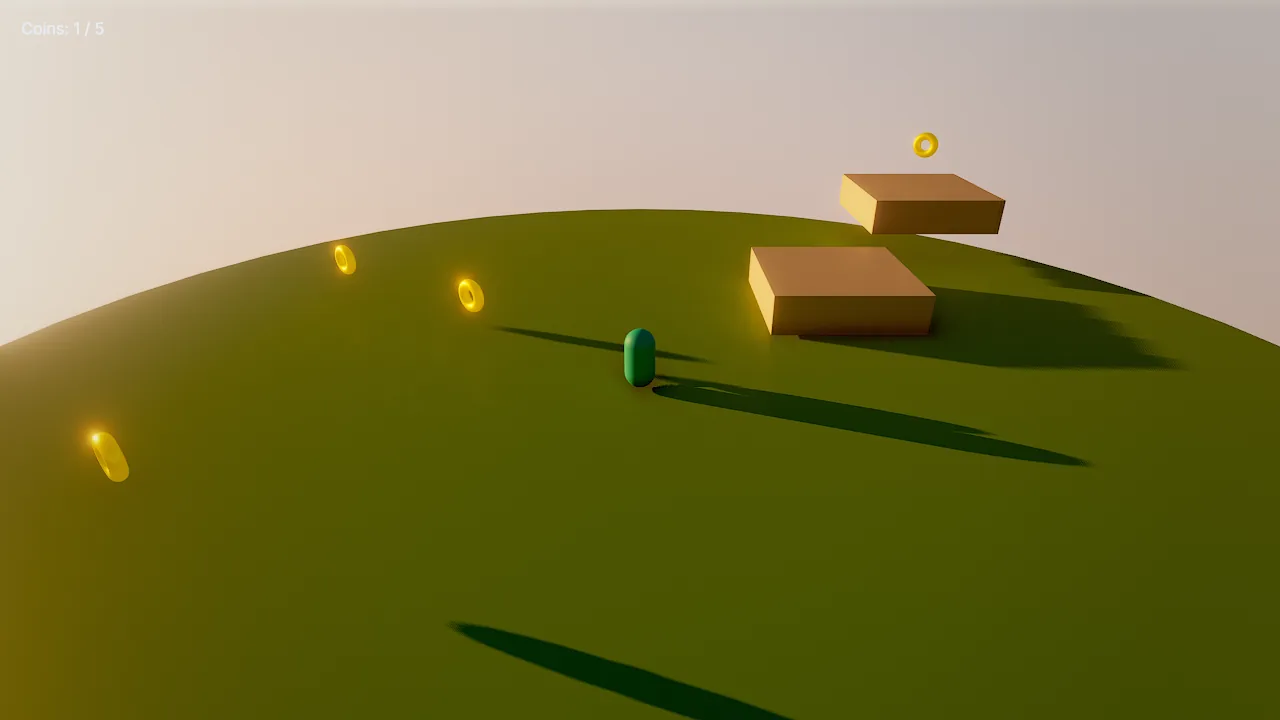
1. Create the project and the scene
Start from an empty scene with a golden-hour sky:
scene_new {"name": "Coin Run", "empty": true}
environment_update {"preset": "sunset", "skyMode": "atmosphere", "clouds": 0.4, "fogDensity": 0.002, "haze": 0.004, "showGrid": false}
preset applies first, then the fields override it. In the editor you can do the same from the details panel with the
scene's environment selected.
2. Block out the level
One batch creates the island, two steps, the player and the camera as a single undoable edit:
batch {"operations": [
  {"tool": "entity_create", "args": {"name": "Island", "mesh": "cylinder", "position": [0, -0.5, 0], "scale": [24, 1, 24], "color": "#7fb069"}},
  {"tool": "entity_create", "args": {"name": "Step 1", "mesh": "cube", "position": [4, 0.4, -4], "scale": [3, 0.8, 3], "color": "#d9c7a7"}},
  {"tool": "entity_create", "args": {"name": "Step 2", "mesh": "cube", "position": [7, 1.2, -8], "scale": [3, 0.8, 3], "color": "#d9c7a7"}},
  {"tool": "entity_create", "args": {"name": "Player", "mesh": "capsule", "position": [0, 1, 4], "color": "#3cc9b0", "tags": ["player"]}},
  {"tool": "entity_create", "args": {"name": "Camera", "position": [0, 5, 13], "rotation": [-18, 0, 0], "components": {"camera": {"primary": true, "fov": 55}}}}
]}
The player tag matters: the coins below react to it, and playtest bots look for it.
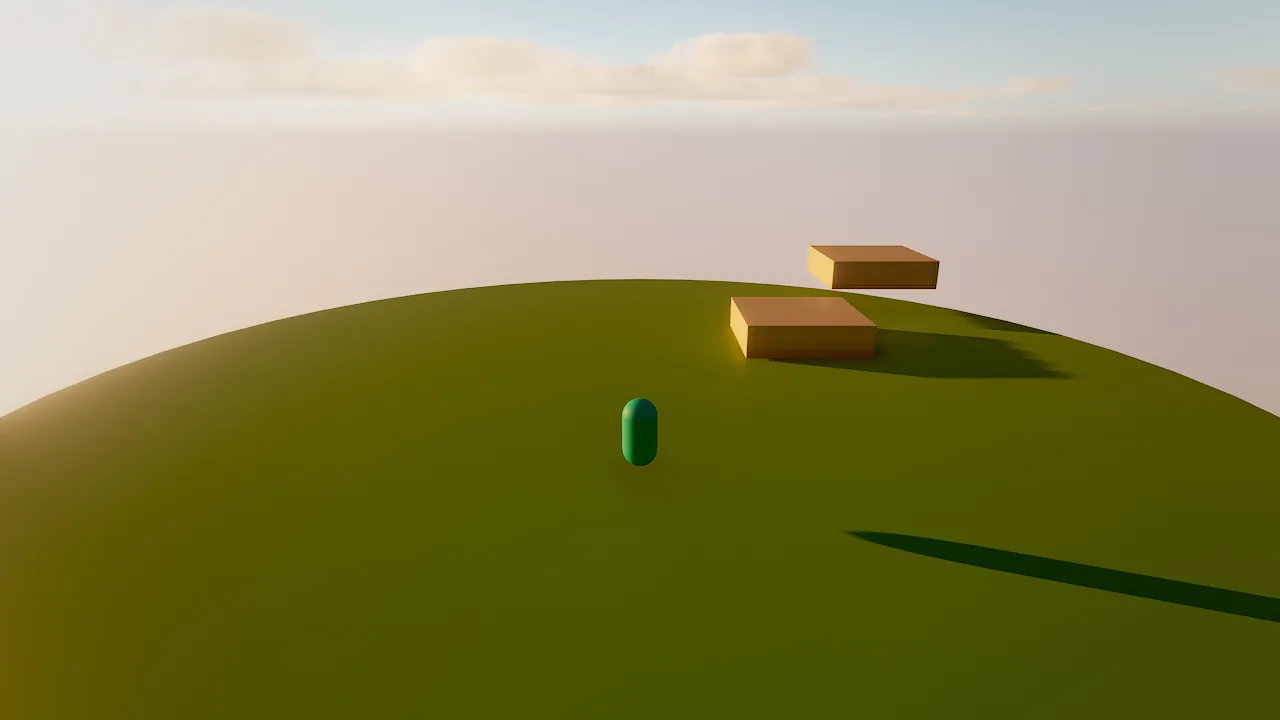
3. Add physics
The island and the steps become static colliders; the player becomes a capsule character controller that walks up slopes, steps up ledges and slides along walls.
physics_add {"entities": ["Island", "Step 1", "Step 2"], "preset": "static_level"}
physics_add {"entity": "Player", "preset": "player_character"}
4. Make the player move
Behaviors are Wander code with a plain-language intent. This one reads the move action (WASD, the arrow keys or the
left stick in the default input map) and the jump action (space or the south button):
behavior PlayerMove
  intent "Walk with WASD or the left stick, jump with space or the south button."
  on tick
    let m = axis("move")
    walk(self, (m.x, 0, -m.y))
  end
  on action "jump"
    jump(self)
  end
end
axis("move") is a vector with y forward, and the scene's forward is −Z, hence -m.y. walk moves the character
at its moveSpeed for this tick; jump only works when the character stands on the ground.
behavior_set {"entity": "Player", "name": "PlayerMove", "source": "behavior PlayerMove\n intent \"Walk with WASD or the left stick, jump with space or the south button.\"\n on tick\n let m = axis(\"move\")\n walk(self, (m.x, 0, -m.y))\n end\n on action \"jump\"\n jump(self)\n end\nend\n"}
In the editor: select Player, add a behavior in the details panel, paste the code. Diagnostics appear as you type.
5. A camera that follows
behavior FollowCam
  intent "Follow the player from behind and above, smoothly."
  on tick
    let p = find("Player")
    if p then
      self.position = lerp(self.position, p.position + (0, 5, 9), 1 - exp(-4 * dt))
      look self at p
    end
  end
end
1 - exp(-4 * dt) makes the smoothing independent of the frame rate.
behavior_set {"entity": "Camera", "name": "FollowCam", "source": "behavior FollowCam\n intent \"Follow the player from behind and above, smoothly.\"\n on tick\n let p = find(\"Player\")\n if p then\n self.position = lerp(self.position, p.position + (0, 5, 9), 1 - exp(-4 * dt))\n look self at p\n end\n end\nend\n"}
6. Coins, with a test
Create one coin, make it a trigger zone (a sensor that fires on trigger_enter), and give it a behavior:
entity_create {"name": "Coin", "mesh": "torus", "position": [0, 1, 0], "rotation": [90, 0, 0], "scale": [0.6, 0.6, 0.6], "color": "#f5c542", "components": {"mesh": {"metallic": 1, "roughness": 0.25, "emissive": "#f5c54240"}}}
physics_add {"entity": "Coin", "preset": "trigger_zone"}
behavior Coin
  intent "Spins in place. When the player touches it, it reports a collected coin and disappears."
  param spin = 120 in 0..360 "degrees per second"
  on tick
    rotate self by (0, spin * dt, 0)
  end
  on trigger_enter "player"
    emit "coin_collected"
    destroy self
  end

  test "spins"
    let before = self.rotation.y
    wait 0.5
    expect self.rotation.y != before
  end
end
param declares a tunable: the editor shows spin as a slider from 0 to 360. The test block is part of the
behavior; wander_test runs it in a sandbox, so the real scene is never touched:
behavior_set {"entity": "Coin", "name": "Coin", "source": "behavior Coin\n  intent \"Spins in place. When the player touches it, it reports a collected coin and disappears.\"\n  param spin = 120 in 0..360 \"degrees per second\"\n  on tick\n    rotate self by (0, spin * dt, 0)\n  end\n  on trigger_enter \"player\"\n    emit \"coin_collected\"\n    destroy self\n  end\n\n  test \"spins\"\n    let before = self.rotation.y\n    wait 0.5\n    expect self.rotation.y != before\n  end\nend\n"}
wander_test {"entity": "Coin", "name": "Coin"}
{"compiled": true, "passed": 1, "failed": 0, "total": 1,
 "tests": [{"name": "spins", "passed": true, "ticks": 31, "seconds": 0.52, "expectations": 1, "behavior": "Coin"}]}
Now duplicate it. Duplicates copy components, physics and behaviors:
entity_duplicate {"entity": "Coin", "offset": [-3, 0, -2], "count": 2}
entity_duplicate {"entity": "Coin", "name": "High Coin", "offset": [7, 1.6, -8]}
entity_duplicate {"entity": "Coin", "name": "Far Coin", "offset": [-6, 0, 3]}
In the editor: select the coin and press Cmd+D, then move the copies with the move tool (W).
7. Keep score on screen
ui_create builds a whole interface from one JSON tree. A screen-space canvas named HUD with one text element:
ui_create {"canvas": {"name": "HUD", "theme": "dark"}, "elements": [{"type": "text", "name": "Score", "anchor": "top_left", "position": [32, 28], "text": "Coins: 0 / 5", "style": "large"}]}
The coins emit coin_collected; a behavior on the canvas counts them and updates the text:
behavior Score
  intent "Counts collected coins and shows the count on the HUD."
  var coins = 0
  on event "coin_collected"
    coins += 1
    find("Score").ui.text = "Coins: {coins} / 5"
    if coins >= 5 then
      find("Score").ui.text = "All coins collected!"
    end
  end
end
behavior_set {"entity": "HUD", "name": "Score", "source": "behavior Score\n  intent \"Counts collected coins and shows the count on the HUD.\"\n  var coins = 0\n  on event \"coin_collected\"\n    coins += 1\n    find(\"Score\").ui.text = \"Coins: {coins} / 5\"\n    if coins >= 5 then\n      find(\"Score\").ui.text = \"All coins collected!\"\n    end\n  end\nend\n"}
scene_save {"path": "scenes/main.sky.json"}
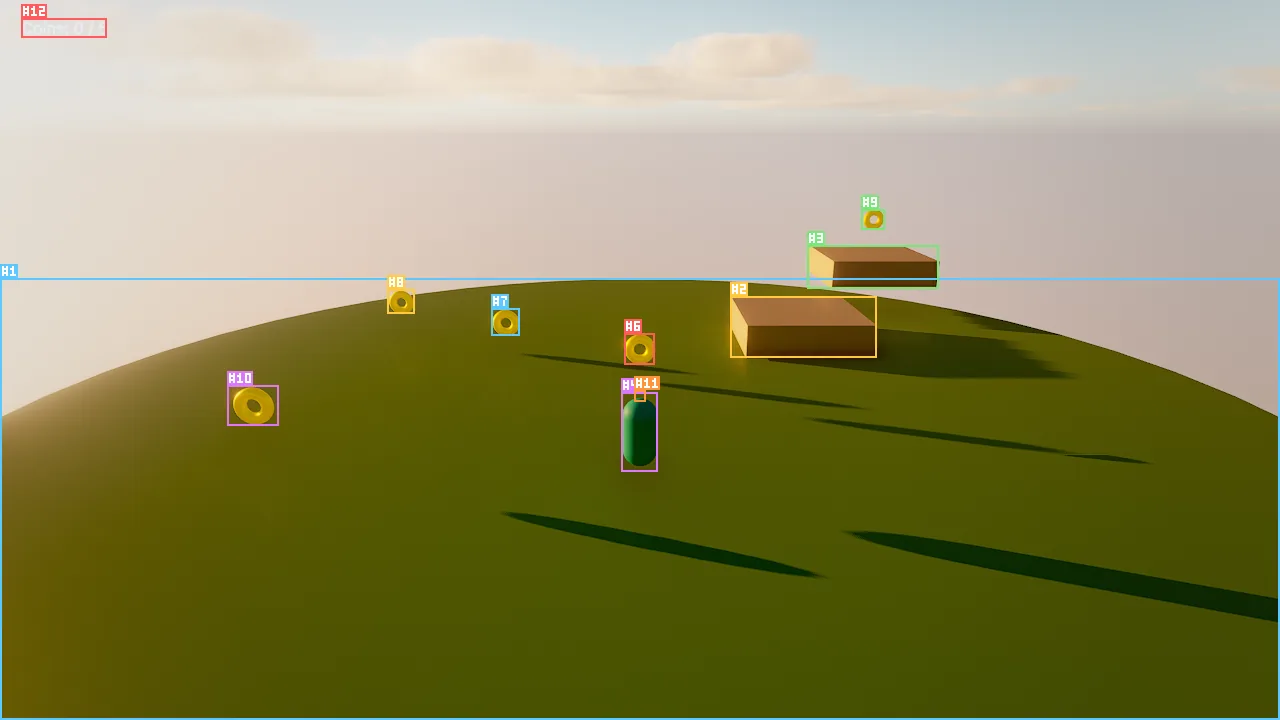
viewport_capture {"annotate": true} labels every entity with its id.8. Play and verify
Press Cmd+P and collect the coins. An agent verifies the same thing without a screen: play, hold the move axis
forward for 70 ticks (60 ticks are one second), step the simulation, and read the HUD's vars.
sim_control {"action": "play"}
sim_input {"axes": [{"name": "move", "x": 0, "y": 1, "ticks": 70}]}
sim_control {"action": "step", "ticks": 70}
entity_get {"entity": "HUD"}
sim_control {"action": "stop"}
entity_get shows "vars": {"coins": 1}: walking forward collected the first coin. stop restores the scene to its
pre-play state. Because the simulation is deterministic, this check gives the same answer every time, which is what
makes agent-written tests and playtest bots reliable.
9. Ship it
Give the game a title and build a standalone app:
game_settings {"operation": "set", "settings": {"title": "Coin Run", "startScene": "scenes/main.sky.json", "version": "1.0.0"}}
The app contains the player runtime, the scene, the assets it references and the license notices, ad-hoc signed to run on your Mac. Shipping covers icons, quality presets, signing and notarization.
Where to go next
- Replace the capsule with a rigged character: Animation.
- Add sound:
audio_generate {"preset": "coin", "path": "audio/coin.wav"}andplay_sound("audio/coin.wav")in the coin'son trigger_enter. See Audio. - Let a crew playtest it and fix what they find: Studio and crews.
- Learn the language properly: Wander scripting.
For agents
The loop you just followed is the agent loop: orient (engine_info, scene_overview), act in batches
(batch, entity_create, physics_add, behavior_set), look (viewport_capture with annotate),
verify (wander_test, sim_input + sim_control step, entity_get, logs), and undo with history
when something went wrong.