Camera and post-processing
The camera turns the lit HDR scene into the picture you see. Lens settings live on the camera component (field of
view, depth of field, tilt-shift, motion blur); exposure, tonemapping, color grading, looks and lens character live in
the scene's environment. Together they form one HDR pipeline: temporal anti-aliasing, motion blur, depth of field
and auto exposure, then bloom and the final composite.
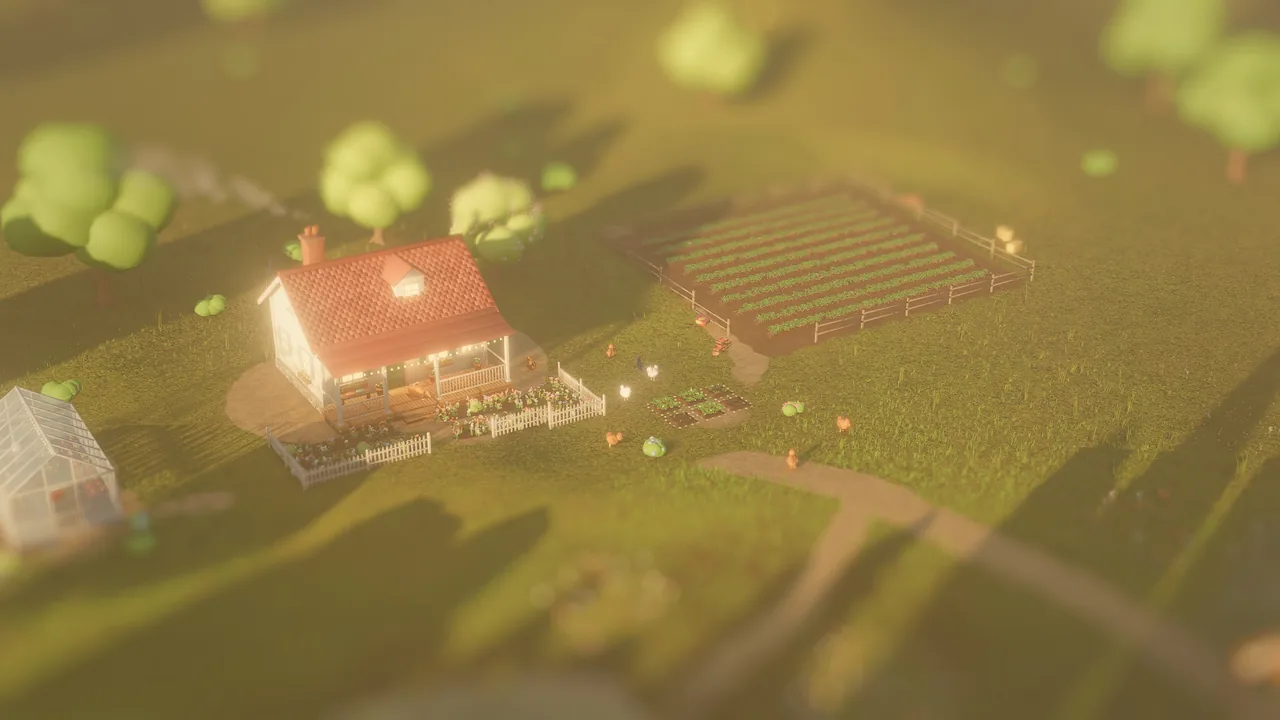
tiltShift keeps a band across the middle of the frame sharp and blurs above and below it, the toy-town look for aerial shots.Concepts
The camera component
| Field | Default | Meaning |
|---|---|---|
fov |
60 | Vertical field of view in degrees (5 to 170) |
nearPlane, farPlane |
0.1, 500 | Clip distances in meters |
orthographic, orthoSize |
false, 5 | Orthographic projection for 2D and isometric games; orthoSize is half the visible height |
primary |
true | The first primary camera in scene order is the game camera |
aperture |
0 | Depth of field f-stop: 1.4 very shallow to 16 deep; 0 = everything sharp |
focusDistance |
0 | Focus distance in meters; 0 = autofocus on the center of the frame |
tiltShift |
0 | Miniature look: 0 = off, 1 = strong |
motionBlur |
0 | Shutter fraction: 0.5 = a film-like 180° shutter, 0 = off |
cullMask |
all layers | Render layers the camera draws |
The editor has its own orbit camera (camera_set), which is what the viewport and default captures show.
viewport_capture {"view": "scene"} renders through the game camera, camera_entity through any camera entity, and
eye / target / fov (with aperture, focus_distance and tilt_shift) through a one-off custom lens.
Order of operations
After the scene is lit, the frame goes through: volumetric light and the temporal pass (TAA, or accumulation for
stills), MetalFX upscaling when renderScale < 1, then the camera stage (motion blur, depth of field, auto exposure),
then post: the bloom chain and the composite, which applies chromatic aberration, white balance, exposure, the
tonemap, saturation and contrast, the look or LUT, vignette, grain, contrast-adaptive sharpening and dithering.
Depth of field and tilt-shift
Depth of field is a thin-lens model: each pixel's circle of confusion comes from its depth, aperture and
focusDistance, and a bokeh gather at half resolution blurs it. tiltShift fakes a tilt-shift lens: a sharp band
across the middle of the frame with blur growing above and below it. A real aperture cannot blur a scene 50 m away
that much, which is what makes aerial shots read as miniatures. It shares the bokeh gather with aperture and
combines with it.
Exposure
| Field | Default | Meaning |
|---|---|---|
exposure |
1 | Manual exposure multiplier; still applies with auto exposure |
autoExposure |
false | Eye adaptation from center-weighted metering |
exposureCompensation |
0 | EV stops added on top, −6 to 6 |
adaptationSpeed |
1.5 | How fast auto exposure adapts |
Captures and stills meter instantly; real-time frames adapt over time. Movie renders adapt by the movie's frame time, so exposure changes are stable across frames.
Tonemapping
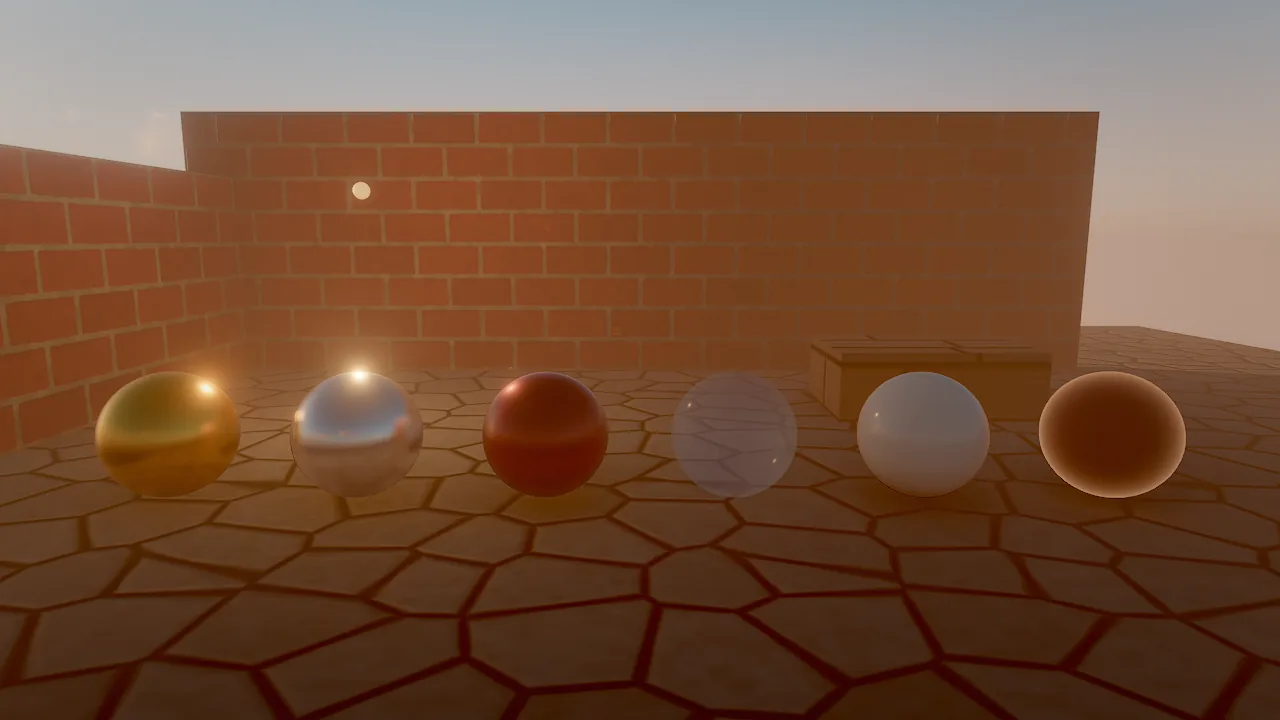
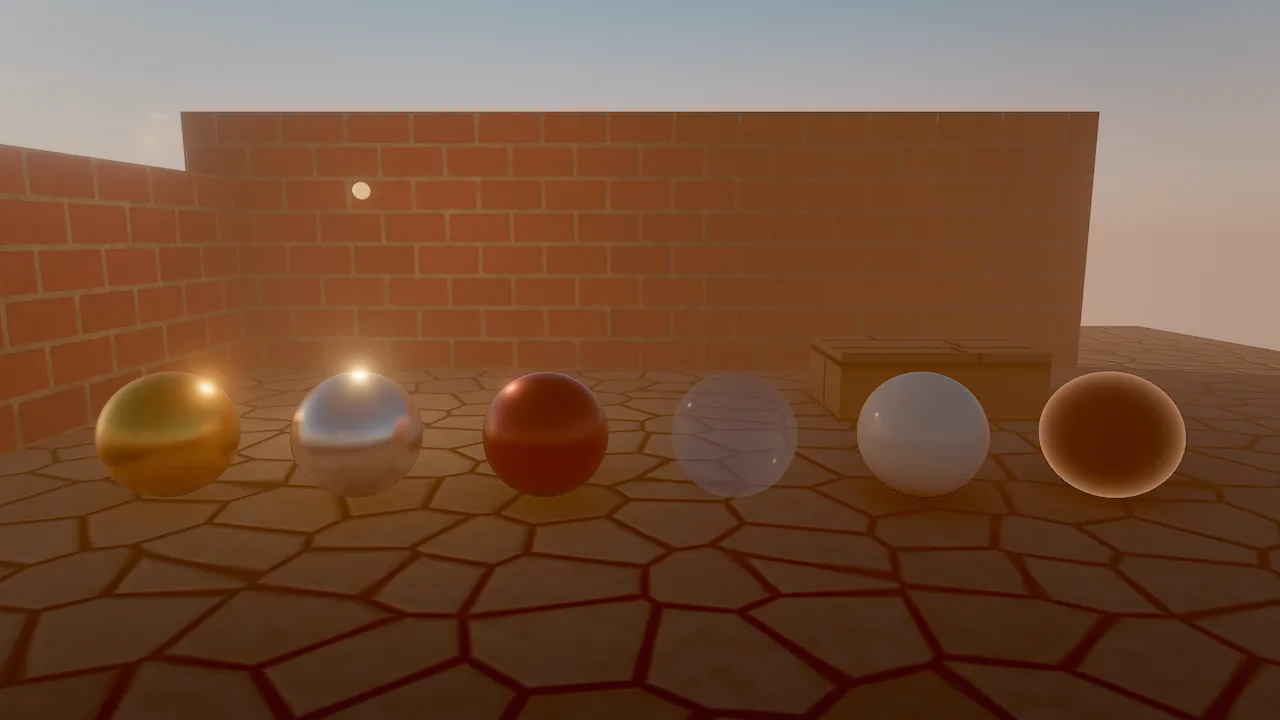
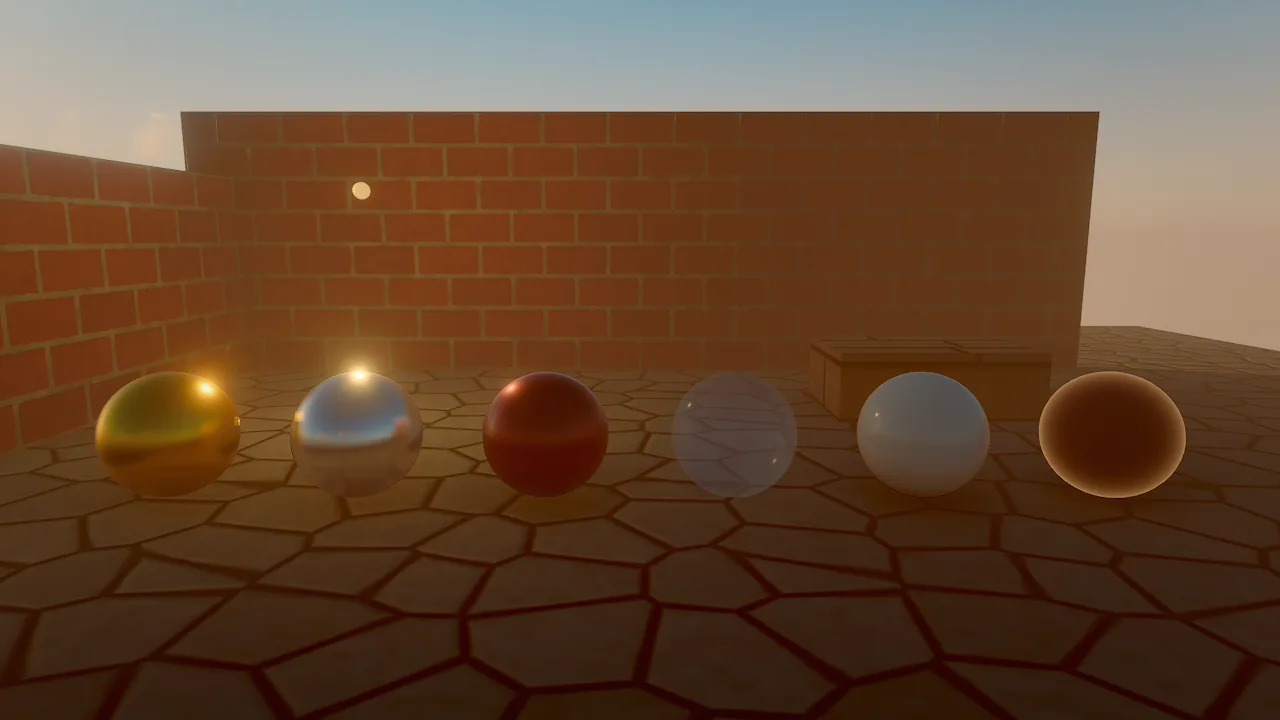
tonemap maps HDR to the display: aces (the default), agx, neutral, filmic or none. As starting points,
the recipes in this manual use agx for photoreal scenes, neutral for cartoon looks and none for pixel art and flat
2D, where colors must come out exactly as authored.
Grading and looks
| Field | Default | Meaning |
|---|---|---|
temperature |
0 | White balance: −1 cool to +1 warm |
tint |
0 | −1 green to +1 magenta |
saturation |
1.05 | 1 = neutral (0 to 2) |
contrast |
1.05 | 1 = neutral (0.5 to 2) |
look |
none |
warm, cool, teal_orange, golden_hour, bleach, noir, vivid, moonlight, vintage |
lut |
none | A project-relative .cube 3D LUT; when set, it is used instead of look |
lookStrength |
1 | Blend of the look or LUT |
.cube files must be 3D LUTs (LUT_3D_SIZE 2 to 256); 1D LUTs are rejected. A LUT file is reloaded when it changes
on disk.
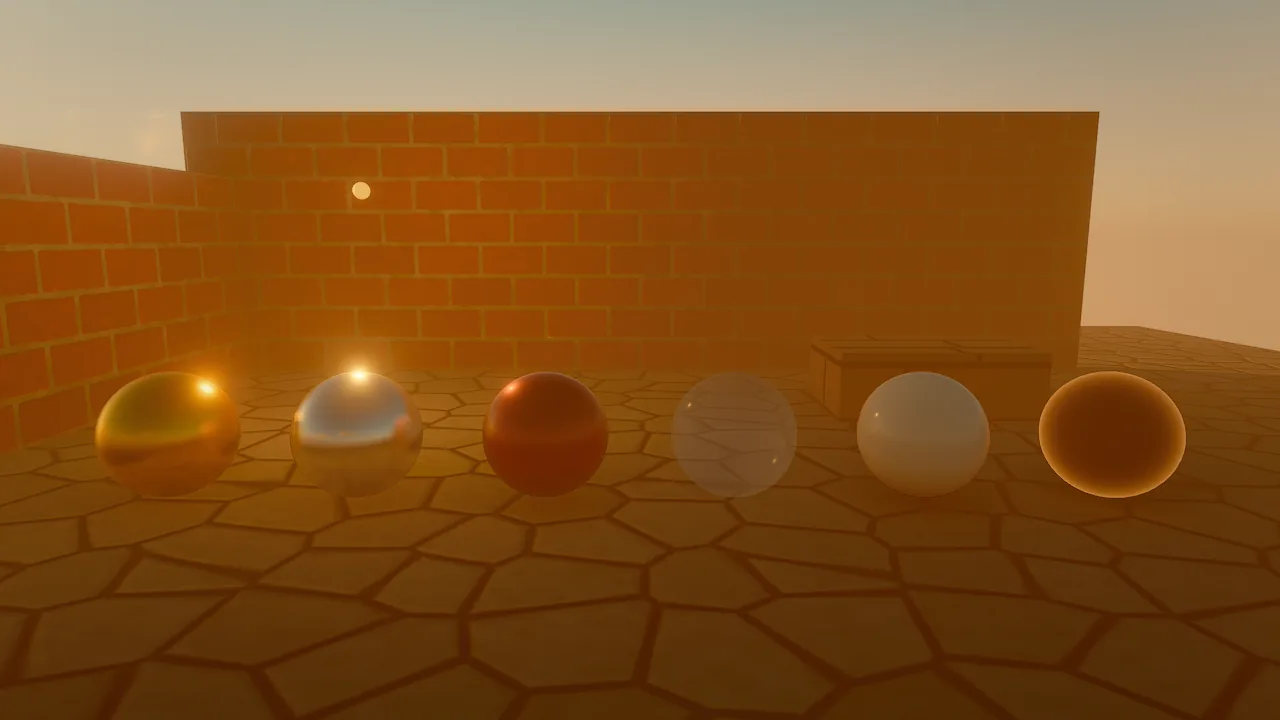
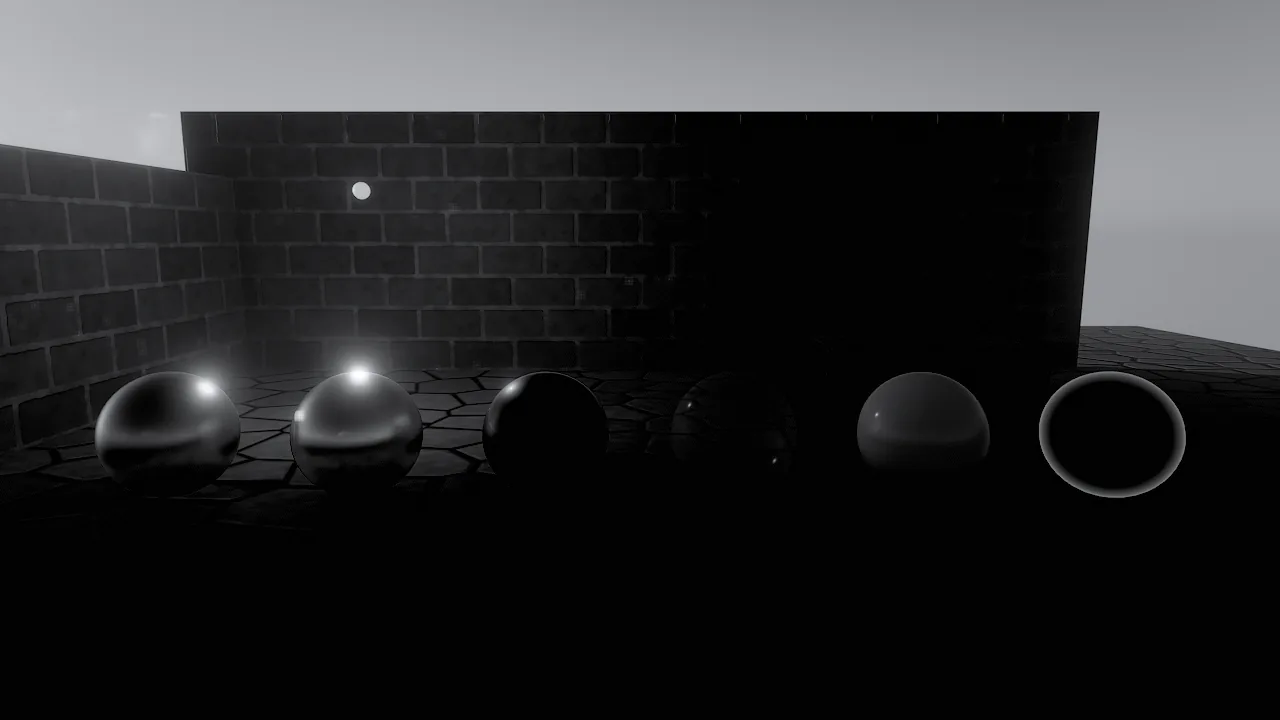
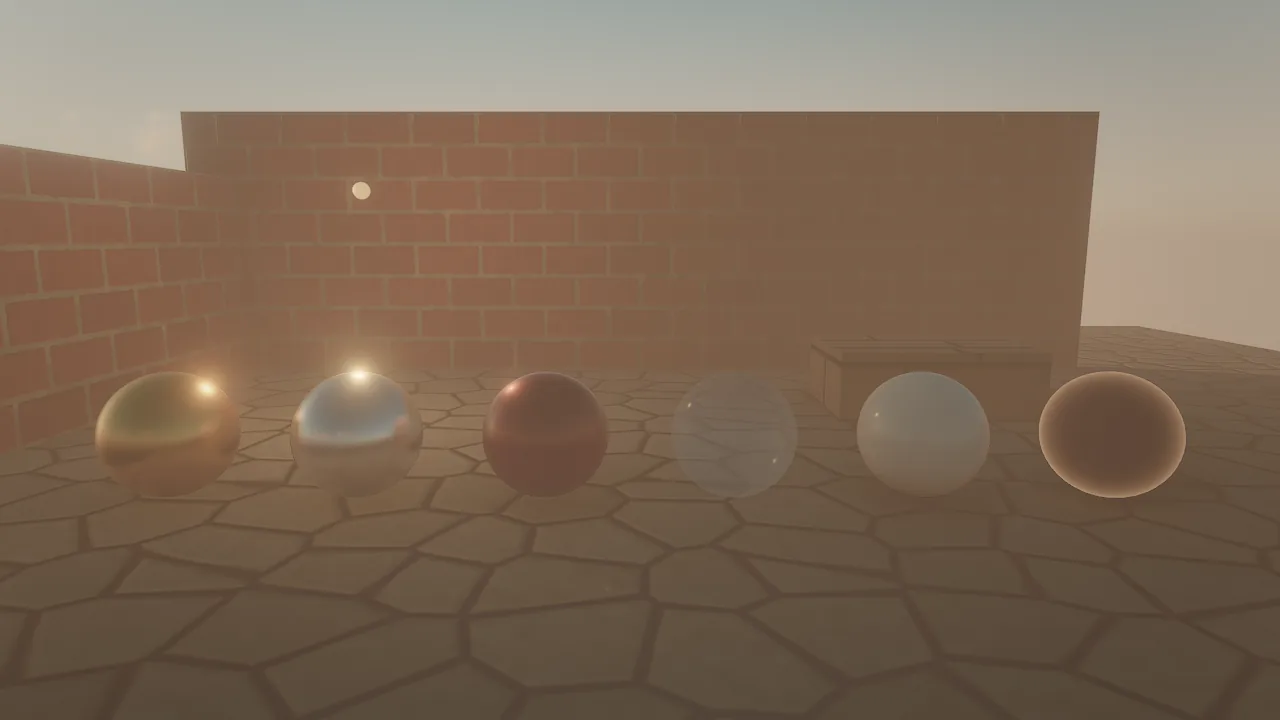
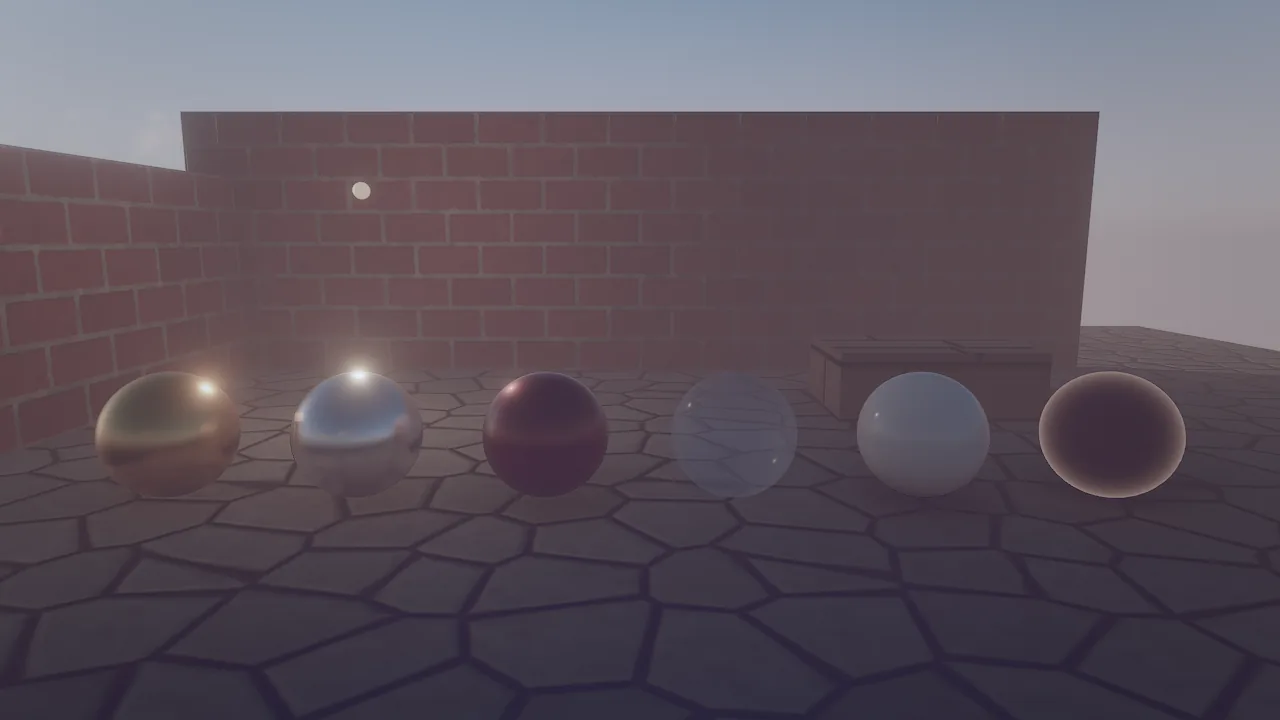
Bloom and lens character
| Field | Default | Meaning |
|---|---|---|
bloomIntensity |
0.55 | Glow around bright and emissive things (0 = off, up to 5) |
bloomThreshold |
1 | Brightness where glow starts; lower = more glow |
vignette |
0.22 | Darkens the corners |
grain |
0 | Film grain |
chromaticAberration |
0 | Color fringing toward the frame edges |
sharpen |
0.35 | Contrast-adaptive sharpening after the temporal pass |
Temporal anti-aliasing and the velocity buffer
Every frame knows how each pixel moved since the previous one. The scene pass writes object motion (meshes from
their previous transform, skinned meshes from their previous pose, foliage from the previous wind time, hair and mesh
particles from their own history); camera motion is added from the depth buffer. TAA (taa, on by default) uses
it to reproject history with dilated velocity, Catmull-Rom filtering and variance clipping, so moving and animated
things stay sharp instead of ghosting. MetalFX upscaling reads the same buffer.
Motion blur
motionBlur on the camera is the shutter fraction. In real time it is a post-process blur of camera and object
motion: the largest motion per tile of about 40 pixels and its neighbors drives a depth-aware gather, so moving
objects blur over a sharp background. The blur length is capped at two tiles. Movie renders use a real accumulated
shutter instead (see Movie renderer).
debug_view: "motion" shows the velocity buffer: hue is direction, strength is speed on a log scale. Capture it with
samples: 1 right after something moved. On an M1 Pro at 1920×1080 the velocity buffer costs about 0.2 to 0.4 ms per
frame.
How to set up a shot
entity_create {"name": "Shot Camera", "position": [0, 1.6, 6], "rotation": [-5, 0, 0], "components": {"camera": {"fov": 35, "aperture": 2, "focusDistance": 5.5, "motionBlur": 0.5}}}
environment_update {"tonemap": "agx", "autoExposure": true, "exposureCompensation": 0.3, "look": "golden_hour", "lookStrength": 0.6, "vignette": 0.3, "grain": 0.15}
viewport_capture {"camera_entity": "Shot Camera", "samples": 16}
viewport_capture {"eye": [8, 3, 8], "target": [0, 1, 0], "fov": 30, "aperture": 1.4, "samples": 16}
behavior FocusPull
  intent "Keep the hero in focus as it moves, and widen the lens while it sprints."
  on tick
    let hero = find("Hero")
    if hero then
      self.camera.focusDistance = distance(self, hero)
      let target_fov = 55
      if key("shift") then target_fov = 70 end
      self.camera.fov = approach(self.camera.fov, target_fov, 40 * dt)
    end
  end
end
Recipe: camera shake that never changes the game
Shake belongs in an on frame handler: it runs at display rate and its writes are undone after the frame.
behavior CameraShake
  intent "Shake when hit, decaying over about a second."
  var trauma = 0
  on event "hit"
    trauma = min(1, trauma + 0.5)
  end
  on tick
    trauma = max(0, trauma - dt * 1.5)
  end
  on frame
    let k = trauma * trauma * 0.3
    self.position = self.position + (noise(time * 40), noise(time * 40 + 9), 0) * k
  end
end
Recipe: looks in one call
| Look | Settings |
|---|---|
| Photoreal daylight | tonemap: agx, autoExposure: true, saturation: 1, contrast: 1.05, low vignette |
| Cinematic dusk | look: golden_hour, lookStrength: 0.7, temperature: 0.2, vignette: 0.35, grain: 0.1 |
| Thriller | look: teal_orange or bleach, contrast: 1.2, chromaticAberration: 0.2 |
| Noir | look: noir, contrast: 1.3, vignette: 0.5, grain: 0.3 |
| Cartoon | tonemap: neutral, saturation: 1.2, bloom low |
| Pixel art | Orthographic camera, shading: unlit materials, tonemap: none, bloomIntensity: 0, vignette: 0 |
| Miniature | Camera high and looking down, tiltShift: 0.6, saturation: 1.2 |
environment_update {"look": "noir", "contrast": 1.3, "vignette": 0.5, "grain": 0.3}
viewport_capture {"view": "scene", "samples": 8}
Pitfalls
- Depth of field and motion blur are off in the fast and balanced editor tiers. Judge them in play mode or in a
capture (
fullby default). aperture: 0means no depth of field, not an infinitely wide aperture.- Autofocus looks at the center. With
focusDistance: 0, the focus follows whatever is in the middle of the frame; set a distance for off-center subjects. - A LUT replaces the look. Setting
lutignoreslook; clearlut("") to go back to the built-in looks. - Pixel art. For crisp pixels use an orthographic camera,
tonemap: none, no bloom, andprocess.interpolation: offon things that must snap to the pixel grid. - Exposure stacks. Manual
exposuremultiplies auto exposure; reset it to 1 when switching to auto.
For agents
Look through the game camera, change grading in one call, and compare:
scene_query {"component": "camera"}                                 # which cameras exist
viewport_capture {"view": "scene", "samples": 8}                    # the shot as players see it
environment_update {"tonemap": "agx", "look": "teal_orange", "lookStrength": 0.5}
viewport_capture {"view": "scene", "samples": 8}                    # compare against the previous image
viewport_capture {"view": "scene", "debug_view": "motion", "samples": 1}   # velocity, after a sim step
Reference
- Tools:
environment_update,viewport_capture,camera_set,movie_render - Components:
camera,environment - Wander:
approach,noise - Design: docs/RENDERING.md (Camera, grading and looks; Velocity buffer), docs/MOVIE_RENDER.md