Rendering
Skywalker's renderer aims at two kinds of image at once: physically based pictures that read as real (metal, glass,
skin, stone, water, sky) and strongly stylized ones (toon shading, outlines, neon, flat 2D). It is a Metal renderer
with an HDR pipeline, clustered lighting, screen-space global illumination and reflections, volumetric clouds and
light, temporal anti-aliasing and a full camera and grading stack. Every setting is a reflected field, so you, the
editor and agents set looks through the same tools: entity_update, material_create and environment_update.
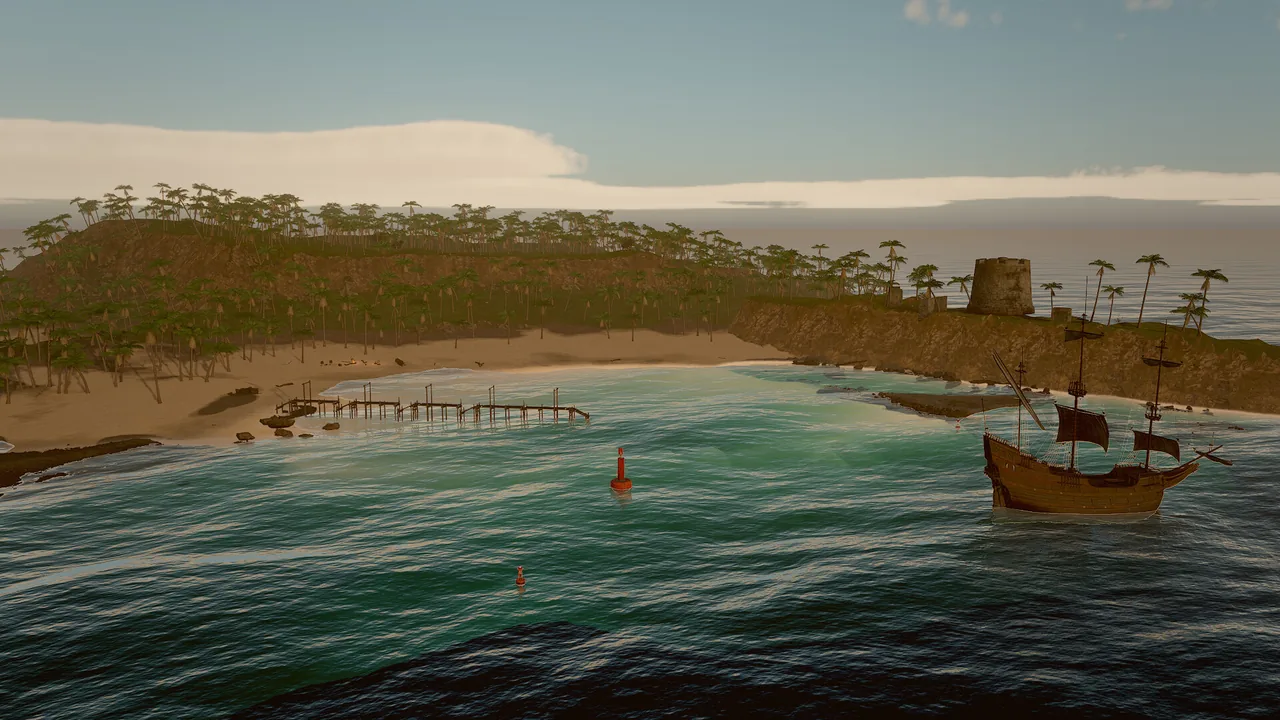
The rendering pages
| Page | What it covers |
|---|---|
| Materials | Surface fields of mesh and material assets, PBR, toon and unlit shading, maps, presets, generated textures |
| Lighting and shadows | Clustered lights, the light component, sun cascades, point and spot light shadows, cloud shadows, volumetric light |
| Sky and atmosphere | Gradient, atmosphere and HDRI skies, volumetric clouds, stars, fog, wind, presets |
| GI and reflections | Screen-space GI, reflections and AO, the lighting resolve, the sky probe |
| Camera and post-processing | Lens, exposure, tonemapping, grading, looks and LUTs, bloom, TAA, motion blur |
| Debug views | Every buffer and diagnostic view with its legend |
| Profiler | Per-pass GPU timing, CPU scopes, benchmarks and the slow-frame recipe |
Concepts
A CPU front end and a thin GPU back end
Rendering runs in two stages: Scene → FrameBuilder (CPU) → FrameData → Renderer. The front end turns the scene into a
renderer-independent frame description: visible draws, lights in priority order, cameras, effects. Everything an agent
relies on (visible entities, on-screen boxes, picking, gizmo hit tests) is computed on the CPU from that description,
so it behaves the same on every backend and in tests. The Renderer interface is small (render, readback, present,
upload a mesh, reload shaders); Metal is the production backend and a CPU fallback keeps headless runs working.
The frame
| # | Pass | What it does |
|---|---|---|
| 0 | Environment | Renders the sky (with clouds) into a 128² cubemap and prefilters 6 roughness mips for image-based light. Re-baked only when the sky changes. |
| 1 | Shadows | 4 sun cascades in a 4096² atlas. Terrain, alpha-tested foliage, hair and mesh particles cast too; meshes use a coarser LOD. |
| 2 | Clouds | Half resolution ray-marched cloud layer, reprojected over time in real time. |
| 3 | Scene | 4× MSAA in tile memory with a jittered projection: sky, opaque meshes with automatic LODs, terrain, instanced foliage, strand hair, mesh particles, outlines, transparent meshes, the grid. Writes HDR color and a G-buffer (albedo and material AO; normal, roughness and metallic) and object motion. Surfaces use clustered lighting. |
| 4 | SSAO, SSGI, SSR | Half resolution ambient occlusion, global illumination and reflections, accumulated over time in real time. |
| 5 | Lighting resolve | Replaces the sky-probe indirect light of PBR surfaces with GI and reflections, and applies AO to indirect diffuse. |
| 6 | Effects | Fluid simulation, FFT water, fluid volumes, GPU particles and CPU particles over the lit scene. |
| 7 | Volumetric light | Half resolution sun shafts and lamp cones through height-falling haze. |
| 8 | Velocity | Camera reprojection of the depth buffer plus object motion: the velocity buffer. |
| 9 | Temporal | Applies the volumetric light, then TAA, accumulation of still sub-samples, or a pass-through when MetalFX upscales. |
| 10 | Upscale | When renderScale < 1: MetalFX temporal upscaling from internal to output resolution. |
| 11 | Camera | Motion blur, bokeh depth of field and auto exposure. |
| 12 | Post | Bloom, then the composite: chromatic aberration, white balance, exposure, tonemap, saturation and contrast, look or LUT, vignette, grain, sharpening, dithering. Debug views replace the image here. |
| 13 | Overlays | Gizmos, drawn on top in display range. |
Real-time frames and accumulated stills
A frame renders one or more jittered sub-samples:
- Real time (the editor viewport, play mode, the player): one sample per frame, with temporal history. GI, reflections and AO converge over a few frames.
- Stills and cinematics (
viewport_capture,skywalker render, the movie renderer):samplesjittered sub-samples are accumulated in one render, so the image is supersampled and GI and reflections come out noise-free.samples: 1is the fastest preview; 4 is the capture default; 16 to 32 make final stills.
Quality tiers
The live editor viewport can trade quality for speed while you edit heavy worlds. Play mode and captures always use
full unless you ask otherwise.
| Tier | What changes |
|---|---|
full |
Nothing: what the game and captures show. |
balanced |
Internal resolution at most 0.75 (upscaled by MetalFX), no depth of field or motion blur; foliage impostors start at 0.75× their distance, and the shadow cascades from the 2nd on draw impostors only. |
fast (editor default) |
Internal resolution at most 0.5; no depth of field, motion blur, screen-space GI, reflections or light shafts; sun shadows limited to 150 m; half the point and spot light shadow budgets; foliage beyond about 60 m casts no shadow; mesh-only foliage layers cull at 0.4× their distance; impostors start at 0.5× distance; coarser LODs. |
viewport_quality {"quality": "balanced"}
perf_stats {"frames": 30, "quality": "fast"}
viewport_capture {"quality": "fast", "samples": 1}
Shipped games choose a player preset in game.json (quality: low, medium, high, ultra) that adjusts the
scene's environment at load: low renders at 0.67 scale and turns off GI and screen-space reflections, medium uses
0.85 scale and half-strength GI, high keeps what the scene authored and ultra forces full resolution. See
Shipping.
Render scale and MetalFX
renderScale (environment, 0.33 to 1) renders fewer pixels in real time and lets the MetalFX temporal scaler
reconstruct the output resolution, fed with the velocity buffer, the engine's exposure and a reactive mask for GPU
particles. Textures get a mip bias of log2(renderScale) so they stay sharp. Values of 0.5 to 0.77 are the useful
range; at 0.67 a frame is about 25% faster on an M1 Pro. Stills and captures with samples > 1 always render at
native resolution.
Anti-aliasing
The scene pass renders with 4× MSAA, and temporal anti-aliasing (taa, on by default) removes shimmer from thin
detail and specular highlights using the velocity buffer, history clamping and a reactive mask for particles.
sharpen applies contrast-adaptive sharpening after the temporal pass. Specular anti-aliasing widens roughness where
normals vary within a pixel, so detailed normal maps do not sparkle.
The CPU fallback renderer
Without Metal (Linux, CI, the headless preset), the engine renders with a CPU fallback: a sky gradient, every
visible draw as a flat-shaded screen-space box sorted back to front, then sprites, tiles, world text and UI. It is not
meant to be pretty; it guarantees that agents always get a picture with the right layout, and that tests never depend
on GPU output. engine_info reports which renderer is active. Shader tools and GPU profiling are unavailable on it.
Shaders: library, cache and hot reload
- Precompiled library. With the offline Metal toolchain installed (
xcodebuild -downloadComponent
  MetalToolchain
), the build compiles the standard shader library to a.metalliband embeds it (CMake optionSKY_PRECOMPILE_SHADERS, on by default). Without the toolchain the engine compiles the embedded source at startup. - Pipeline cache. Every pipeline state goes through a Metal binary archive at
~/Library/Caches/Skywalker/shaders/, keyed by shader source, engine version, GPU and OS build, so a changed shader never loads stale binaries. The 3 newest archives are kept. The archive is off under Metal validation. - Hot reload.
shader_getreturns the renderer's current Metal Shading Language source;shader_setreplaces it at run time. On a compile error nothing changes and the compiler diagnostics come back. Function names and struct layouts must be kept. Hot reloads always compile from source.
Startup on an M1 Pro (release build, no Metal toolchain, measured with engine_info):
| Case | Renderer startup | Library compile | Pipelines (86) |
|---|---|---|---|
| Cold: first launch after a shader change | 2464 ms | 1201 ms | 1203 ms |
| Warm: system Metal cache and pipeline archive | 48–51 ms | 3 ms | 4 ms |
Environment switches for benchmarking and debugging (SKY_SHADER_SOURCE=1, SKY_SHADER_CACHE=0,
SKY_SHADER_CACHE_DIR, SKY_SHADER_NONCE, SKY_GPU_PROFILER=0) are listed on the Profiler page.
Render layers
There are twenty render layers. A mesh is on layers; cameras and lights see layers through a cull mask. Bit
i of a mask is layer i + 1.
| Field | On | Default | Meaning |
|---|---|---|---|
layers |
mesh |
1 | Layers the mesh is on |
cullMask |
camera |
all (1048575) | Layers the camera draws; meshes outside it are not drawn and cast no shadow in that view |
cullMask |
light |
all | Layers the light illuminates |
Name layers once in game.json and use the names everywhere:
render_layers {"action": "name", "layer": 2, "name": "hero"}
render_layers {"action": "set", "entities": ["Hero"], "layers": ["world", "hero"]}
render_layers {"action": "set", "entities": ["RimLight"], "cull_mask": "hero"}
render_layers {"action": "set", "entities": ["Main Camera"], "cull_mask": "editor_only", "mode": "remove"}
render_layers {}
Masks accept a number (raw bits), a layer name, a layer number as a string ("3"), "all", "none" or a list;
misspelled names fail with a did-you-mean hint. mode add and remove edit the existing mask. render_layers {}
lists the named layers, the meshes on each layer, cameras and restricted lights, and warns about meshes no camera draws
and lights that light nothing.
| Goal | Setup |
|---|---|
| A rim light only on the hero | Hero on ["world", "hero"]; the rim light's cull_mask is "hero" |
| First-person arms not in the mirror | Arms on an "arms" layer; the mirror camera's mask excludes it |
| Editor helpers hidden in the game | Helpers on "editor_only" (20); the game camera's mask is ["world", "fx"] |
| A 3D preview lit separately | The model on "preview", lit by a light with cull_mask "preview" only |
Terrain, foliage, water, particles and hair have no layers field yet and count as layer 1.
Recipe: from a blank scene to a photoreal daylight look
environment_update {"skyMode": "atmosphere", "sunElevation": 35, "sunAzimuth": 120, "clouds": 0.4, "tonemap": "agx", "ao": 1, "gi": 1, "ssr": 1}
texture_generate {"kind": "cobblestone", "name": "textures/plaza", "tiling": 0.5}
material_assign {"entities": ["Ground"], "material": "materials/plaza.mat.json"}
material_create {"path": "materials/brass.mat.json", "preset": "gold", "roughness": 0.3}
viewport_capture {"samples": 16}
perf_stats {"frames": 30, "passes": true}
texture_generate writes textures/plaza_albedo.png, _normal.png and _orm.png, and the material materials/plaza.mat.json (named after the last part of name). Check the result in debug views
(lighting_only for light placement, texel_density for texture scale) and the cost with the profiler.
Limits
- Point and spot light shadows use fixed-radius filtering (no contact-hardening penumbrae); directional lights other than the sun do not cast shadows. See Lighting and shadows.
- GI and reflections are screen-space: what is off screen comes from the sky probe. There are no reflection probes or world-space GI yet.
- Transparent meshes do not refract (water does). Particles and fluid volumes render after transparent meshes.
- Fluid volumes do not cast shadows on the scene yet.
- Toon outlines and distant hair cards write no object motion; they reproject with the camera only.
- The GPU backend is Metal only (macOS on Apple silicon); elsewhere the CPU fallback renders layout pictures.
For agents
Judge a look with your own eyes, then with numbers:
environment_get {}                                   # current sky, sun, grading and quality settings
viewport_capture {"samples": 8}                      # the image
viewport_capture {"debug_view": "lighting_only", "samples": 4}   # light placement without textures
perf_stats {"frames": 30, "passes": true}            # cost per pass and per area
Use samples of 8 or more before judging GI, reflections or noise; one sample shows the raw, unconverged buffers.
Reference
- Tools: Render tools (
environment_update,shader_get,shader_set,perf_stats,render_layers), View tools (viewport_capture,viewport_quality,viewport_debug_view),engine_info - Components:
mesh,light,camera,environment - Wander:
layer_mask - CLI:
skywalker render - Design: docs/RENDERING.md