Shipping
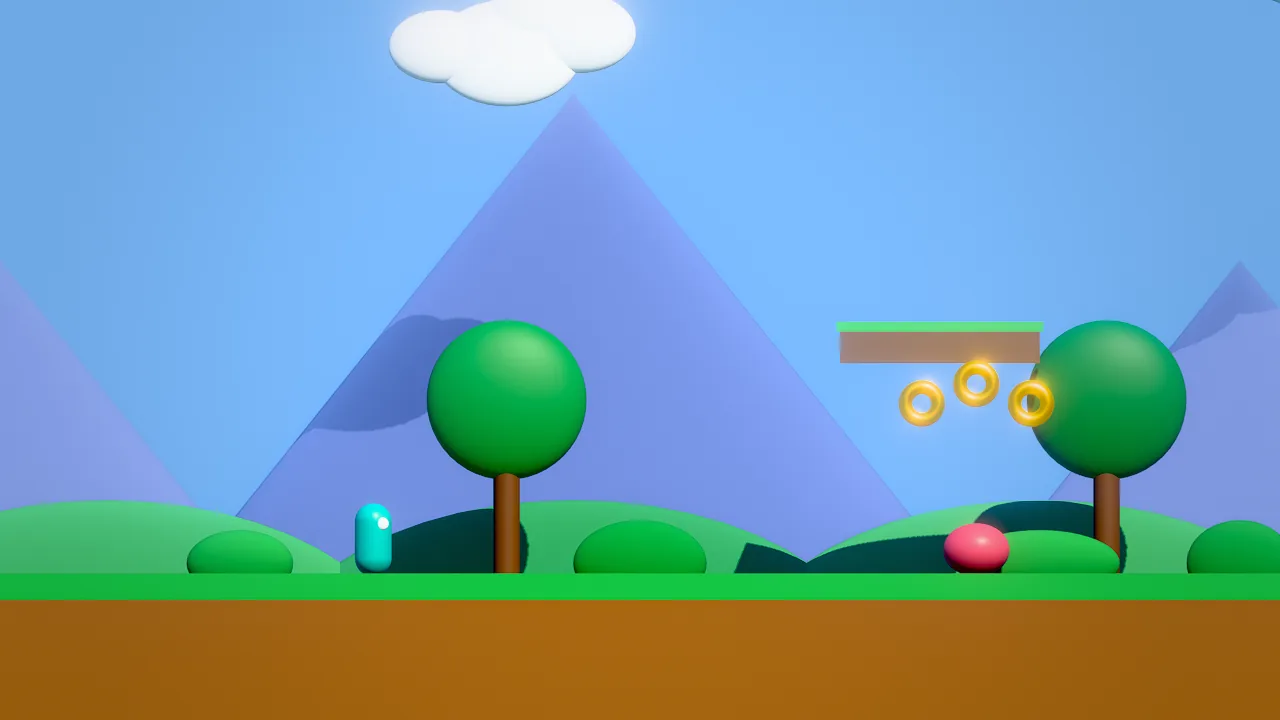
A Skywalker project becomes a standalone macOS app: Sky Dash.app opens a window, plays the start scene, reads the
keyboard, mouse and gamepads, plays sound, and needs no editor, no engine install and no compiler. This page covers the
settings file, the player runtime, the packager, what goes into the app, testing builds in CI, and signing for
distribution.
Quick start
cmake --preset release && cmake --build --preset release      # builds the CLI and the player
build/release/bin/skywalker build --project examples/sky_dash --out ~/Builds --release
open ~/Builds/"Sky Dash.app"
Without building anything, play a project folder directly:
Concepts
game.json
game.json sits in the project root. Every field is optional: a project without one still builds, with defaults, the
first scene and a generic bundle id. Unknown fields, wrong types and bad values are errors with a did-you-mean hint, so a
typo never silently ships the wrong thing. Command-line flags of the player and of skywalker build override the file.
{
  "id": "sky_dash",
  "title": "Sky Dash",
  "genre": "2D Platformer",
  "mood": "bright",
  "pitch": "Run, hop, grab every coin.",
  "assets": "Poly Haven (CC0)",

  "startScene": "scenes/main.sky.json",
  "window": { "width": 1280, "height": 720, "fullscreen": false, "resizable": true, "vsync": true },
  "quality": "high",
  "renderScale": 0,
  "quitOnEscape": false,
  "pauseOnFocusLoss": true,

  "icon": "art/icon.png",
  "bundleId": "com.acme.skydash",
  "version": "1.0.0",
  "copyright": "© 2026 Acme Games",

  "include": ["data/**"],
  "exclude": ["audio/drafts/**"]
}
| Field | Default | Meaning |
|---|---|---|
id, title, genre, mood, pitch, assets |
A description for people, agents and the studio. title is the window title and the app name; assets credits the art sources. |
|
startScene |
scenes/main.sky.json, else the first *.sky.json |
The scene the game starts in. |
window.width, window.height |
1280 × 720 | Content size in points (a Retina display renders twice the pixels). Clamped to the screen. |
window.fullscreen |
false | Start in native macOS full screen (also toggled with Ctrl+Cmd+F). |
window.resizable |
true | Whether the window can be resized. |
window.vsync |
true | false allows tearing for the lowest latency and asks for the display's top refresh rate. |
quality |
high |
low, medium, high, ultra. Presets adjust the scene's environment when it loads (below). |
renderScale |
0 | Internal resolution 0.33–1, overriding the preset (0 = automatic). |
quitOnEscape |
false | Escape closes the game. Otherwise the game decides, typically with a pause action. Cmd+Q always works. |
pauseOnFocusLoss |
true | Pause the simulation and sound while another app is in front. |
icon |
none | A square PNG in the project, 1024 × 1024 recommended, converted to .icns with all sizes. Non-square images are center-cropped with a warning. |
bundleId |
dev.skywalker.games.<id> |
Reverse-DNS identifier. Use your own for distribution. |
version |
1.0.0 |
Digits and dots; becomes the bundle's short version and build version. |
copyright |
none | Shown in the About panel. |
include |
none | Extra files or folders to ship (globs * and ?; a folder name includes everything below it), for assets that scripts load by computed names. |
exclude |
none | Files to leave out even when referenced. The build warns about each referenced file you excluded. |
render |
none | {"layers": {"1": "world", "2": "hero"}} names the 20 render layers; tools and Wander layer_mask() accept the names. |
quality preset |
Effect when the scene loads |
|---|---|
low |
0.67 render scale with MetalFX upscaling, GI and screen-space reflections off, AO halved, flat clouds |
medium |
0.85 render scale, half-strength GI |
high |
What the scene authored |
ultra |
Forces full resolution |
The player
skywalker-player is the same engine as the editor, in a Cocoa window without the SwiftUI editor. A display link drives
every display frame: poll gamepads, update the engine (fixed 1/60 s simulation steps, audio), render, present.
| Area | Behavior |
|---|---|
| Input | Keys, the mouse (movement, three buttons, wheel, normalized cursor position; clicking entities fires on click) and up to four gamepads (Xbox, PlayStation, Switch Pro, MFi through the GameController framework) feed the same input state the editor and agents use, so input.json action maps work unchanged (Input). Held keys are released when the window loses focus. |
| Cursor | A script calls cursor_lock(true) for mouse look: the cursor is hidden and captured, and movement arrives as the look axis. It is given back when the app loses focus and when the game stops. quit_game() closes the game. |
| Focus | With pauseOnFocusLoss, the simulation and audio pause in the background and resume without a catch-up step. |
| Audio | Everything in Audio: components, one-shots, music, the mixer (audio.json). |
| Display | A Retina-aware drawable, MetalFX upscaling through renderScale, native full screen, and a standard menu (About, Hide, Quit, Full Screen, Minimize). |
| Errors | A scene that fails to load, a missing game or a renderer that keeps failing shows a dialog with the reason and a Copy Details button. Crashes write a backtrace to ~/Library/Logs/SkywalkerGames/<Game>-crash.log, then die normally so macOS still files its report. Script runtime errors and log output go to stderr. |
| Signals | SIGTERM and SIGINT quit like Cmd+Q; audio and the cursor are restored. |
skywalker-player [PROJECT_DIR | Game.app] [options]
  --scene FILE        start scene            --windowed | --fullscreen
  --width N --height N                       --no-vsync
  --quality low|medium|high|ultra            --render-scale 0.33..1
  --quit-on-escape    --no-audio             --verbose
  --check [TICKS]     headless validation, prints a JSON report
  --capture-frame PNG [--frames N]           render one frame of the real pipeline to a PNG and quit
  --quit-after SECONDS
  --agent-socket PATH serve MCP on a Unix socket so agents can inspect and drive the running game (development)
--capture-frame and --quit-after run with a fixed 60 Hz step instead of the display link, so they are deterministic
and work without a display attached. The capture is a read-back of the frame the player presented, at the window's
pixel size (2560 × 1440 for the default window on a Retina display).
How to build an app
| Option | Effect |
|---|---|
--project DIR |
The project (default: the current directory). |
--out DIR |
The folder to write the app into (required). Prefer a folder outside the project. |
--name NAME |
The app name (default: the title in game.json). |
--icon FILE.png |
The app icon (default: the icon in game.json). |
--release |
Strip the player's symbols for a smaller app, and tag the manifest. |
--all-assets |
Ship every runtime file in the project, not only the referenced ones. |
--version X.Y.Z, --bundle-id ID, --scene FILE |
Override game.json. |
--no-sign |
Skip the ad-hoc code signature. |
--no-native |
Do not compile native/*.cpp. |
--player PATH |
The player executable to bundle. |
--dry-run |
List exactly which files would ship and which references are broken; write nothing. |
--json |
A machine-readable report. |
The output is DIR/<Name>.app. It is built in a hidden staging folder and moved into place only when complete, so a
failed build never destroys the previous one, and a path that exists but is not an app bundle is never overwritten.
The player comes from $SKYWALKER_PLAYER, from skywalker-player next to the skywalker binary, or from --player;
the editor app carries one in Skywalker.app/Contents/MacOS/.
The report lists the app path, its size, the file count by type, the largest files and warnings: broken references, no icon, an excluded file that is still referenced, a native module linking a library players may not have, a failed signature.
Build outside iCloud-synced folders
iCloud Drive (Documents, Desktop) adds extended attributes to files, and they break the code signature. The build
strips them (xattr -cr), but later syncing can add them again. Write builds to a folder such as ~/Builds.
What gets packaged
Sky Dash.app/Contents/
  Info.plist                 identity, version, icon, game mode support, high-resolution capable
  MacOS/Sky_Dash             the player
  Resources/AppIcon.icns
  Resources/build.json       manifest: identity, start scene, every shipped file with its byte size, native module
  Resources/Game/            the project payload
  Resources/Licenses/        Skywalker's license, the font licenses and the third-party notices
  Frameworks/<module>.dylib  the project's compiled native module, if it has one
  _CodeSignature/
Computed from references. The build starts from roots and follows references until nothing new appears.
| Roots | game.json (rewritten with the resolved start scene and without build-only fields), input.json, audio.json, CREDITS.md, LICENSE*, NOTICE*, every scene (scripts may switch scenes), every .wander file, the start scene, and the include globs. |
| Followed | Every string in scene, prefab, material, controller, sequence, animation, .meta and glTF JSON that names a file ("mesh": "asset:models/ship.obj", "texture": "textures/wood.png", guid: references through .meta sidecars, #part suffixes); every string literal in Wander code (play_sound("audio/hit.wav"), spawn("prefab:prefabs/coin.prefab.json"), use "scripts/util.wander"), including behaviors embedded in scenes; glTF buffers and images; OBJ mtllib and MTL maps. Paths resolve from the project root, then from the referring file's folder. |
| Sidecars | Each shipped asset takes its .meta sidecar along (GUIDs and import settings such as animation libraries). |
| Never shipped | Hidden folders (.git, .skywalker caches), build/, node_modules/, studio/ (board, feedback, playtest reports), agents/, the native/ sources, earlier *.app builds, and DCC or editor files (.blend, .psd, .kra, .zip, backups, logs). Not even with --all-assets. |
Paths built at run time. When a script builds a path while playing (play_sound("audio/step_" + n + ".wav")), the
build cannot see it. Add the folder to include in game.json, or build with --all-assets. A missing file fails at
run time with a clear error.
License notices. skywalker build puts the required notices into every app, in Contents/Resources/Licenses/:
Skywalker's license, the SIL Open Font License texts of the bundled fonts, and a third-party notices file. Games made
with Skywalker belong to their authors; see License.
Privacy. A shipped game shows no Skywalker terms or consent screens, and the player collects and sends nothing (no telemetry or network connections of its own; crash logs stay on the player's disk). If your game adds networking, accounts, analytics, ads or AI features, that data is yours to handle: follow the checklist for developers in the Privacy Notice.
Native modules
If the project has native/*.cpp (Graphs and native code), the build compiles it with the system
compiler (the same flags as native_build) and ships the library in Contents/Frameworks/, signed with the app. The
player loads that library and never invokes a compiler, so players do not need Xcode. Libraries the module links must
be system libraries or you must bundle them: the build warns when otool -L shows anything else. AOT-compiled
behaviors are not shipped; the player runs Wander on its bytecode VM.
Agent tools
The three tools are in the files category. game_build and game_run are open-world tools: MCP clients and the
in-editor crew ask the human first.
| Tool | Use |
|---|---|
game_settings |
get: the effective settings, the resolved start scene and validation problems. set: merge fields into game.json (null removes one); an invalid change writes nothing. |
game_build |
Build <Name>.app into out. dry_run lists what would ship. Options: name, icon, version, bundle_id, scene, release, all_assets, sign, build_native. |
game_run |
start the player on the project as a separate process (the saved scene; scene, fullscreen, width, height, quality, seconds); returns the pid and a log file. status shows whether it runs and its recent output; stop ends it. capture writes one frame to a PNG and exits: a screenshot of what a player would see. app runs a built .app. |
Recipe: ship a game with an agent
game_settings {"operation": "get"}
game_settings {"operation": "set", "settings": {"title": "Sky Dash", "startScene": "scenes/main.sky.json", "window": {"width": 1280, "height": 720}, "icon": "art/icon.png", "version": "1.0.0"}}
game_build {"dry_run": true}
game_run {"capture": "renders/player_frame.png", "frames": 120}
game_build {"out": "~/Builds", "release": true}
game_run {"app": "~/Builds/Sky Dash.app", "seconds": 20}
- Read the effective settings and fix the validation problems.
- Set the title, icon and version.
dry_runlists every file that would ship and every broken reference. Fix the references, or add dynamic folders toinclude.- Capture a frame from the real player and look at it.
- Build the release app, then run it for a few seconds and read its output with
game_run {"action": "status"}.
Testing without a display
skywalker-player ~/Builds/"Sky Dash.app" --check
~/Builds/"Sky Dash.app"/Contents/MacOS/Sky_Dash --check 300
--check opens the game headlessly (no window, silent audio), verifies a bundle against its manifest (every file present
with the right size, the executable bit, Info.plist, the start scene, the native module), plays N ticks (default 120),
reports script compile and runtime errors, renders a 160 × 90 test frame through the real renderer and prints a JSON
report. The exit code is 0 when everything works and 1 otherwise, so it fits CI:
{ "name": "Sky Dash", "bundled": true, "start_scene": "scenes/main.sky.json", "entities": 141,
  "bundle": { "ok": true, "files": 2, "problems": [] }, "ticks": 120, "audio": "null",
  "render": { "backend": "metal", "ok": true, "contrast": 241, "visible_entities": 35 },
  "ok": true, "problems": [] }
render.contrast is the luminance range of the test frame: 0 means a flat image with nothing visible.
Signing and distribution
A build is ad-hoc signed: it runs on the Mac that built it, but Gatekeeper blocks a copy that other people download. To distribute:
- Join the Apple Developer Program and create a Developer ID Application certificate.
-
Sign the finished bundle with the hardened runtime, the native module first:
codesign --force --options runtime --timestamp --sign "Developer ID Application: Your Name (TEAMID)" \
         "Game.app/Contents/Frameworks/"*.dylib
codesign --force --options runtime --timestamp --sign "Developer ID Application: Your Name (TEAMID)" Game.app
The hardened runtime enforces library validation. A native module compiled locally is signed by your identity like the app, so it loads; third-party libraries must be signed by the same team.
-
Notarize and staple:
-
Ship
Game.appin a.dmgor as the notarized.zip.
Mac App Store builds additionally need the App Sandbox entitlement and a provisioning profile. The player has not been validated against the sandbox (project files are read from inside the bundle, and nothing is written outside it).
Pitfalls
- macOS only, on Apple silicon or Intel with Metal. The deployment target is macOS 15.
- One scene is loaded per run; there is no scripted scene switch yet, although every scene is packaged.
- Dynamic asset paths need
includeor--all-assets. - AOT-compiled behaviors are not shipped; native modules are.
- No in-game settings menu, save-game API or localization yet; games keep state in scene variables for a session.
- The player does not hot-reload scripts or assets.
--agent-socketattaches agents for development inspection (screenshots,sim_input, entity queries) and should not be used in shipped builds. - Gamepad rumble, keyboard layouts other than by produced character, IME text input and multiple windows or displays are not handled.
vsync: falseremoves the sync with the display, but frame pacing stays driven by the display link.
For agents
Validate before you build, look at the real player's output, and build last:
game_settings {"operation": "get"}                                  # effective settings and problems
game_build {"dry_run": true}                                        # what ships, broken references
game_run {"capture": "renders/player_frame.png", "frames": 120}     # one frame from the real player
game_build {"out": "~/Builds", "release": true}                     # asks the human first
Build into a folder outside the project and outside iCloud-synced folders. Tell the human that distribution needs their Developer ID signature and notarization.
Reference
- Tools:
game_settings,game_build,game_run - CLI:
skywalker build - License
- Design document: docs/SHIPPING.md