Animation
Skywalker animates rigged characters with skeletal clips imported from glTF, state-machine animators with blend spaces, layers and transitions, look-at and two-bone IK, and bone attachments. It directs cinematics with sequences: timelines of keyed properties, procedural camera shots and cuts, events and animation keys. Everything runs in the fixed simulation tick, so animation is deterministic and replays identically.
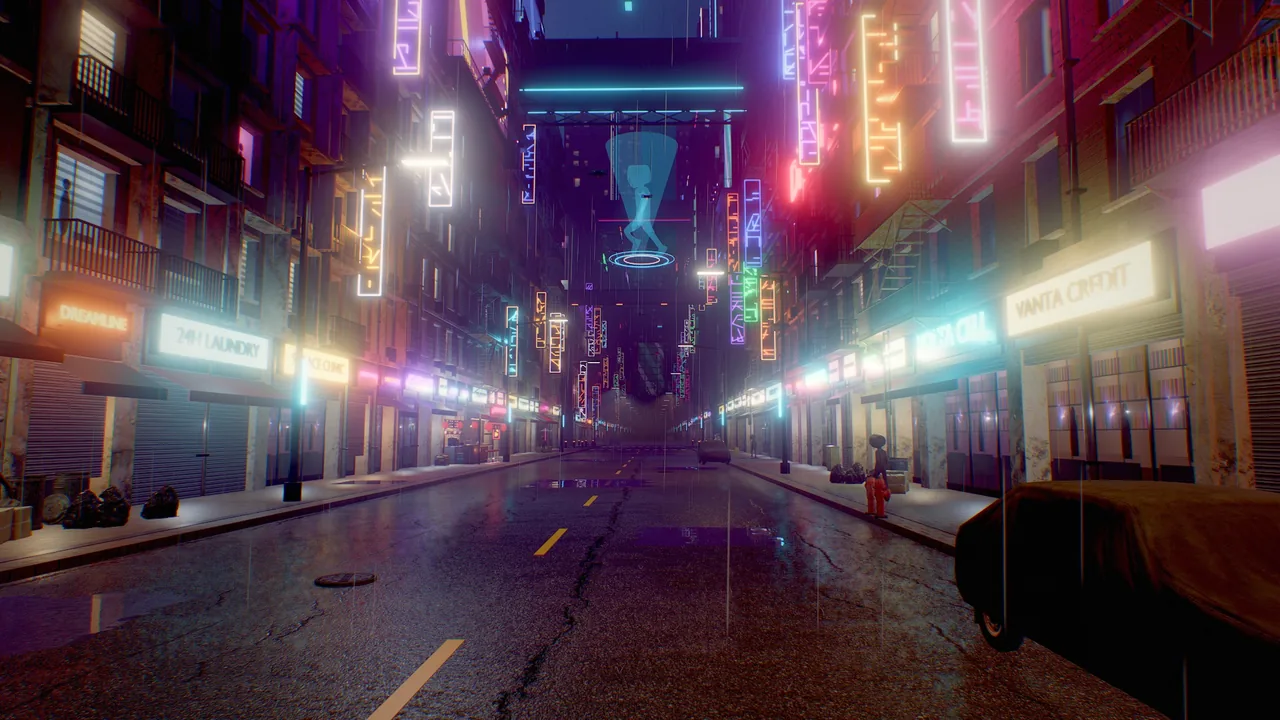
animator playing a looping walk clip while a Wander behavior moves it along the sidewalk.Concepts
| Piece | What it is |
|---|---|
| Animation library | *.anim: one model's skeleton and clips, written at import |
| Controller | *.animctl.json: parameters, layers, states, blend spaces, transitions |
animator component |
Plays a library on the entity's rigged meshes, through a controller or one clip |
attach component |
Keeps an entity on a bone (weapons, hats, lanterns) |
ik component |
A two-bone IK effector: a hand or foot reaches this entity |
| Sequence | *.sequence.json: a cinematic timeline |
sequencer component |
Plays a sequence during the simulation; previews it while editing |
Importing characters
asset_import (or asset_download) of a glTF or GLB file with skins or animations:
- writes
<name>.animnext to the model. Every node of the glTF scene becomes a bone and every glTF animation a clip (translation, rotation and scale channels;LINEAR,STEPandCUBICSPLINEinterpolation). Exporter prefixes are cleaned (Armature|WalkbecomesWalk); - keeps the mesh asset (
asset:models/hero.glb, or one part per material,asset:models/hero.glb#2) with its skinning data. The four strongest joint influences per vertex are kept. Static parts under animated nodes follow their node rigidly; - keeps the real size of rigged characters (pass
normalizeto override) and turns them to face −Z, Skywalker's forward axis, solook self at ...andmove self toward ...behave as expected; - writes
<name>.prefab.json: a ready-to-use character with ananimator, playing an idle-like clip if there is one.create_entityinstantiates it right away.
Animation-only files (a skeleton and clips, no mesh) become clip libraries. Clips are shared between rigs by bone name: mixamorig:Hips matches Hips, so a controller can use "anims/dance.anim#Dance" from another file. When retargeting, only the hips keep their translation, scaled to the target's proportions.
Import settings (animation, turnAround, normalize, zUp) are recorded in the asset's .meta file, so the mesh reloads identically.
The animator component
| Field | Meaning |
|---|---|
library |
*.anim; empty = the library imported with the rigged mesh below this entity |
controller |
*.animctl.json state machine; empty = play clip |
clip, loop |
Without a controller: the clip to play (empty = the first) |
speed |
Playback rate, 0–10 (0 pauses) |
rootMotion |
Move the entity by the clips' root (hips) motion instead of animating in place |
preview, time |
Editor only: rest (bind pose), pose (the frame at time seconds into the default state) or play (live) |
lookAt, lookAtWeight, lookAtLimit |
Look-at IK: the head and spine turn toward an entity, at most lookAtLimit degrees |
The animator lives on the character's root; rigged meshes anywhere below it are posed by it. A multi-material character is a root with one child per part.
Controllers
A controller is a JSON state machine. This one blends idle, walk and run by speed, strafes in a 2D blend space, jumps on a trigger and overlays a wave on the right arm:
{
  "format": "skywalker.animctl", "version": 1,
  "library": "characters/hero.anim",
  "parameters": {"speed": "float", "jump": "trigger", "grounded": {"type": "bool", "default": true},
                 "aimX": "float", "aimY": "float", "wave": "float"},
  "layers": [
    {"name": "Base", "default": "Locomotion",
     "states": {
       "Locomotion": {"blend": {"parameter": "speed", "motions": [
           {"clip": "Idle", "at": 0}, {"clip": "Walk", "at": 1.4}, {"clip": "Run", "at": 3.9}]},
         "events": [{"time": 0.0, "name": "footstep"}, {"time": 0.5, "name": "footstep"}]},
       "Strafe": {"blend2d": {"x": "aimX", "y": "aimY", "motions": [
           {"clip": "Idle", "pos": [0, 0]}, {"clip": "WalkLeft", "pos": [-1, 0]}, {"clip": "WalkRight", "pos": [1, 0]},
           {"clip": "Walk", "pos": [0, 1]}, {"clip": "WalkBack", "pos": [0, -1]}]}},
       "Jump": {"clip": "Jump", "loop": false, "speed": 1.2},
       "Fall": {"clip": "Fall"}
     },
     "transitions": [
       {"from": "any", "to": "Jump", "when": "jump and grounded", "duration": 0.1},
       {"from": "Jump", "to": "Locomotion", "exit": 0.9, "duration": 0.2},
       {"from": "any", "to": "Fall", "when": "!grounded", "duration": 0.3, "interruptible": true}
     ]},
    {"name": "Wave", "mask": ["RightShoulder"], "weightParameter": "wave", "default": "Wave",
     "states": {"Wave": {"clip": "Wave"}}}
  ]
}
Parameters are float, int, bool or trigger. A trigger stays armed until a transition consumes it, or for 0.25 s.
States play a clip, a 1D blend on one parameter (thresholds at), or a 2D blend2d on two parameters (positions pos, gradient-band weights). Blended clips share one normalized time, so feet stay in sync, and the cycle length blends too. States take optional speed, speedParameter (a multiplier), loop and events (normalized time 0..1 and a name).
Transitions have from (a state or any; any-state transitions are checked first), to, when (a string such as "speed > 0.1 and !crouch", a list of such strings, or {param, op, value} objects; a bare trigger name fires and consumes it), duration (crossfade seconds), exit (normalized exit time; transitions without conditions leave at the end of the clip), offset (start time in the destination) and interruptible (a later transition may cut in, blending from the pose on screen).
Layers after the base layer override the pose, or add to it with "blending": "additive", with a weight or weightParameter, optionally only for mask bones and their descendants: an upper-body action over locomotion.
animator_setup validates every reference (clips, states, parameters and their types, mask bones) with did-you-mean errors.
Runtime rules
- Animators update in the fixed 1/60 s tick, after Wander and the sequencers. Identical inputs give bit-identical poses; stopping the simulation resets everything.
play_animationandanimator_setwithplaycrossfade to a state, or to any clip as a one-shot: a non-looping clip played this way returns to the default state when it ends. Playing the state that is already playing does nothing, so calling it every tick is harmless.- Animation events reach Wander as
on anim "footstep"on the animator's entity (the same ason event "anim:footstep"), on the next tick. - Root motion is the hips' horizontal movement; vertical motion stays in the pose. On an entity with a physics
charactercontroller, it becomes the controller's desired velocity for that tick, so the character collides, climbs steps and falls; otherwise it moves the transform. Root motion is translation only. - While the game is paused, animators of pausable entities stop; the time scale slows them down with everything else.
Bone attachments
bone_attach adds an attach component (character, bone, offset, rotation, followScale) to a prop and parents it under the character. The prop follows the bone every tick while playing and in the editor preview. Bone names match fuzzily (righthand, mixamorig:RightHand); animation_list with bones: true lists them.
IK
Look-at (animator fields lookAt, lookAtWeight, lookAtLimit): the head, neck and up to two spine bones share the turn toward an entity (another character's head, otherwise the middle of its mesh), clamped to a cone around the body's facing and smoothed while playing.
Two-bone IK (the ik component on an effector entity: character, bone, weight, pole, matchRotation): the end bone (a hand or foot) reaches the effector; its parent and grandparent (elbow and shoulder, knee and hip) bend analytically and keep their lengths. Targets out of reach straighten the limb toward them. pole is the bend direction in the character's space (knees [0, 0, -1]); [0, 0, 0] keeps the animated bend plane. Move or keyframe effectors like any entity: a reach in a cutscene is a transform.position track on the effector. IK runs after the state machine and look-at.
Sequences
A sequence is a timeline of tracks:
{
  "format": "skywalker.sequence", "version": 1, "name": "Intro", "duration": 12,
  "tracks": [
    {"type": "property", "entity": "Sun Lamp", "property": "light.intensity",
     "keys": [{"t": 0, "value": 0}, {"t": 3, "value": 6, "ease": "smooth"}]},
    {"type": "property", "property": "environment.sunElevation",
     "keys": [{"t": 0, "value": 4}, {"t": 12, "value": 30, "ease": "ease_out"}]},
    {"type": "shot", "camera": "Cam A", "keys": [
      {"t": 0, "shot": "orbit", "duration": 6, "target": "Hero", "offset": [0, 1.4, 0], "radius": 5, "height": 0.4, "from": -40, "to": 40},
      {"t": 6, "shot": "dolly", "duration": 6, "target": "Hero", "distance": [6, 2], "angle": 180, "fov": [50, 30]}]},
    {"type": "camera", "keys": [{"t": 0, "camera": "Cam A"}, {"t": 9, "camera": "Closeup"}]},
    {"type": "event", "keys": [{"t": 4, "event": "doors_open", "target": "Gate"}]},
    {"type": "animation", "entity": "Hero", "keys": [{"t": 0, "play": "Walk"}, {"t": 6, "play": "Wave", "fade": 0.3},
                                                     {"t": 8, "params": {"speed": 0}}]}
  ]
}
| Track | Keys | Notes |
|---|---|---|
property |
t, value, ease |
Any reflected field: transform.position, transform.rotation, transform.scale, light.*, camera.fov, mesh.color, mesh.emissive, particles.rate, environment.* (no entity). Numbers, vectors and colours interpolate; booleans and strings step. |
camera |
t, camera |
The live camera from each key on. |
shot |
t, duration, shot, parameters |
Procedural camera moves, evaluated every tick, so they follow moving targets. |
event |
t, event, target |
Wander events. |
animation |
t, play, fade, loop, layer, params |
Drives an animator. |
Easing applies to the segment after a key: linear, step, smooth, ease_in, ease_out, auto (a Catmull-Rom spline through the neighbouring keys, best for camera paths) or [x1, y1, x2, y2] (a cubic Bézier).
Shots:
| Shot | Moves the camera |
|---|---|
orbit |
Around the target: radius, height, from/to degrees (0 = +Z of the target) |
dolly |
distance [far, near] along angle, or from/to points |
crane |
height [low, high] |
track |
Side-on at angle and distance, sliding from/to meters while following the target |
pan |
Fixed position; looks from/to entities, points or yaw degrees |
static |
Fixed position looking at the target |
path |
Catmull-Rom through points, looking at the target or along the path |
flyover |
A straight aerial pass over the target from the angle side; distance is half the pass length |
All shots take target (an entity or a point; entities are aimed at their bounds centre), offset, fov (a number or [from, to]), roll and ease (default smooth).
The sequencer component (sequence, playOnStart, loop, speed, preview, time) plays the sequence when the simulation starts, or on sequence_play or Wander play_sequence. While editing, preview shows it frozen at time; like every editor preview it is applied per frame and never saved. Render a sequence to video with the Movie renderer.
Meridian Accord: an 8-second sequence with one path shot descending from 2 km over the continent to a river crossing, plus event keys that drive the HUD.
Rendering
Characters are skinned on the GPU in a compute pre-pass (linear blend skinning, four influences), so the standard pipelines (main pass, shadows, outlines, alpha cutouts) draw animated characters unchanged. Parts of one character share one joint-matrix buffer per frame. Raycasts and place_on_surface see the posed geometry, and culling bounds follow the pose.
How to import a character and make it walk
-
Import the model and place it:
The result lists the clips and the prefab.
-
Inspect the clips (names, durations and
rootSpeedof walk and run clips): -
Build a locomotion controller.
speedblends Idle → Walk → Run at the clips' real root speeds, so feet do not slide when you setspeedto the actual velocity; ajumptrigger is added when there is a jump clip: -
Check the cycle on a contact sheet:
-
Attach a behavior that drives the controller:
behavior Hero intent "Walk with W, jump on space, wave on E; footsteps kick up dust." param walk_speed = 1.4 in 0..6 "walking speed (m/s)" on tick let v = 0 if key("w") then v = walk_speed move self by forward(self) * walk_speed * dt end set_param(self, "speed", v) end on key "space" trigger(self, "jump") end on key "e" play_animation(self, "Wave", 0.2) end on anim "footstep" let dust = find("Dust") if dust then burst(dust, 6) end end end -
Test it in the simulation:
-
Add a prop and head tracking:
For a physics-driven character, add a character controller and set "root_motion": true in animator_setup, or drive walk() from Wander and feed the measured velocity into speed (see Physics).
Wander builtins
| Builtin | Does |
|---|---|
set_param(e, name, value) |
Sets a controller parameter (number or bool) |
trigger(e, name) |
Fires a trigger |
play_animation(e, clip_or_state, fade, loop) |
Crossfades straight to a state or clip (default fade 0.2 s) |
anim_state(e) |
The base layer's current state name |
play_sequence(e, start) |
Plays the entity's sequencer from start seconds |
The animator fields are properties too: self.animator.speed = 0.5, self.animator.lookAt = find("Player") (link fields such as lookAt take an entity, or none to clear them).
behavior Greeter
  intent "Turn the head toward the player when close and wave once; go back to idle when they leave."
  var greeted = false

  on tick
    let p = nearest("player", 6)
    if p then
      self.animator.lookAt = p
      if not greeted and anim_state(self) == "Locomotion" then
        greeted = true
        play_animation(self, "Wave", 0.3)
      end
    else
      self.animator.lookAt = none
      greeted = false
    end
  end
end
Recipe: a cutscene
A ten-second arrival: a crane shot on the gate, an orbit around the knight, the sun rising, the gate opening on an event.
sequence_create {"path": "cinematics/arrival.sequence.json", "duration": 10, "entity": "Director"}
sequence_camera_shot {"sequence": "Director", "camera": "Cam Wide", "shot": "crane", "target": "Gate", "duration": 4, "height": [0.5, 8], "distance": 14}
sequence_camera_shot {"sequence": "Director", "camera": "Cam Close", "shot": "orbit", "target": "Knight", "offset": [0, 1.5, 0], "start": 4, "duration": 6, "radius": 3, "from": 200, "to": 160, "fov": [40, 30]}
sequence_key {"sequence": "Director", "animations": [{"entity": "Knight", "t": 0, "play": "Walk"}, {"entity": "Knight", "t": 5, "play": "Wave", "fade": 0.3}], "keys": [{"property": "environment.sunElevation", "t": 0, "value": 5}, {"property": "environment.sunElevation", "t": 10, "value": 25, "ease": "smooth"}], "events": [{"t": 4, "event": "gate_open", "target": "Gate"}]}
sequence_scrub {"sequence": "Director", "times": [1, 3.5, 5, 8]}
sequence_scrub {"sequence": "Director", "fps": 24, "save_dir": "renders/arrival"}
sequence_play {"sequence": "Director"}
sequence_scrub with times returns a storyboard through the live cameras without playing; adjust and scrub again. With fps and save_dir it renders PNG frames. The gate reacts to the event:
behavior Gate
  intent "Swing open over two seconds when the cutscene sends gate_open."
  on event "gate_open"
    repeat 120 times
      rotate self by (0, 45 * dt, 0)
      wait frames 1
    end
  end
end
To start a cutscene from gameplay, set play_on_start to false when you create it and call play_sequence(find("Director")) from a trigger.
Pitfalls
- No morph targets. Blend shapes, sparse accessors and
KHR_animation_pointerare not supported. - IK scope. Look-at and two-bone effectors only; no automatic foot planting on terrain (place foot effectors from gameplay raycasts) and no full-body IK.
- Root motion is translation only; there is no root yaw.
- Retargeting is by bone name with hips-translation scaling, not pose-space retargeting. Rigs with different bone names do not share clips.
- Sequenced colours on material assets.
mesh.colorandmesh.emissivekeys show on entities with inline surfaces; an entity using a material asset (mesh.material) takes its look from the asset. - Characters face −Z. Imported rigs are turned at import; models you build by hand must also face −Z for
move ... towardandlook ... atto point the right way.
For agents
Inspect before you drive, and verify poses with images, not assumptions:
animation_list {"entity": "Knight", "bones": true}                           # clips, root speeds, bone names
animator_setup {"entity": "Knight"}                                           # validated locomotion controller
animation_preview {"entity": "Knight", "clip": "Run", "times": [0, 0.2, 0.4]} # contact sheet of the cycle
animator_set {"entity": "Knight", "params": {"speed": 2.5}}                   # preview a blend while editing
sequence_scrub {"sequence": "Director", "times": [0, 2, 4, 6]}                # storyboard a cutscene
Set speed to the character's real velocity (m/s) so the blend matches the clips' root speeds.
Reference
- Tools:
animation_list,animator_setup,animation_preview,animator_set,bone_attach,bone_ik,sequence_create,sequence_key,sequence_camera_shot,sequence_get,sequence_play,sequence_scrub,asset_import. - Components:
animator,attach,ik,sequencer. - Wander:
set_param,trigger,play_animation,anim_state,play_sequence. - Related pages: Movie renderer, Physics and navigation, Assets and prefabs.
- Design document: docs/ANIMATION.md.