Lighting and shadows
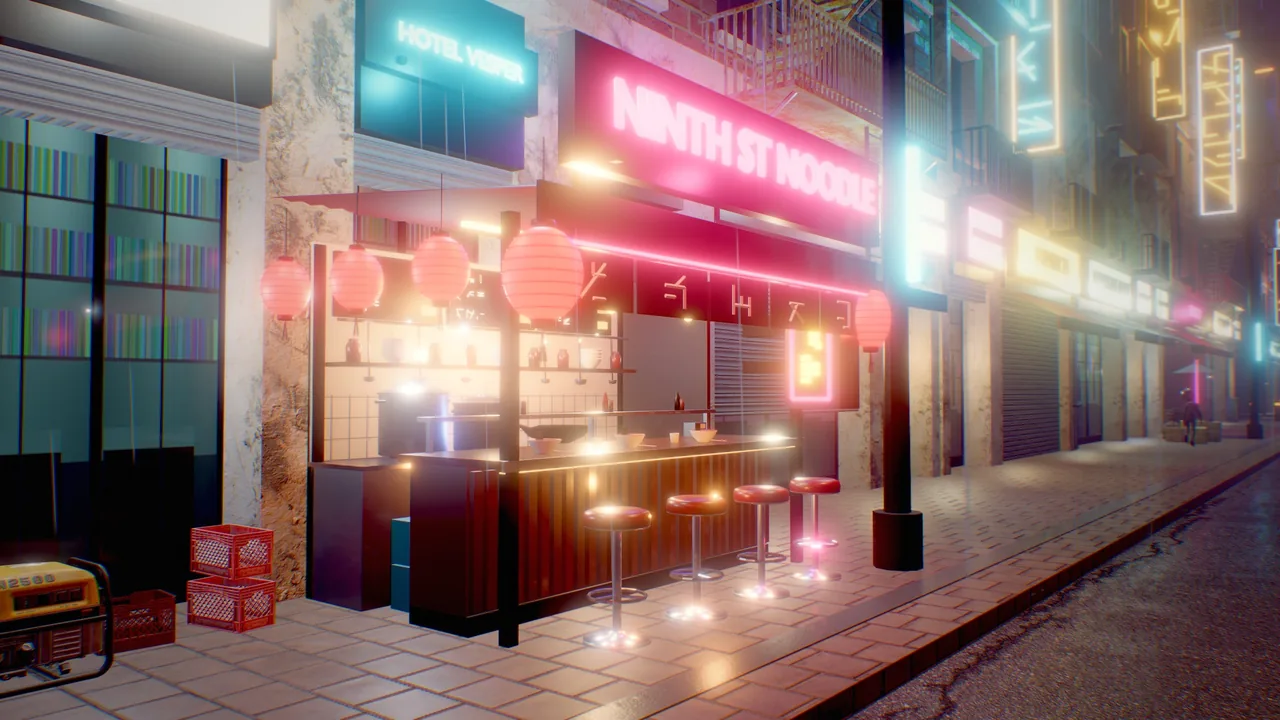
A scene is lit by the sun and sky of its environment plus any number of light components: directional, point and
spot lights with color temperature, physical or artist falloff, soft spot edges, volumetric strength and render-layer
masks. Lights are clustered, so a street with hundreds of lamps costs only the lights near each pixel. The sun casts
four cascades of soft shadows, point and spot lights cast shadows from a cached shadow atlas, clouds cast drifting
shadows, and lamps and the sun can draw visible shafts through hazy air.
Concepts
The sun, the sky and lamps
| Source | Where it lives | Notes |
|---|---|---|
| Sun | environment: sunAzimuth, sunElevation, sunColor, sunIntensity, sunSize |
Casts four cascades of shadows. Its direction also drives the atmosphere sky. |
| Sky light | environment: ambient, ground, reflections, the sky itself |
Image-based light from a prefiltered cubemap of the sky; ambient scales it (lower it for interiors, caves and night), reflections scales the specular part. |
| Lights | light components on entities |
Directional, point or spot. Directional lights use the entity's rotation; point and spot lights use its position; a spot points along the entity's forward axis (−Z). Point and spot lights cast shadows by default. |
| Emissive surfaces | mesh.emissive |
Glow with bloom and add light through on-screen GI; not light sources otherwise. |
Clustered lighting
The view is split into 16×9×24 clusters on the CPU, and each pixel evaluates only the lights whose range touches its cluster. Up to 1024 lights are used per frame: directional lights first, then the point and spot lights nearest to what the camera looks at. Directional lights apply everywhere. The 16 most important lights also light water, particles, fluids and volumetric fog.
debug_view: "light_complexity" shows how many lights each pixel's cluster evaluates, on the same color ramp as
overdraw: black 0, dark blue 1, blue 2, cyan 3, green 4, yellow 5–6, orange 7–9, red 10–15, white 16 or more.
The light component
| Field | Default | Meaning |
|---|---|---|
kind |
point |
directional, point or spot |
color |
warm white | Light color |
intensity |
1 | Brightness multiplier (0 to 1000) |
range |
10 | Falloff distance in meters (point and spot) |
spotAngle |
35 | Cone half-angle in degrees (1 to 89) |
innerAngle |
0 | Spot: half-angle of the full-intensity core; 0 = an automatic soft edge, close to spotAngle = a hard edge |
temperature |
0 | Kelvin, multiplied with color: 1900 candle, 2700 tungsten, 4000 fluorescent, 5500 noon, 6500 white, 9000 overcast sky; 0 = off |
attenuation |
smooth |
smooth: a soft curve that reaches 0 at range. inverse_square: physical 1/d², brighter near the source, with its peak capped by the emitter radius size, still windowed to range |
size |
0.1 | Emitter radius in meters for inverse_square |
specular |
1 | Highlight strength; 0 = diffuse only (fill lights that should not sparkle) |
volumetric |
1 | Strength in volumetric light (needs environment godRays) |
negative |
false | Subtracts light: stylized darkening, fake occlusion |
distanceFade, fadeBegin, fadeLength |
off, 40, 10 | Fade out with distance from the camera; faded-out lights are not sent to the GPU at all |
cullMask |
all layers | Render layers the light illuminates (see Render layers) |
indirect |
1 | Reserved for world-space GI; no effect yet |
castShadows |
true | Point and spot: occluders block the light (see Point and spot light shadows) |
shadowBias, shadowNormalBias |
0.02, 1 | Depth bias in meters and normal offset in shadow-map texels |
shadowResolution |
0 | Atlas slot hint in px (256 small lights, 1024 a hero light); 0 = automatic |
shadowMaxDistance |
0 | Camera distance in meters where this light's shadow fades out; 0 = no limit |
shadowMode |
cube |
Point lights: cube (six views, exact) or dual_paraboloid (two views, cheaper, approximate on large flat polygons) |
Sun shadows
The sun casts cascaded shadow maps: 4 cascades packed into one 4096² atlas (2048² per cascade). Cascades are fit to bounding spheres and snapped to texels, so shadows do not shimmer as the camera moves, and are filtered with rotated Poisson PCF.
| Setting | Where | Effect |
|---|---|---|
shadowSoftness |
environment, 0..6 (default 1) | Penumbra size |
shadowDistance |
environment, meters (0 = automatic) | How far from the camera sun shadows reach; a shorter distance gives sharper near shadows |
castShadows |
mesh |
Whether a mesh casts (default on) |
Meshes, terrain, alpha-tested foliage, strand hair and mesh particles cast sun shadows; meshes render into the
shadow map at a coarser level of detail. Transparent surfaces do not cast. debug_view: "shadow_cascades" colors each
pixel by cascade (red 0 nearest, green 1, blue 2, yellow 3, gray beyond the shadow distance).
Point and spot light shadows
Every point and spot light casts shadows by default, so lamps, torches and fires do not shine through walls, floors and furniture. These shadows live in a local shadow atlas, separate from the sun's cascades.
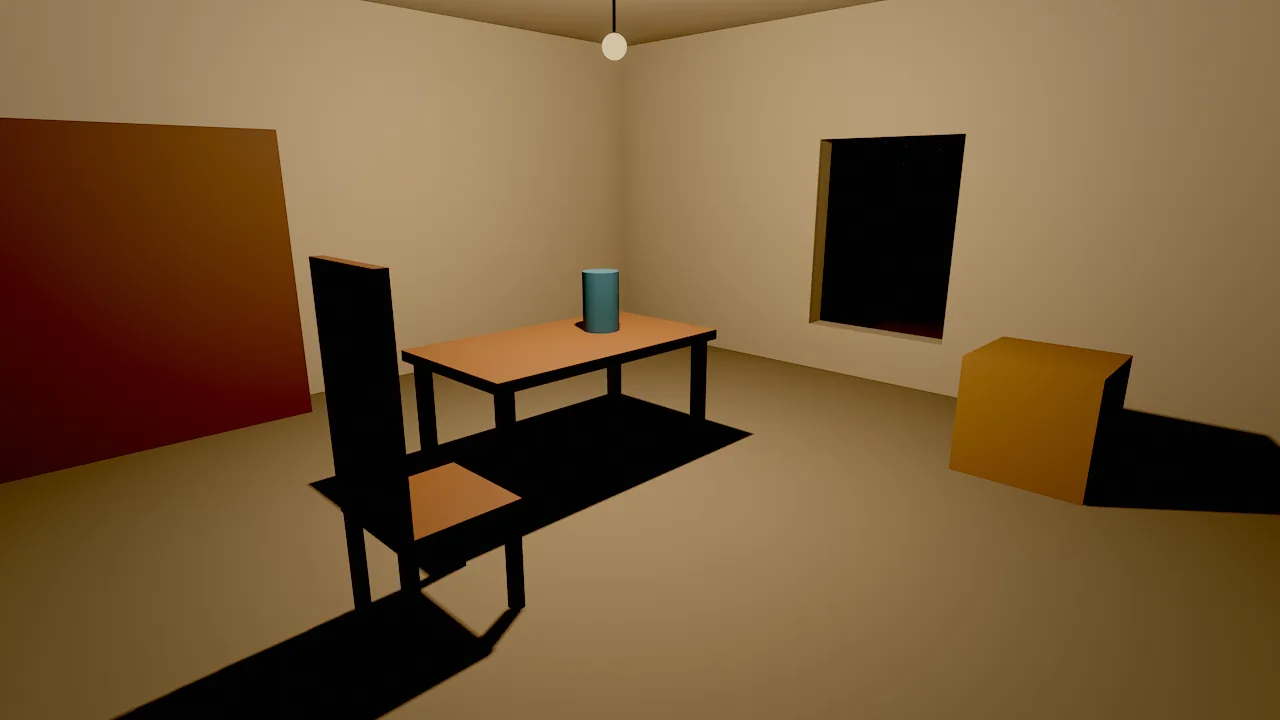
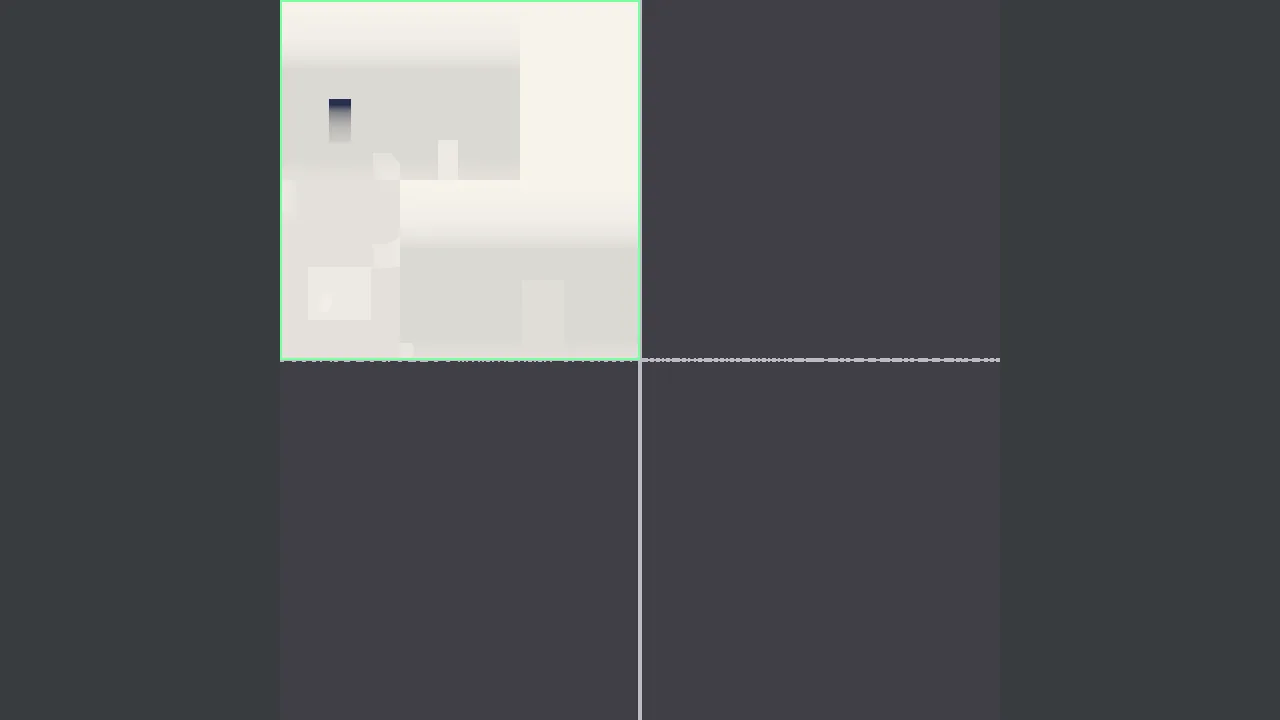
debug_view: "shadow_atlas": the bulb's cube shadow map in the single-slot quadrant, outlined green (re-rendered this frame)
| Piece | What it does |
|---|---|
| Atlas | One depth texture of localShadowAtlas px (environment; default 4096 = 64 MB, 2048 = 16 MB, 8192 = 256 MB), split into 4 quadrants of 1, 4, 16 and 64 slots. |
| Slots | The lights that touch the view are ranked by size on screen and brightness; the most important get the biggest slots. shadowResolution overrides the automatic size. |
| Projections | A spot light renders one view of its cone (cones wider than 65° use a cube). A point light renders a cube (six views) or, with shadowMode: dual_paraboloid, two hemispheres. |
| Casters | Meshes (alpha-tested cut-outs too), terrain, foliage near the camera, hair and mesh particles. A small mesh around the light or within 0.3 m of it (a bulb, a lamp head) does not shadow its own light. |
| Static cache | A slot re-renders only when its light moves or a caster in its range moves, changes mesh or animates. A street of static lamps costs nothing after its first frame. |
| Filtering | Rotated Poisson PCF; shadowSoftness widens the penumbra. |
| Receivers | Lit surfaces, terrain, foliage, impostors and hair; water reflections of lamps; lit particles and smoke; volumetric lamp cones in fog. |
Budgets keep the GPU work bounded: localShadowLights (environment, default 16, max 64) is the number of shadowed
lights per frame (lights beyond it still light the scene, without shadows; 0 turns local shadows off), and
localShadowUpdates (default 24) is the number of views re-rendered per frame (a cube light is 6, a spot 1). Stills
and movie frames render everything they need. The fast editor tier halves both budgets.
Lights from effects opt in with particles.lightShadows and fluid.lightShadows (a torch in a cave, a campfire in a
room); they are off by default because a flickering emitter re-renders its shadow every frame.
light_shadows {"lights": ["Desk Lamp"], "resolution": 1024}
light_shadows {"lights": "all", "kind": "point", "max_distance": 40}
shadow_atlas_info {"view": "scene"}
viewport_capture {"debug_view": "shadow_atlas", "samples": 1}
light_shadows changes the shadow fields of one light, a list or every light as one undo step. shadow_atlas_info
reports every shadow-casting light: its projection, slot and resolution, whether it came from the cache, and why a
light has no shadow (disabled, out_of_view, beyond_max_distance, over_light_budget, atlas_full, pending).
With entity it also lists the meshes that block that light. perf_stats reports gpu.localShadows.
Cloud shadows
With clouds in the sky, drifting cloud shadows dim the sun on every surface. They move with windDirection and
cloudSpeed. See Sky and atmosphere.
Volumetric light
godRays (environment, 0 = off, 1 = natural, up to 8) draws shadow-mapped sun shafts and cones under lamps through
air whose density is haze (extinction per meter: 0.0003 for a clear landscape, 0.002 for a hazy valley, 0.01 to
0.03 for a misty alley or an interior). The pass runs at half resolution and the haze thins with height. Each light's
volumetric field scales its own cone; set it to 0 for lights that should not show in the air.
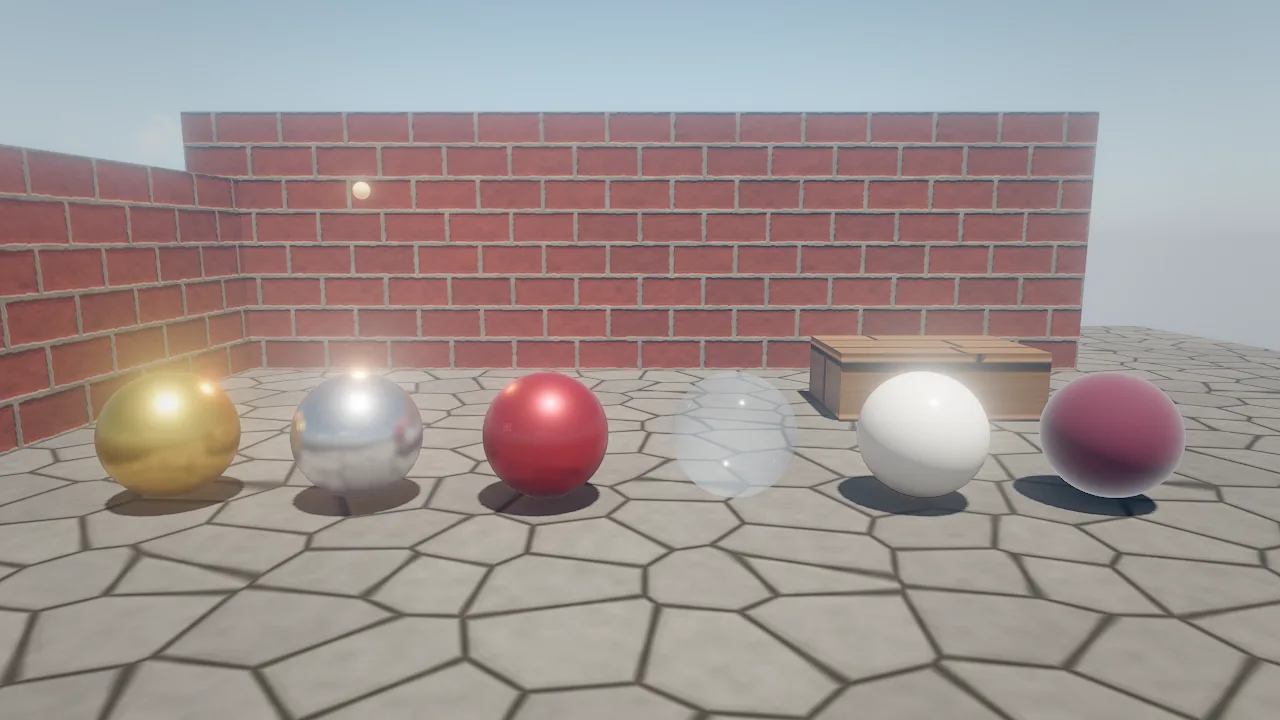
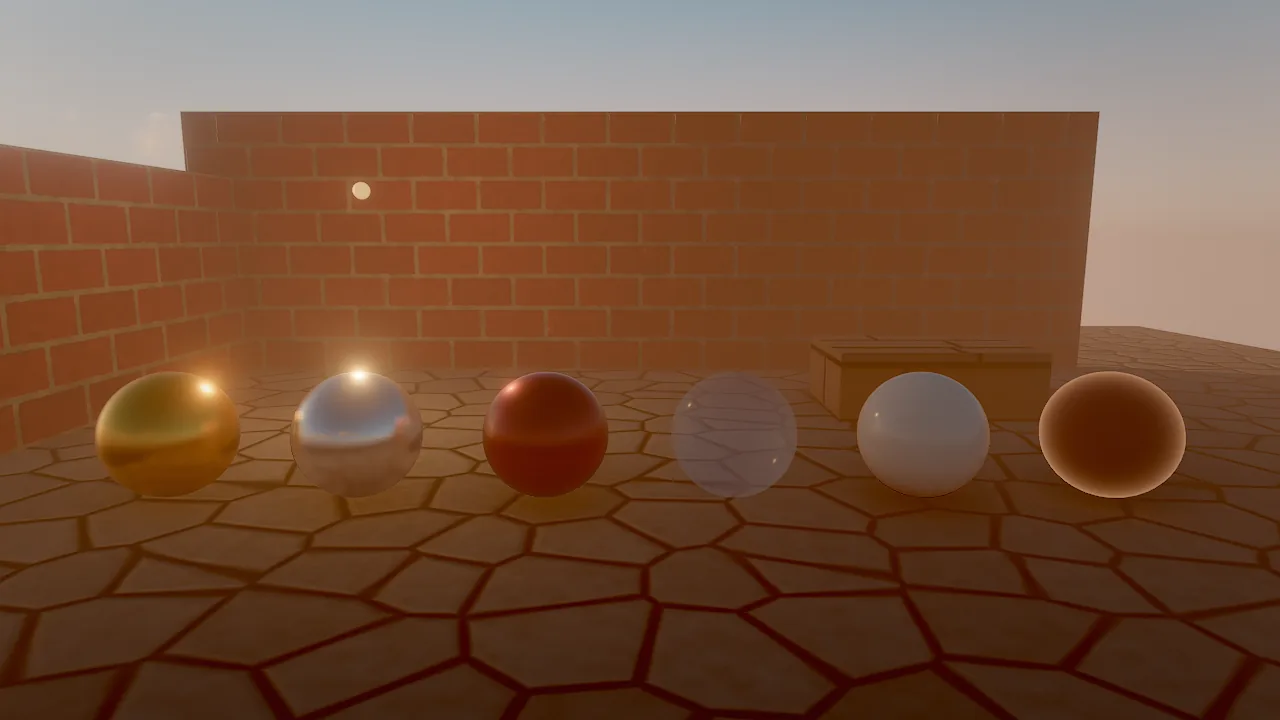
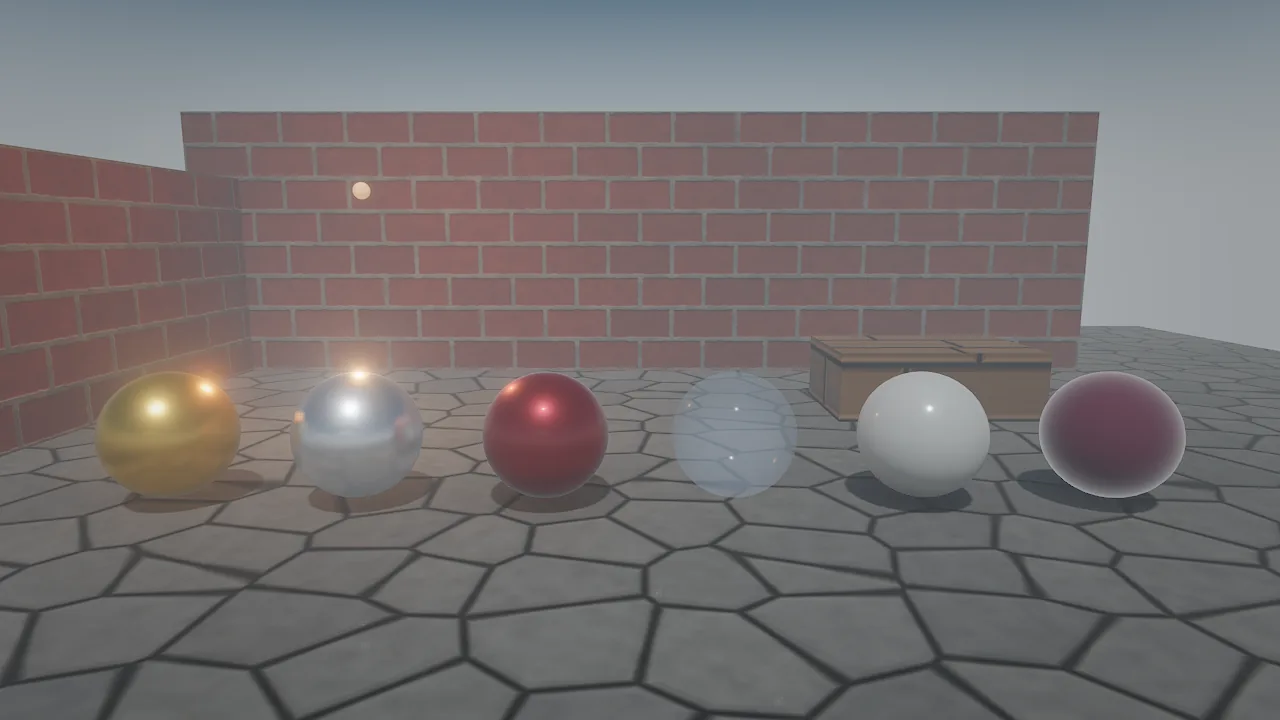
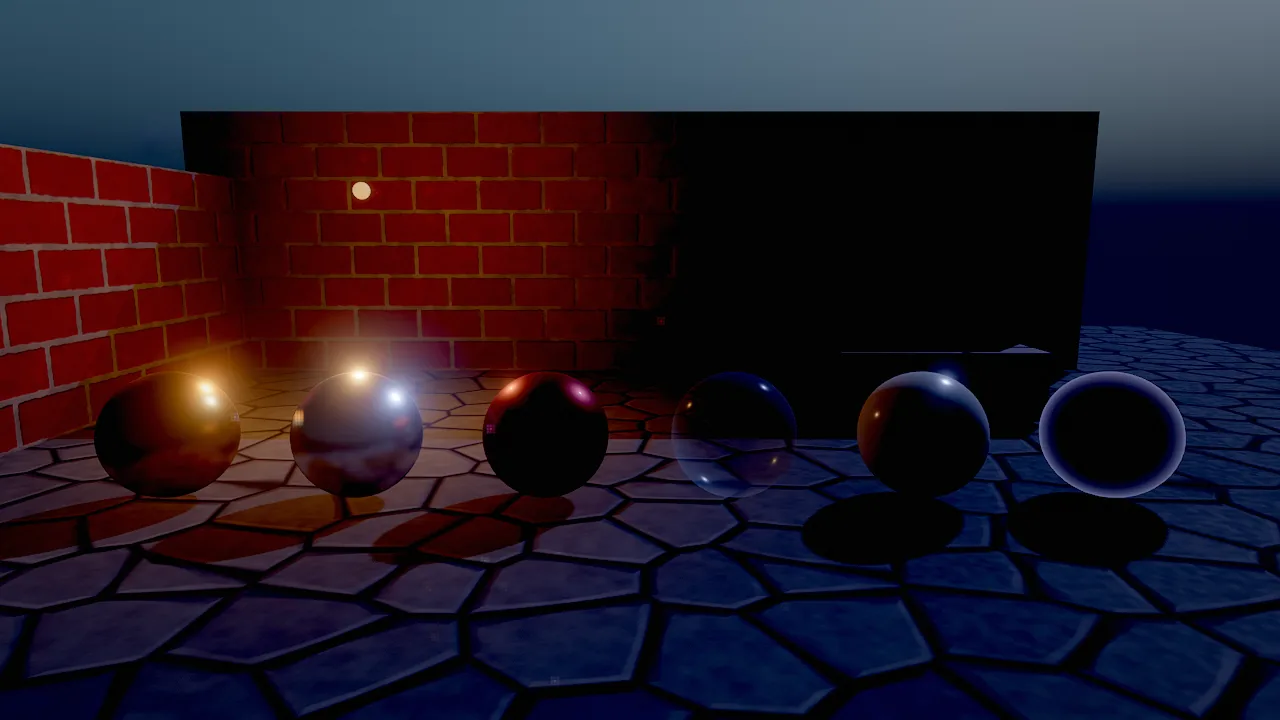
The same courtyard under the four outdoor environment_update presets; the warm point lamp on the back wall carries
the night image.
How to add and tune lights
entity_create {"name": "Street Lamp", "position": [2.4, 3.6, 12], "rotation": [-90, 0, 0], "components": {"light": {"kind": "spot", "color": "#ffb46a", "intensity": 12, "range": 11, "spotAngle": 32, "innerAngle": 20}}}
entity_create {"name": "Candle", "position": [0, 1.1, 0], "components": {"light": {"kind": "point", "temperature": 1900, "intensity": 2, "range": 4, "attenuation": "inverse_square", "size": 0.02}}}
entity_update {"entity": "Street Lamp", "components": {"light": {"volumetric": 2}}}
environment_update {"sunElevation": 12, "sunAzimuth": 250, "shadowSoftness": 2, "shadowDistance": 120}
behavior Flicker
  intent "A failing fluorescent tube: steady, with short random dropouts."
  param base = 6 in 0..50 "normal intensity"
  var off_time = 0
  on tick
    if off_time > 0 then
      off_time -= dt
      self.light.intensity = base * 0.1
    else
      self.light.intensity = base
      if chance(0.01) then off_time = random(0.05, 0.2) end
    end
  end
end
- Aim a spot or directional light by rotating its entity: a spot with
rotation[-90, 0, 0]points straight down. In Wander,look self at targetaims it at a point or an entity. - Use
temperaturerather than hand-picked colors for believable lamps; keepcolorwhite and let the Kelvin value tint it. - Use
inverse_squarewith a smallsizefor lamps that should be bright up close and fall off physically; keepsmoothfor game lighting that must end cleanly atrange. - Fill lights with
specular: 0brighten shadows without adding highlights. - Many small lights (windows, candles across a level): turn on
distanceFadeso distant ones cost nothing. - Rim or hero lights that should touch only one character: use render layers.
The flicker above runs in on tick with seeded randomness, so it replays exactly. For purely visual flicker at
display rate, use an on frame handler with noise (see Components).
Recipe: horror night
environment_update {"preset": "night", "skyMode": "gradient", "skyTop": "#020308", "skyHorizon": "#0b1020", "stars": 0.6, "fogDensity": 0.03, "fogHeight": 0.4, "ambient": 0.05, "vignette": 0.5}
entity_create {"name": "Lantern", "position": [1, 1.6, 0], "components": {"light": {"kind": "point", "temperature": 1900, "intensity": 4, "range": 7}}}
behavior_set {"entity": "Lantern", "name": "Flicker", "intent": "Flicker like a flame.", "source": "on frame\n  self.light.intensity = 4 * (0.8 + 0.2 * noise(time * 10))\nend\n"}
viewport_capture {"samples": 8}
A gradient sky near black, stars, ground fog, very low ambient light and warm, flickering point lights. Raise
exposure slightly if the image is too dark to read, rather than raising ambient, which flattens the mood.
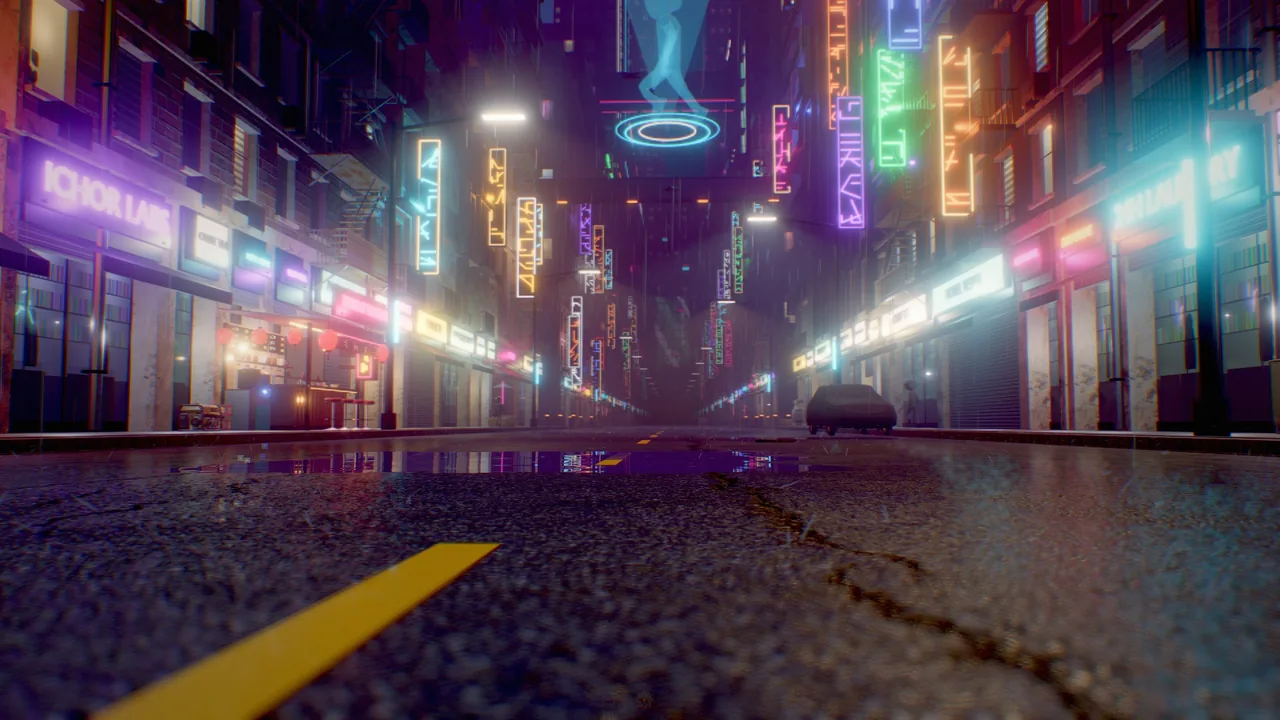
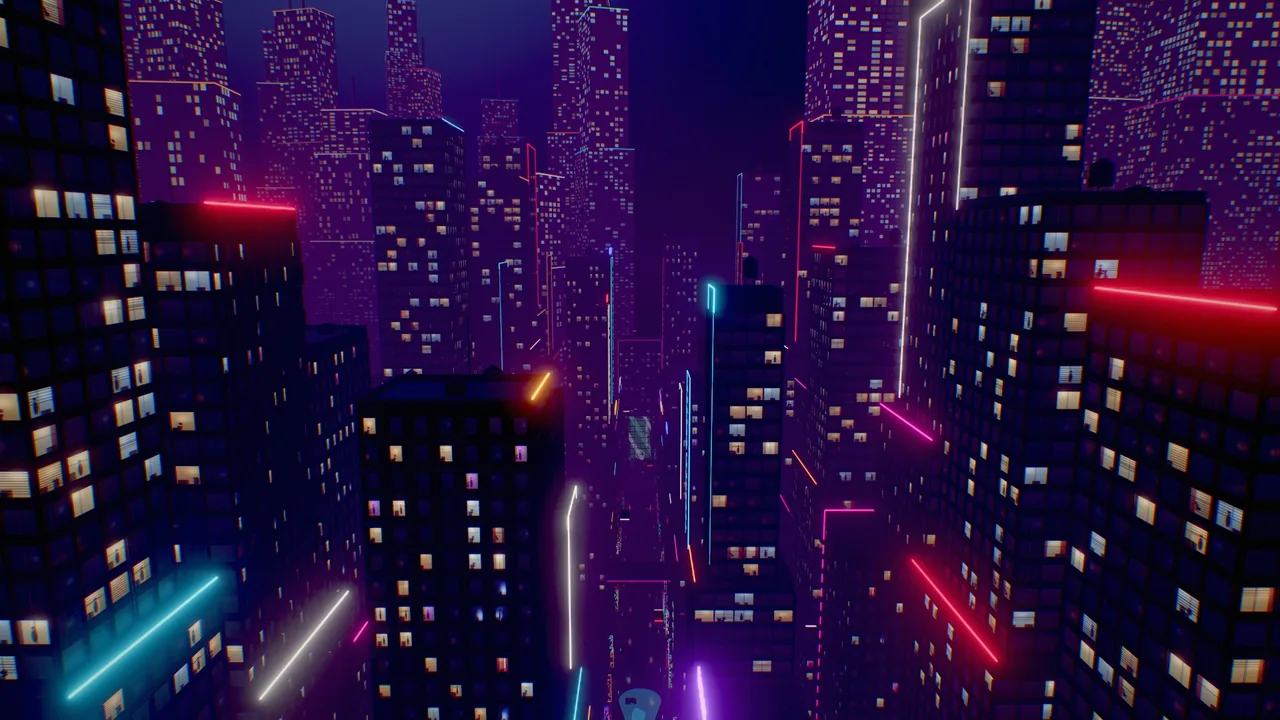
Recipe: rainy neon street
environment_update {"preset": "night", "fogDensity": 0.02, "godRays": 1, "haze": 0.02, "bloomIntensity": 0.8, "ssr": 1}
material_create {"path": "materials/wet_asphalt.mat.json", "color": "#1a1c20", "roughness": 0.15}
material_assign {"entities": ["Street"], "material": "materials/wet_asphalt.mat.json"}
material_create {"path": "materials/sign_pink.mat.json", "preset": "neon", "emissive": [1, 0.2, 0.6, 4]}
fx_create {"effect": "rain", "position": [0, 12, 0], "overrides": {"floorHeight": 0}}
viewport_capture {"samples": 16}
Unlit emissive signs (strength 2 to 5), a dark glossy street (roughness 0.1 to 0.2) so screen-space reflections pick
up the signs, misty air for visible lamp cones, and rain with its floor at street level.
Recipe: light shafts
Set godRays: 1 and haze between 0.01 and 0.03, then put a low sun behind trees, pillars, canyon walls or a window.
Lamps in the same air get visible cones automatically.
environment_update {"godRays": 1, "haze": 0.015, "sunElevation": 10, "sunAzimuth": 80}
viewport_capture {"samples": 16}
Not available yet
- Directional lights other than the sun do not cast shadows. Point and spot shadows use fixed-radius filtering (no contact-hardening penumbrae), and foliage impostors do not cast them.
- No baked lighting. There are no lightmaps or bake modes;
indirectis reserved for future world-space GI. - No shadow caster masks. Render layers decide what a light illuminates, not what casts its shadow.
Pitfalls
- Light still leaks through a wall. Check
shadow_atlas_info {"entity": "Lamp"}: a wall missing from its casters hascastShadows: false, is transparent, or is a small mesh right next to the light (listed underignoredFixtures). Move the light 0.3 m away from it. -
Dark speckles (acne) on lit surfaces. Raise
shadowBiasorshadowNormalBiaswithlight_shadows; lower them if shadows detach from their casters. -
Too many overlapping lights make every pixel evaluate many lights. Check
light_complexity; shortenrangeor merge lights where it turns orange or red. - Spot lights point along −Z. An unrotated spot shines horizontally; rotate the entity to aim it.
- Fog and haze are different.
fogDensityis distance fog for the whole image;hazeis the medium volumetric light scatters in. - Night scenes still have a sun. The
nightpreset keeps a weak, blue sun as moonlight; lowersunIntensityfurther if the moonlight should not cast visible shadows.
For agents
Light placement is easiest to judge without textures:
scene_query {"component": "light"}                                        # every light and where it is
viewport_capture {"debug_view": "lighting_only", "samples": 4}            # light and shadow on white
viewport_capture {"debug_view": "light_complexity", "samples": 1}         # lights per pixel
shadow_atlas_info {"view": "scene"}                                       # which lamps have shadows, and why not
perf_stats {}                                                             # gpu.lights: total, layerMasked, negative, inverseSquare
viewport_capture {"samples": 16}                                          # final check
Reference
- Tools:
environment_update,entity_update,render_layers,light_shadows,shadow_atlas_info,viewport_capture - Components:
light,environment - Wander:
chance,noise - Design: docs/RENDERING.md (Lighting; Lights; Point and spot light shadows; Recipes; Limits)