2D, text, UI and dialogue
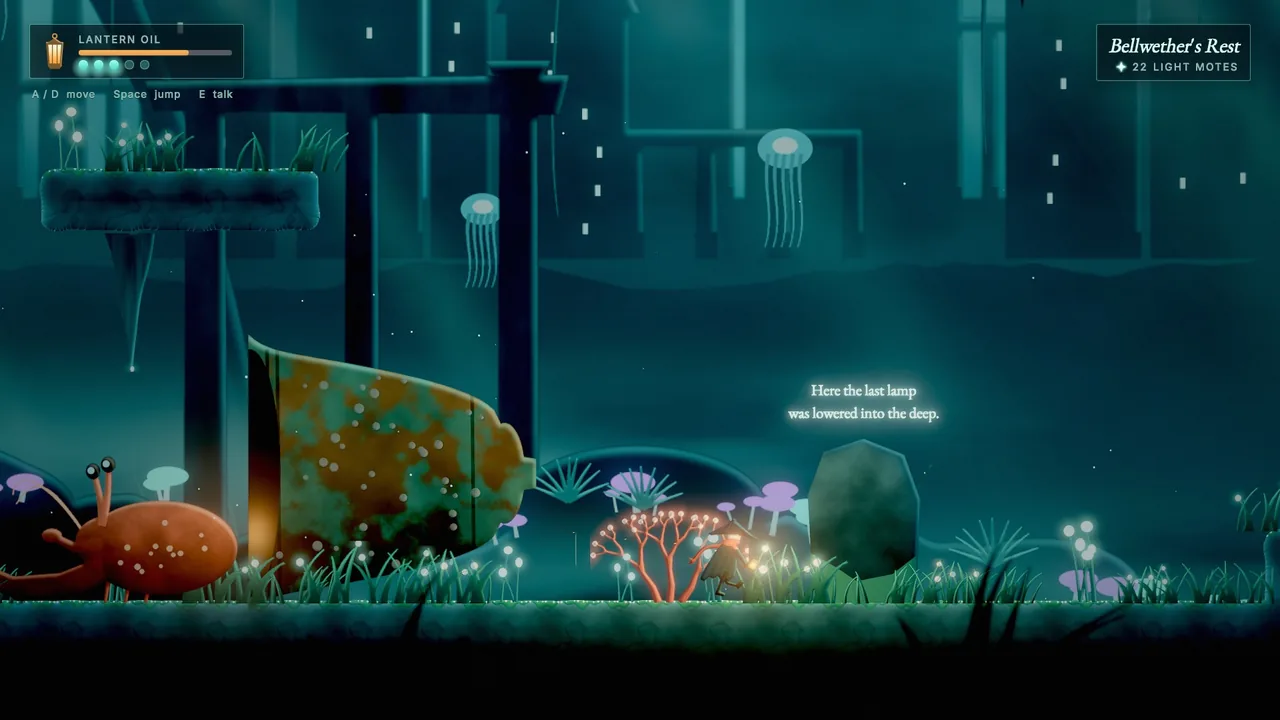
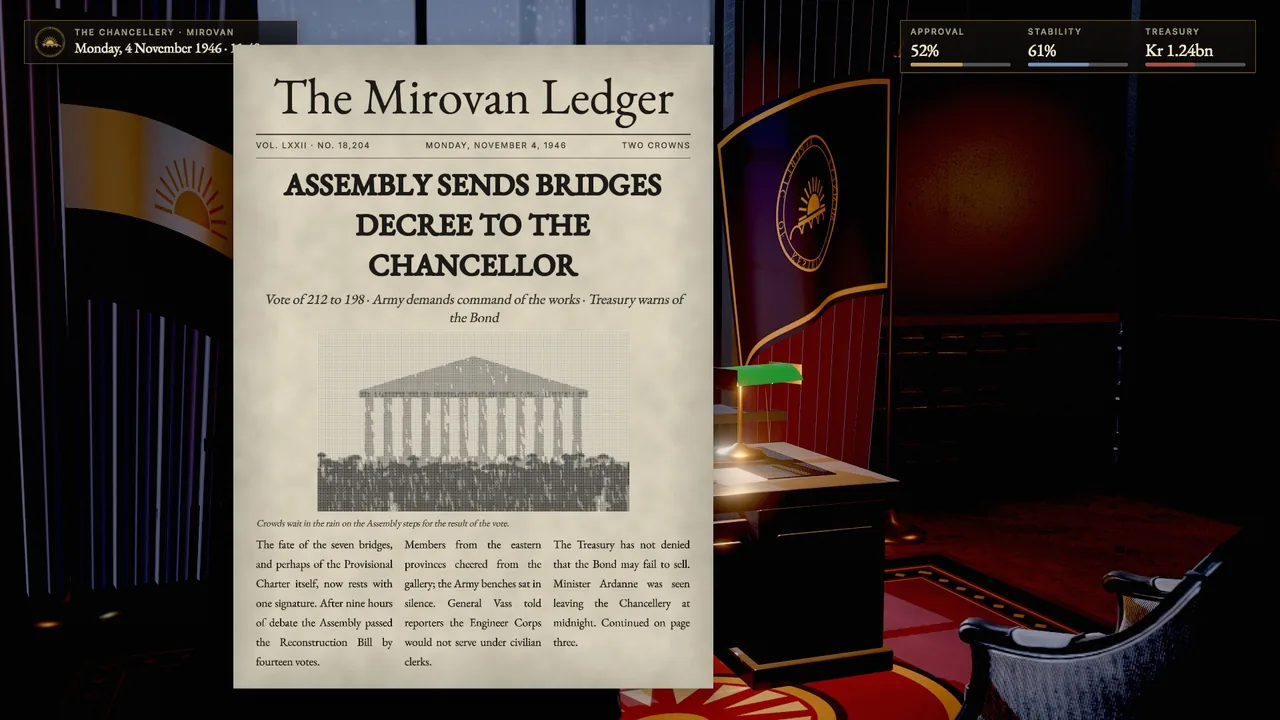
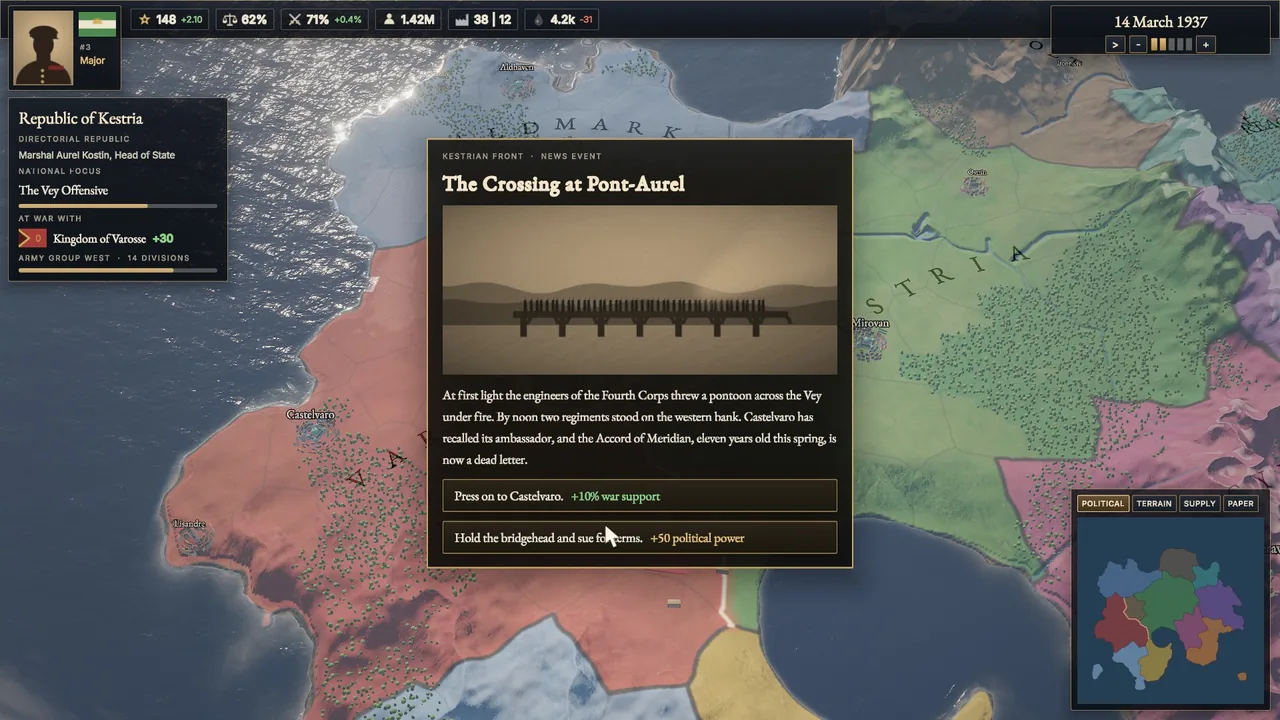
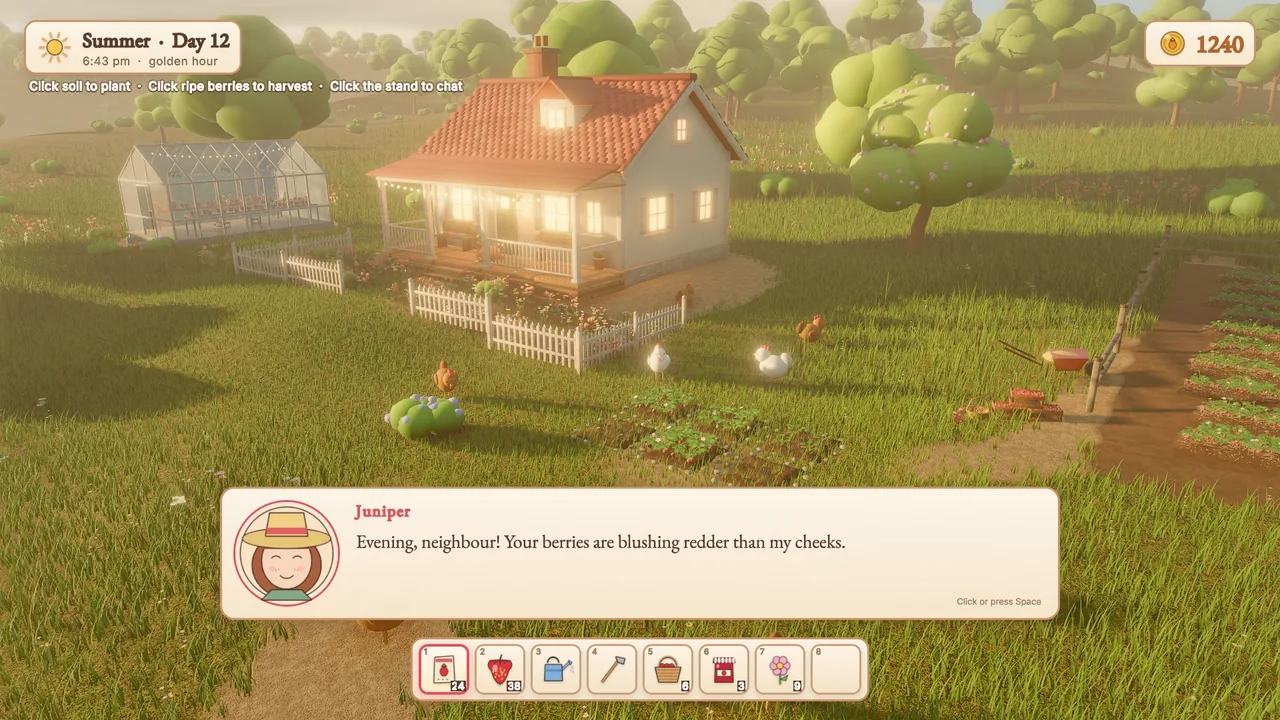
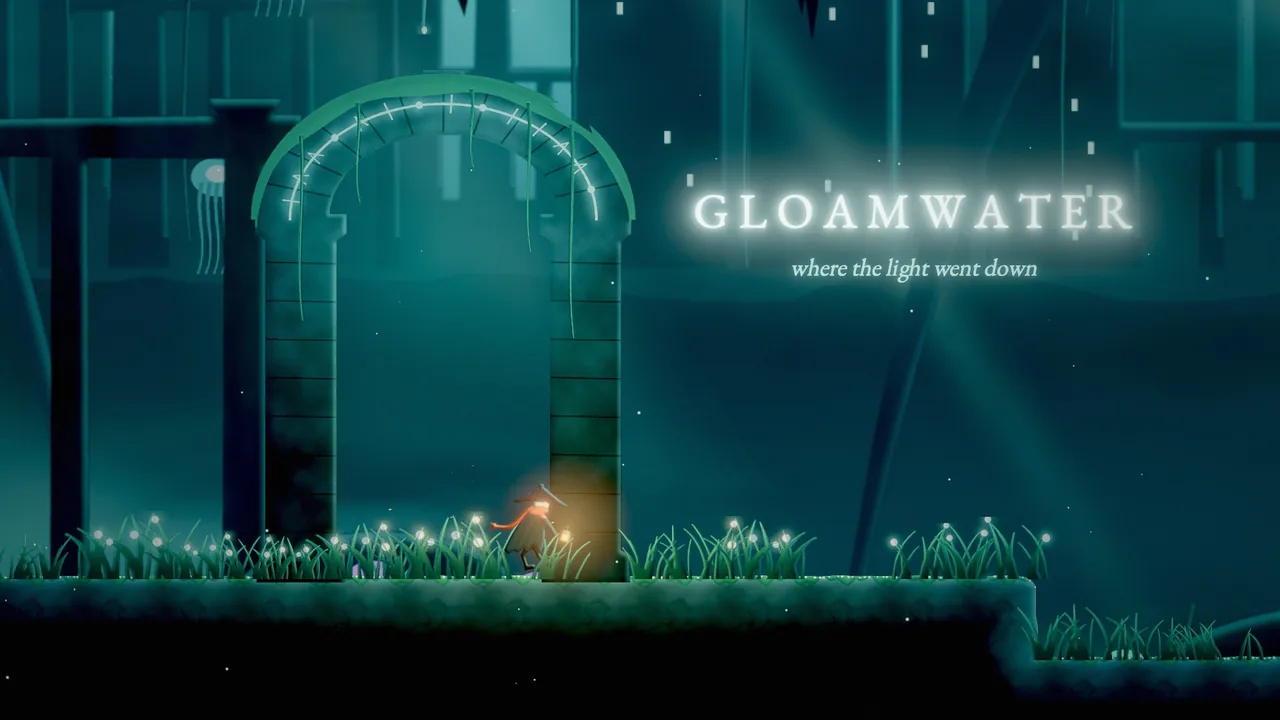
Skywalker draws 2D games (painted side-scrollers, pixel-art farm sims), text in the world, complete user interfaces (HUDs, menus, inventories, map panels, documents) and branching dialogue. Sprites, tilemaps, 2D lights, UI elements and conversations are ordinary reflected components, so you build them with the same tools as 3D scenes, mix them freely with 3D, and capture them with real screen boxes for every element, also on machines without a GPU.
Concepts
Coordinate conventions
- World 2D lives on the XY plane: +Y up, cameras look down −Z. Painter's order is
sortingLayer(background<midground<default<foreground<overlay), thenorder, then depth (farther first), then scene order. Sprites depth-test against 3D geometry, so 2.5D scenes work. - UI is in canvas pixels with the origin at the top-left, y down: the same space as the boxes that
viewport_captureandui_inspectreturn. Paddings and margins use CSS order[top, right, bottom, left]and CSS shorthand (12,[8, 16]). - Colours are authored in sRGB hex (
"#ff8800"). 2D shading happens in linear HDR, so bloom, fog, exposure and tonemapping apply to sprites. For flat pixel art usetonemap: "none",bloomIntensity: 0, andtaa: falseif you want every texel razor sharp.
Components
| Component | What it is | Key fields |
|---|---|---|
sprite |
A textured quad | texture (PNG or *.atlas.json), frame, columns/rows (grid sheets), region, pivot ([0.5, 0] = feet), size or pixelsPerUnit, color, flipX/flipY, sortingLayer, order, filter (nearest for pixel art), normalMap, emissive, billboard (none, y, full for 2.5D), lit, castShadows, alphaCutoff |
sprite_anim |
A flipbook | clips ({"run": {"frames": "4-11", "fps": 12, "loop": true, "events": {"3": "footstep"}}}), clip, playing, speed |
tilemap |
Layers of tiles | tileset (PNG or *.tileset.json), tileSize, cellSize, width, height, layers ([{name, data, solid, visible, z, tint, sortingLayer, order}]), solidTiles, autotile, filter, lit, castShadows |
light2d |
A 2D light | kind (point, spot along local +Y, global ambient), color, intensity (HDR), radius, falloff, innerAngle/outerAngle, height (normal-map relief), shadows, shadowSoftness, halo (glow in the air), flicker |
parallax |
A parallax layer (the entity and its children) | factor (0 = fixed to the camera, below 1 far, above 1 near), origin, repeatX/repeatY, spacing |
camera2d |
On the camera entity | pixelsPerUnit, referenceHeight (for example 180: integer upscaling), pixelSnap, zoom, follow with smoothing, deadZone and offset, bounds |
text |
Text in the world: signs, labels, damage numbers | text (rich), font, size (world em), color, align, valign, maxWidth, lineSpacing, outline, outlineColor, shadowColor, emissive (neon), billboard, sortingLayer |
ui_canvas |
The root of a UI | mode (screen, world), referenceResolution, scaleMode, match, sortOrder, theme, styleSheet, worldScale, interactable |
ui |
A UI element | widget, anchor (or custom with anchorMin, anchorMax, pivot), position, size, margin, layout, gap, padding, align, justify, columns, fit, flex, text, image, value, style, styleOverrides, event, interactable, visible, scroll |
dialogue |
A conversation runner | script (*.dialogue) or source, startNode, autoStart, ui (default, none), typewriter, portraits; state: running, node, speaker, line, choices, tags |
Untextured sprites draw as tinted rectangles and tilemaps without a tileset draw flat colours per tile id, so you can block out levels before any art exists.
Text
Fonts are signed-distance fields rasterized lazily from TrueType and OpenType files with stb_truetype: crisp at any size, zoom or world scale, with outlines, shadows, glows and faux bold computed in the shader, and OpenType (GPOS) kerning. Built-in fonts are Inter ("", sans), EB Garamond (serif) and JetBrains Mono (mono); any *.ttf or *.otf path in the project works too.
Rich text tags work in text components and UI text:
| Tag | Effect |
|---|---|
<b>, <i>, <u>, <s> |
Bold, italic, underline, strikethrough |
<color=#f80>, <color=gold>, <alpha=0.5> |
Colour and opacity |
<size=24>, <size=150%>, <size=+4> |
Size |
<font=serif> |
Font |
<br> |
Line break |
<noparse> |
Show tags literally |
Text is UTF-8 throughout; missing glyphs fall back to the other built-in fonts. Wrapping prefers spaces, breaks long words and handles CJK text.
UI layout
- Anchors pin an element:
top_left,top,top_right,left,center,right,bottom_left,bottom,bottom_right(itspositionis an offset andsizeits size). Stretch anchors fill an axis:fill,top_stretch,middle_stretch,bottom_stretch,left_stretch,center_stretch,right_stretch, with insets frommargin. On an axis that does not stretch, the margin insets the element from the edge it is anchored to: abottom_stretchbox with margin bottom 40 floats 40 px above the bottom.customusesanchorMin,anchorMaxandpivotas parent fractions. - Layouts:
rowandcolumnstack children withgap,padding,align(cross axis:start,center,end,stretch; stretch also stretches fit-to-content children, whose text then wraps) andjustify(start,center,end,space_between);flexshares leftover space.gridfillscolumnsequal cells.fitsizes an element to its text or children.ignoreLayoutplaces an element by its own anchor inside a layout. - Canvas scaling:
scale_with_screenkeeps layouts proportional across resolutions, blending width and height bymatch(0 = match width, 1 = match height);constantis 1 px = 1 px.
UI styling
Styles cascade: the canvas theme (dark, light, parchment, glass, pixel), then its styleSheet, by widget kind, .class (the element's style) and #Name, then the element's styleOverrides. State blocks hover, pressed, focus, checked and disabled apply while active, with animated transitions.
Properties: background, background2 (vertical gradient), backgroundImage, slice (9-slice), imageTint, radius, borderWidth, borderColor, shadowColor, shadowOffset, shadowBlur, opacity, padding, font, fontSize, color, textAlign, verticalAlign, bold, italic, lineSpacing, letterSpacing, textTransform, textOutline, textOutlineColor, textShadowColor, textShadowOffset, accent, track, knob, trackHeight, knobSize, placeholderColor, imageFit, transition. Text properties inherit.
Every theme defines the classes primary, ghost, danger, title, heading, subtitle, muted, small, large, accent, card, hud, and the dialogue parts .dialogue_box, .dialogue_name, .dialogue_text, .dialogue_choice, .dialogue_portrait, .dialogue_hint.
A style sheet (*.uistyle.json):
{
  "format": "skywalker.uistyle", "extends": "parchment", "vars": {"accent": "#7a1f12"},
  "rules": {
    "button": {"radius": 2, "hover": {"borderColor": "$accent"}},
    ".stamp": {"background": "$accent", "color": "#fff3dc", "textTransform": "uppercase"},
    "#Title": {"fontSize": 72}
  }
}
UI input
The mouse, the keyboard (Tab and arrow keys move focus, Enter and Space activate, arrows adjust sliders, typing edits a focused input; platform code delivers typed characters with sky_input_text) and the wheel (scroll views) drive the UI. Activating a button, toggle, slider or input sends the Wander event ui:<element name> (plus the element's event, if set) and on click to the element itself. While playing, clicks on UI never reach the world behind it; while editing, clicking an element selects it.
UI canvases keep running while the game is paused: their process mode defaults to always, on the real clock. That is where pause-menu logic belongs.
Rendering
2D items are drawn in the scene pass (HDR, so they take part in bloom and fog), and the UI is drawn after the final composite at output resolution. Headless captures and CI use a CPU rasterizer that draws the same 2D frame.
How to script 2D and UI
| Builtin or trigger | Does |
|---|---|
play_anim(e, clip, restart) |
Plays a sprite_anim clip (keeps playing if it already is, unless restart) |
on anim "name" |
A frame event of a clip; a non-looping clip's end arrives as on anim "finished" |
tile_at(map, pos, layer) |
Tile id at a world position (0 = empty) |
set_tile(map, pos, tile, layer) |
Sets a tile by id (0 clears) or by an auto-tiled terrain name |
on ui "Name" |
The button, toggle, slider or input named Name was used (= on event "ui:Name") |
start_dialogue(node), start_dialogue(e, node) |
Starts a conversation |
dialogue_var(name), dialogue_var(name, value) |
Reads or sets a dialogue variable |
dialogue_choose(i), dialogue_advance() |
Picks a choice (0-based) or advances |
on dialogue "start", "line", "choice", "end", "<command>" |
Conversation events and custom commands |
Any component field is reachable: find("Score").ui.text = "Score: " + str(score).
behavior Hero
  intent "Run while D or A is held, idle otherwise; footstep frame events log a step."
  on tick
    if key("d") then
      self.sprite.flipX = false
      play_anim(self, "run")
    elif key("a") then
      self.sprite.flipX = true
      play_anim(self, "run")
    else
      play_anim(self, "idle")
    end
  end
  on anim "footstep"
    log "step"
  end
end

behavior Farmer
  intent "Press E on grass to till it into auto-tiled soil."
  on key "e"
    let map = find("Farm")
    if tile_at(map, self.position) == 3 then   -- grass
      set_tile(map, self.position, "soil")
    end
  end
end
Dialogue scripts
A .dialogue file holds nodes. Each node has a title, a --- line, its content and a closing ===. This script passes dialogue_check without errors:
title: Start
---
<<declare $trust = 1>>
<<declare $name = "Councillor">>
Narrator: The council chamber falls silent. #mood:tense
Vale: You're late, {$name}. #portrait:vale_cold
-> I was delayed by the riots.
    <<set $trust += 1>>
    Vale: Riots. Of course.
-> That is none of your concern. <<if $trust > 5>>
    <<jump Confrontation>>
<<if visited("Archive")>>
    Vale: I hear you've been reading old letters.
<<else>>
    Vale: Sit.
<<endif>>
<<lights_dim 0.5>>
===
title: Confrontation
---
Vale: Then we have nothing more to discuss. #mood:angry
<<open_gate>>
===
- Lines are
Speaker: textwith trailing#tags;#portrait:nameshowsportraits/name.pngin the default dialogue box.{expr}interpolates. - Choices are
-> textwith an indented body; a trailing<<if ...>>makes a choice conditional. - Commands:
set(withto,=,+=,-=,*=,/=),declare,if/elseif/else/endif,jump,wait,stop. Any other command (<<shake 2>>) becomes the Wander eventdialogue:shake, with the arguments in the runner's vars (vars.dialogue_command,vars.dialogue_args,vars.dialogue_arg). - Variables live in the runner entity's vars (
$trustis the vartrust). - Functions:
visited,visited_count,random,random_range,dice,round,floor,ceil,abs,min,max.
The built-in dialogue box (portrait, name plate, typewriter text, numbered choices; click, Space or Enter advance, 1–9 pick a choice) is made of ordinary UI entities named Dialogue Box, Dialogue Portrait, Dialogue Speaker, Dialogue Line and Dialogue Choices under the Dialogue UI canvas. Restyle them with the dialogue_* classes, or create them in the editor with ui_create {"template": "dialogue"}. Set the component's ui to none to draw your own from Wander with self.dialogue.line, .speaker and .choices.
behavior Story
  intent "Open the gate when the script runs <<open_gate>>; show the HUD when the conversation ends."
  on dialogue "open_gate"
    destroy find("Gate")
  end
  on dialogue "end"
    find("HUD").enabled = true
    if dialogue_var("trust") > 2 then
      log "Vale trusts you"
    end
  end
end
Recipes
A HUD
ui_create {"canvas": {"name": "HUD", "theme": "dark"}, "elements": [{"type": "panel", "name": "Vitals", "anchor": "top_left", "position": [32, 28], "style": "hud", "layout": "column", "gap": 6, "padding": [10, 14], "children": [{"type": "text", "text": "HEALTH", "style": "small muted"}, {"type": "progress", "name": "Health", "value": 1, "size": [240, 12]}]}, {"type": "text", "name": "Score", "anchor": "top_right", "position": [-32, 28], "text": "0", "style": "large"}]}
ui_inspect {"canvas": "HUD", "width": 1280, "height": 720}
Then update it from gameplay:
behavior HudBinding
  intent "Mirror hp and score into the HUD."
  var hp = 100
  var score = 0
  on tick
    find("Health").ui.value = hp / 100
    find("Score").ui.text = str(score)
  end
  on event "coin_collected"
    score += 10
  end
end
A main menu
ui_create {"template": "main_menu", "canvas": {"name": "Menu", "theme": "glass"}}
entity_update {"entity": "Title", "components": {"ui": {"text": "Ashes of Veyra"}}}
behavior_set {"entity": "Menu", "name": "Menu", "intent": "Hide the menu when Play is clicked.", "source": "on ui \"Play\"\n  find(\"Menu\").enabled = false\nend\non ui \"Quit\"\n  quit_game()\nend"}
ui_inspect {"canvas": "Menu"}
sim_control {"action": "play"}
ui_interact {"element": "Play"}
sim_control {"action": "step", "ticks": 2}
A pause menu
UI canvases run while the game is paused, so a pause menu is a canvas plus a few handlers:
ui_create {"template": "pause_menu", "canvas": {"name": "PauseUI", "theme": "glass"}}
entity_update {"entity": "Pause Dim", "components": {"ui": {"visible": false}}}
behavior Pause
  intent "Toggle the pause on the pause action and show the dimmed menu while paused."
  on action "pause"
    if is_paused() then resume_game() else pause_game() end
  end
  on pause
    find("Pause Dim").ui.visible = true
  end
  on resume
    find("Pause Dim").ui.visible = false
  end
  on ui "Resume"
    resume_game()
  end
end
pause_game() freezes every pausable entity (the default: behaviors, physics, animation, particles, non-UI sounds) from the next tick. A HUD that should freeze too gets a process component with mode: "pausable". Verify with:
sim_control {"action": "pause_game"}
process_info {"entity": "PauseUI"}
ui_interact {"element": "Resume"}
sim_control {"action": "step", "ticks": 2}
A dialogue scene
-
Write
story/intro.dialogue(the script above), lint it, and preview a branch. The preview starts with$trustat 6, so the conditional choice is offered and leads toConfrontation: -
Add a runner and restyle the box:
entity_create {"name": "Vale", "components": {"dialogue": {"script": "story/intro.dialogue", "autoStart": true, "typewriter": 40}}}
ui_style {"canvas": "Dialogue UI", "theme": "parchment"}
The
Dialogue UIcanvas exists once the conversation has started (or afterui_create {"template": "dialogue"}). Portraits go inportraits/<name>.png. -
Drive it in play mode and react in Wander (
on dialogue "<command>",dialogue_var):
A tilemap level from ASCII
tilemap_from_ascii {"name": "Level", "tileset": "art/tiles.png", "tile_size": 16, "autotile": {"ground": {"mode": "blob47", "first": 1}}, "legend": {"#": "ground", "=": 49, "o": 57}, "solid": true, "map": "....................\n.......o..o.........\n......======........\n....................\n####################"}
entity_create {"name": "Camera", "position": [10, -2, 10], "components": {"camera": {"orthographic": true}, "camera2d": {"pixelsPerUnit": 16, "referenceHeight": 180, "follow": "Hero"}}}
entity_create {"name": "Torch", "position": [6, -2, 0], "components": {"light2d": {"kind": "point", "color": "#ffb060", "intensity": 2.5, "radius": 6, "halo": 0.6, "flicker": 0.3}}}
tilemap_inspect {"entity": "Level"}
tilemap_paint {"entity": "Level", "action": "fill", "rect": [0, 3, 20, 1], "tile": "ground"}
tilemap_inspect shows every layer as ASCII with a legend, plus the merged collision rectangles (map-local world units: x right, y up from the top-left corner), ready for physics bodies.
Auto-tiling modes:
| Mode | Tiles |
|---|---|
blob47 |
47 tiles ordered by ascending reduced 8-neighbour mask (N=1, NE=2, E=4, SE=8, S=16, SW=32, W=64, NW=128; corners count only with both adjacent edges) |
wang16 |
16 tiles indexed by N=1, E=2, S=4, W=8 |
random |
Mixes variants, with optional weights |
single |
Places one tile |
Give first (consecutive ids) or an explicit tiles list.
Sprite sheets and atlases
sprite_sheet_slice {"image": "art/knight.png", "cell": [32, 32], "entity": "Knight", "animations": {"idle": {"row": 0, "fps": 6}, "run": {"row": 1, "fps": 12}, "attack": {"frames": "16-21", "fps": 14, "loop": false, "events": {"3": "hit"}}}}
sprite_atlas_pack {"folder": "art/props", "output": "art/props.atlas.json"}
sprite_sheet_slice names the frames of a grid sheet, turns rows into sprite_anim clips and applies both to an entity. sprite_atlas_pack packs a folder of images into an atlas (trimmed, padded and edge-extruded, so nothing bleeds) and suggests clips from numbered file names (run_0 .. run_7 become run).
Pitfalls
- 2D light budget. At most 32 2D lights per frame (the nearest to the view). 2D shadows are screen-space, so casters must be on screen. The CPU rasterizer lights per sprite, without normal maps or shadows.
- Text shaping is per code point: kerning, but no ligatures or complex scripts such as Arabic or Indic.
- CPU and GPU blending. The UI blends in linear light on the GPU and in sRGB on the CPU, so soft edges differ slightly in headless captures.
- World-space canvases are hit-tested through the game camera; focus navigation is order-based.
- Framing 2D in the editor. The editor viewport shows sprites and UI, but for exact 2D framing (orthographic, pixel-perfect,
camera2dbounds) look through the scene camera; there is no dedicated 2D editing camera yet. - Element names are event names.
on ui "Play"matches the element namedPlay; renaming the element breaks the handler. Use theeventfield for a stable name.
For agents
Build UI from one tree, verify it numerically, then click it like a player:
ui_create {"template": "main_menu", "canvas": {"name": "Menu", "theme": "dark"}}  # one undoable step
ui_inspect {"canvas": "Menu", "width": 1920, "height": 1080}                       # rects, no screenshot needed
ui_style {"canvas": "Menu", "theme": "parchment"}                                  # restyle
ui_interact {"element": "Play", "action": "click"}                                 # then sim_control step
dialogue_check {"path": "story/intro.dialogue"}                                    # lint every script you write
Check layouts at several viewport sizes with ui_inspect before you capture screenshots.
Reference
- Tools:
ui_create,ui_style,ui_inspect,ui_interact,dialogue_check,dialogue_preview,dialogue_control,sprite_atlas_pack,sprite_sheet_slice,tilemap_from_ascii,tilemap_paint,tilemap_inspect. - Components: 2D, text and UI,
process. - Wander: 2d, dialogue, time.
- Related pages: Input, Audio, Simulation and time.
- Design document: docs/2D_AND_UI.md.