GI and reflections
Indirect light is what makes a render read as real: a red wall tinting the floor beside it, a lamp's glow on a ceiling, a polished floor reflecting the room, dark contact shadows where objects meet. Skywalker computes it in screen space every frame: global illumination (SSGI) for bounce and emissive light, reflections (SSR) for glossy surfaces and ambient occlusion (SSAO) for contact darkening, with the sky probe filling in whatever the screen does not show.
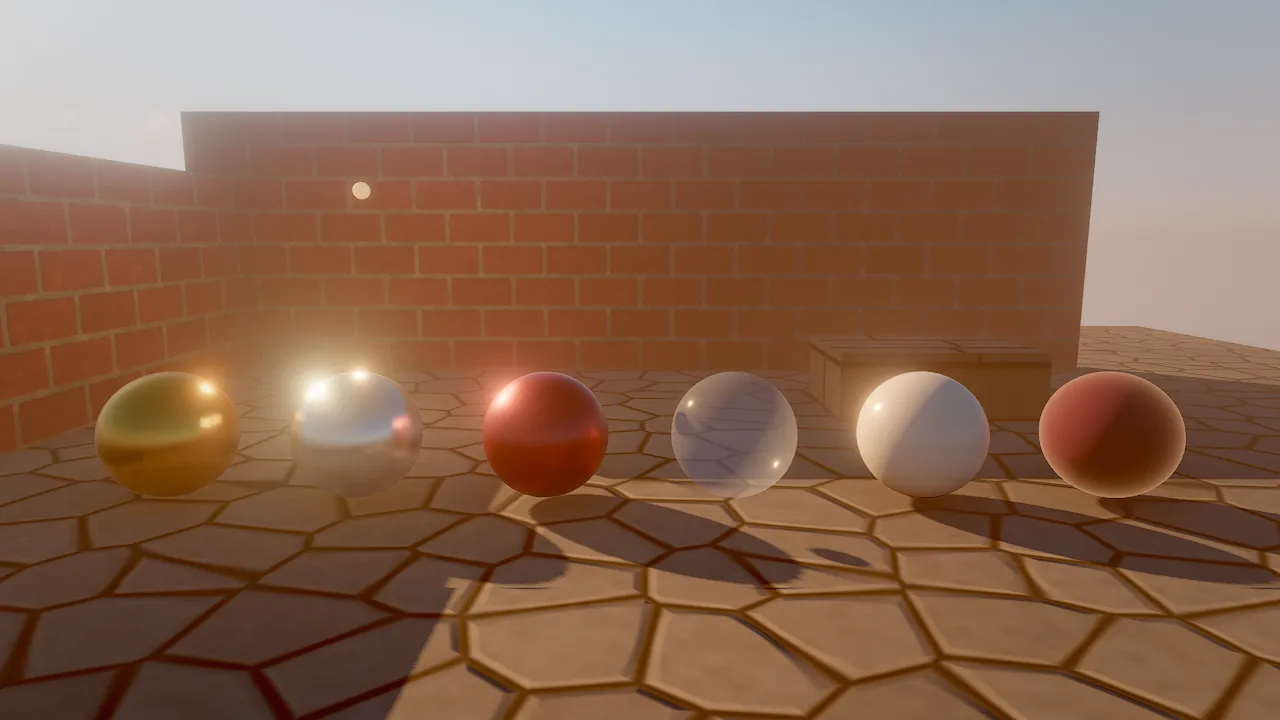
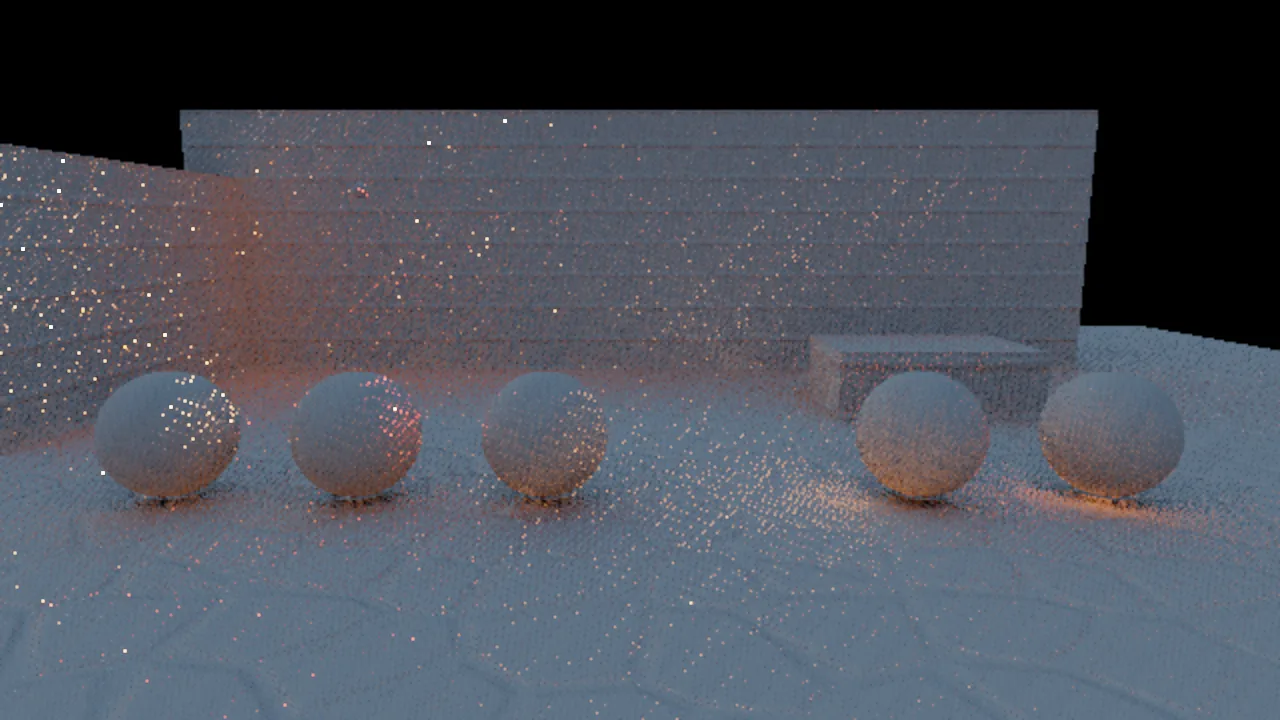
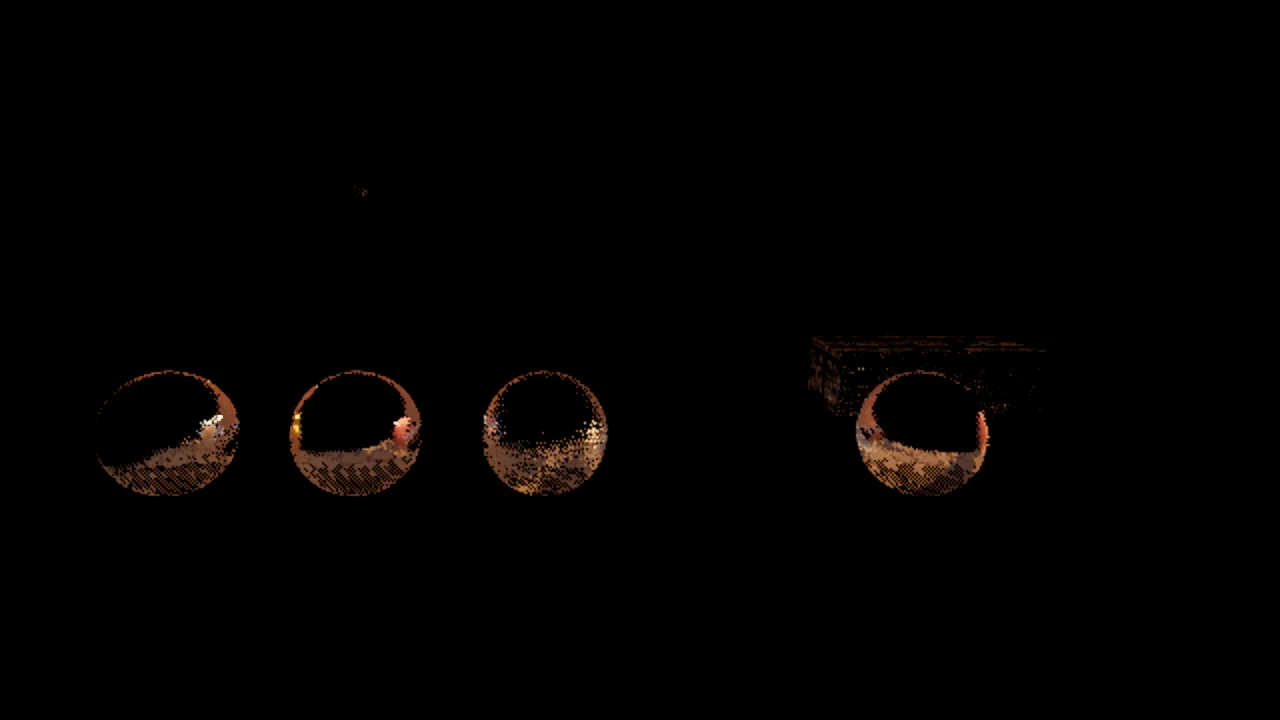
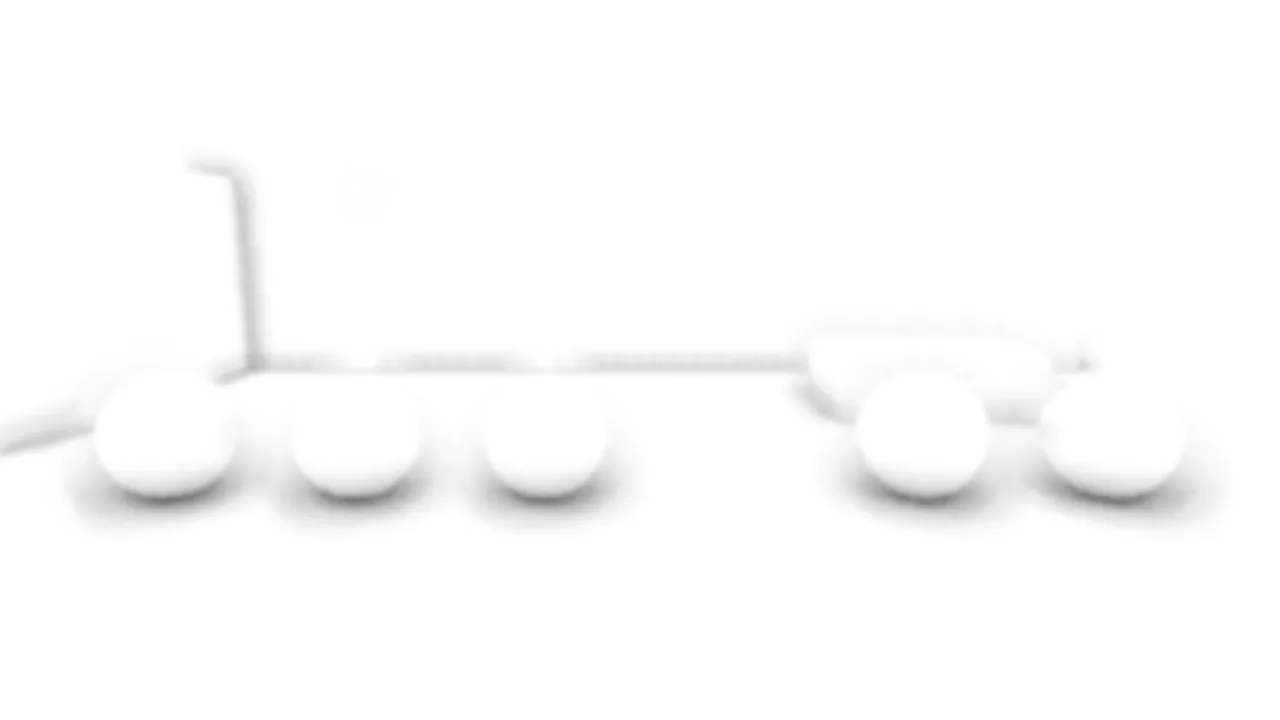
The look-dev courtyard and three of its lighting buffers. The GI buffer shows the warm lamp light bouncing onto the floor and spheres; the reflection buffer is dark except on the glossy spheres; AO darkens the contacts under the spheres and along the wall. The grain in the buffers is what a few samples look like before accumulation.
Concepts
Where indirect light comes from
| Source | What it provides | Settings |
|---|---|---|
| Sky probe | The sky (and its clouds) prefiltered into a cubemap with 6 roughness levels: diffuse sky light and blurry-to-sharp reflections everywhere, on or off screen | ambient (diffuse), reflections (specular), the sky itself |
| SSGI | Bounce light and emissive light from what is on screen | gi (0 = sky light only, 1 = full), giDistance (ray length in meters) |
| SSR | Reflections of the visible scene on glossy surfaces: wet streets, floors, metal, still water | ssr (0 = off, 1 = full) |
| SSAO | Contact darkening in corners and creases, applied to indirect diffuse light | ao (strength), aoRadius (meters) |
| Material AO | Baked occlusion from an ORM map's red channel | ormMap, occlusionStrength |
| Field | Default | Range |
|---|---|---|
gi |
1 | 0..1 |
giDistance |
4 m | 0.5..50; scaled up with view distance |
ssr |
1 | 0..1 |
ao |
0.8 | 0..2 |
aoRadius |
0.6 m | 0.05..5 |
ambient |
0.3 | 0..10 |
reflections |
1 | 0..3 |
How it works
- The scene pass writes a G-buffer next to the HDR color: albedo and material AO, and the normal, roughness and
metallic of each pixel, plus a flag for surfaces that keep their own stylized lighting (sky,
unlit,toonand outlines). - At half resolution, SSAO, SSGI and SSR trace the depth buffer. GI shoots cosine-distributed rays and falls back to the sky probe for rays that leave the screen; reflections importance-sample the GGX lobe of each surface. Both gather light from the previous anti-aliased frame, so light keeps bouncing from frame to frame.
- In real time, the results are accumulated over frames; for stills, each of the
samplessub-frames contributes, which removes the noise. - The lighting resolve swaps the sky-probe indirect light of PBR surfaces for the GI and reflection results (with an edge-aware upsample to full resolution) and applies SSAO to the indirect diffuse term.
Very rough surfaces take their reflections from the probe. Emissive surfaces on screen light their surroundings through GI, which is how neon signs and glowing crystals tint nearby walls.
Real time versus stills
GI and reflections need many rays per pixel. In real time each frame adds a few and temporal accumulation converges
them over the next frames, so after a camera cut they take a few frames to settle. For stills, use samples
of 8 or more (16 to 32 for final images): viewport_capture and skywalker render accumulate that many jittered
sub-frames and the buffers come out clean.
The fast editor viewport tier turns off SSGI and SSR to keep heavy worlds responsive; play mode and captures use
full. See Quality tiers.
How to tune indirect light
debug_view: "lighting"shows the lighting before screen-space GI and reflections; compare it with the final image to see what they add.giandssrbelow 1 blend toward the probe-only result; use them to tone down bounce in stylized scenes.- A longer
giDistancegathers light from farther away (large halls, canyons) at the cost of more noise; a shorter one keeps bounce local and stable. - Lower
ambientfor interiors, caves and night scenes, where the sky should not reach. GI still brings in light that bounces through openings you can see.
Recipe: an interior lit through a window
environment_update {"ambient": 0.08, "reflections": 0.6, "gi": 1, "giDistance": 8, "ao": 1.2, "aoRadius": 0.4, "sunElevation": 25, "godRays": 1, "haze": 0.02}
material_create {"path": "materials/oak_floor.mat.json", "color": "#7a5236", "roughness": 0.25, "clearcoat": 0.4}
material_assign {"entities": ["Floor"], "material": "materials/oak_floor.mat.json"}
viewport_capture {"view": "scene", "samples": 24}
Low ambient keeps the room dark where no light reaches, GI carries the sun patch on the floor onto the walls and ceiling, the varnished floor reflects the window through SSR, and the haze makes the beam visible.
Recipe: a wet floor that mirrors the scene
material_create {"path": "materials/wet_tile.mat.json", "color": "#202226", "roughness": 0.08}
material_assign {"entities": ["Plaza"], "material": "materials/wet_tile.mat.json"}
environment_update {"ssr": 1, "reflections": 1}
viewport_capture {"debug_view": "reflections", "samples": 8}
Low roughness keeps reflections sharp; anything that should appear in them must be on screen.
Limits
- Screen space only. GI and reflections see only what is on screen; everything else comes from the sky probe. Objects behind the camera or hidden behind others do not bounce light or appear in reflections.
- No reflection probes and no world-space GI yet. Interiors cannot capture a local probe; the sky probe is used
everywhere.
light.indirectis reserved for future world-space GI. - Stylized surfaces opt out.
toonandunlitsurfaces, the sky and outlines receive no SSGI or SSR. - Water has its own reflections, over the sky, sampled straight from the HDRI when there is one; see Water.
For agents
Indirect light is noisy at one sample; never judge it from a 1-sample capture.
viewport_capture {"debug_view": "lighting", "samples": 8}       # direct and probe light only
viewport_capture {"debug_view": "gi", "samples": 16}            # what SSGI adds
viewport_capture {"debug_view": "ao", "samples": 8}             # contact shadows
perf_stats {"frames": 30, "passes": true}                       # profile.groups ssgi, ssr, ao, resolve
If ssgi or ssr dominate the frame, lower gi, ssr or giDistance, or benchmark quality: "balanced".
Reference
- Tools:
environment_update,viewport_capture,perf_stats - Component:
environment,mesh - CLI:
skywalker render - Design: docs/RENDERING.md (Frame; Lighting; Limits)