Water
The water component renders a body of water driven by a spectral ocean simulation: wind waves, choppy crests, whitecaps, refraction, depth colour, caustics and reflections. One component covers an endless ocean, a storm sea, a lake, a swimming pool and a puddle on a street. Gameplay reads the same animated surface that is rendered, so boats, buoys and debris ride the waves you see.
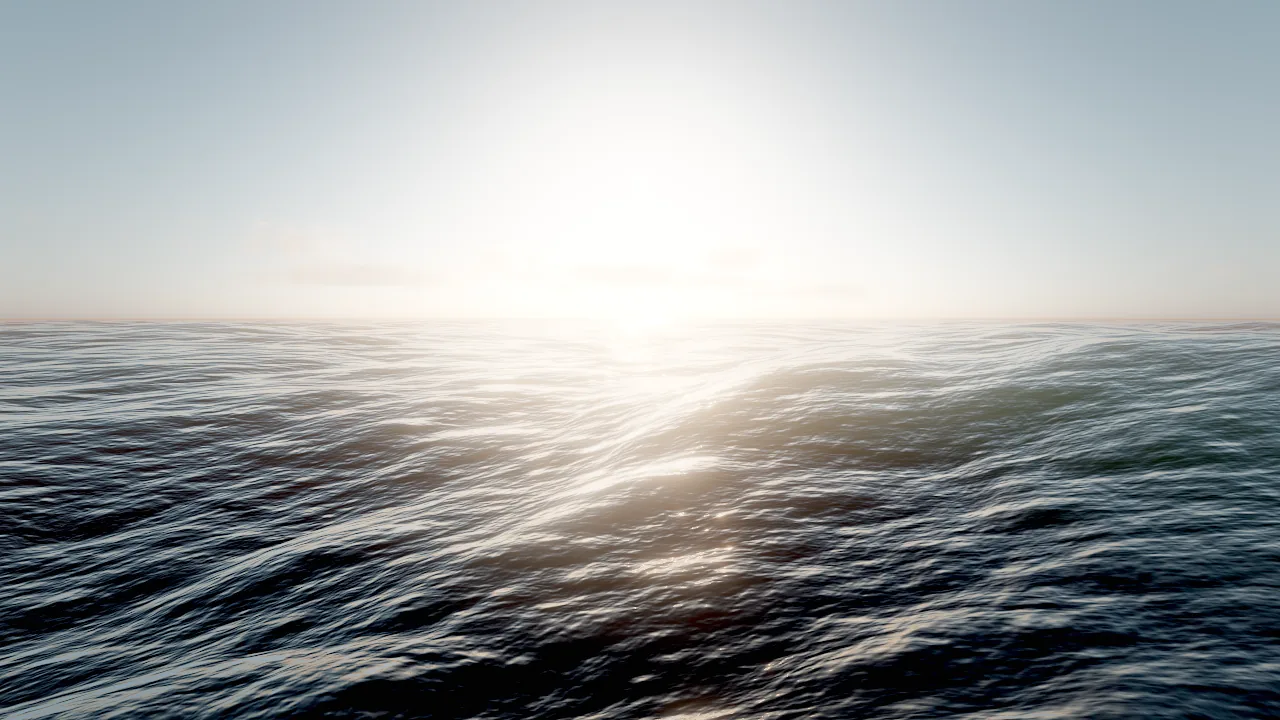
fx_create {"effect": "ocean"}: an endless FFT ocean with sun glints, seen from just above the surface.Concepts
The simulation
Skywalker's ocean is a Tessendorf FFT simulation:
- A JONSWAP wind-wave spectrum is built from
windSpeed(with a 300 km fetch), spread aroundwindDirection, and evolved with the finite-depthdispersion relation, so shallow water slows waves down. - Three cascades of 256² samples cover tiles of
patchSize,patchSize/4.7 andpatchSize/19 meters. Together they reach from long swell down to ripples of about 20 cm without visible tiling. - Inverse FFTs (run in parallel on the CPU each frame) produce height, choppy horizontal displacement (
choppiness), slopes and the displacement Jacobian. Where the Jacobian folds, crests break into whitecaps, which persist and decay over seconds. - The field is a pure function of the parameters, the seed and time. Play sessions replay exactly, and queries return the real surface.
The entity's y position is the water level. All heights the simulation produces are offsets from it.
Fields
| Field | Range | What it does |
|---|---|---|
windSpeed |
0–40 m/s | Wave energy: 2 for a calm lake, 8 for a breezy sea, 18 for a storm. |
windDirection |
degrees | Direction the waves travel (0 = +Z). |
choppiness |
0–3 | Sharpness of crests; 0 is a rolling swell. |
waveScale |
0–5 | Amplitude multiplier on top of the spectrum. |
patchSize |
10–2000 m | Longest simulated wavelength (the largest cascade tile). |
size |
0–100000 m | Square extent; 0 = endless ocean. |
depth |
0.5–5000 m | Water depth for wave physics; shallow water slows waves. |
deepColor |
colour | Light scattered inside deep water. |
shallowColor |
colour | Tint of what you see through shallow water. |
clarity |
0.1–100 m | How far you can see into the water. |
foam |
0–4 | Whitecaps and shoreline surf. |
reflections |
0–2 | Reflection strength. |
refraction |
0–4 | Refraction distortion of what lies under the surface. |
roughness |
0.005–0.5 | Micro roughness: the size of sun glints. |
seed |
integer | Random seed of the wave field. |
Colours accept "#rrggbb[aa]" or [r, g, b(, a)] in 0..1.
Presets
fx_create creates a water entity from a preset at the position you give:
| Preset | Kind | windSpeed |
choppiness |
patchSize |
size |
depth |
clarity |
foam |
|---|---|---|---|---|---|---|---|---|
ocean |
Endless sea | 9 | 1.3 | 240 | 0 | 80 | 7 | 1 |
calm_sea |
Endless, gentle swell | 4.5 | 0.9 | 160 | 0 | 40 | 10 | 0.5 |
storm |
Endless, heavy sea | 19 | 1.8 | 420 | 0 | 200 | 3 | 2.4 |
lake |
300 m body | 3 | 0.8 | 60 | 300 | 8 | 3 | 0.2 |
pool |
12 m body, clear blue | 1.5 | 0.5 | 18 | 12 | 2 | 30 | 0 |
puddle |
2.5 m body, near still, dark | 0.4 | 0.3 | 10 | 2.5 | 0.5 | 0.6 | 0 |
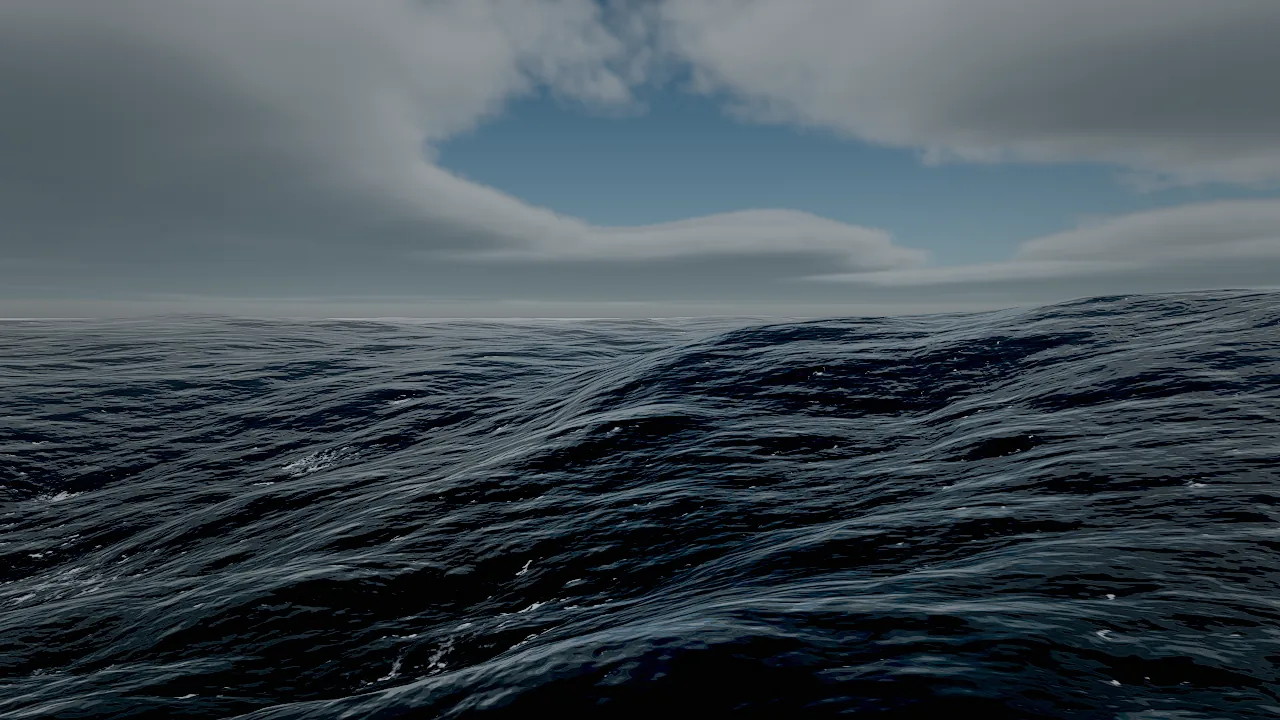
fx_create {"effect": "storm"}: high wind, sharp crests and dense whitecaps under volumetric clouds.Endless and sized bodies
- Endless (
size: 0): a camera-centred grid that reaches the horizon. Far away the sea blends into the horizon, so the grid's edge never shows. Use it for oceans and seas. - Sized (
size> 0): a square body ofsizemeters around the entity with an organic, ragged shore. Use it for lakes, ponds, pools and puddles.
Shores and shoaling
Over a terrain, waves shoal: their height falls with the depth of a low-passed (about 16 m) seabed, keeps about 40% at the waterline so swash still runs up the beach face, and dies about 1 m above it. Hollows behind a beach crest therefore stay dry instead of flooding with every swell, and the shoreline follows the waves rather than the terrain contour.
Set the terrain's waterLevel to the water's y and give it a wetBand, so sand and soil darken where the swash reaches. terrain_create with water: true does both and adds a calm_sea at sea level. See Terrain.
Swash running up the beach in the Tidebreak Isle example: an endless sea (windSpeed 6, choppiness 1.1, clarity 14) shoaling over the island terrain.
Shading
| Effect | Controlled by |
|---|---|
| Refraction of the scene behind the surface | refraction |
| Absorption and in-scattering by depth | clarity, shallowColor, deepColor |
| Animated caustics on everything underwater | the wave field |
| Screen-space reflections, the sky (or the HDRI) where they leave the screen | reflections |
| GGX sun glints | roughness |
| Light through thin crests | the wave field and the sun |
| Persistent whitecaps that break into lace where waves fold; surf at the waterline | foam |
| Reflections of every lamp and fire | the 16 most important lights of the frame |
The renderer draws water in the effects pass, after opaque and transparent meshes, so it refracts everything behind it.
The shallows of Tidebreak Isle from above: turquoise transmission over sand, darker water over deep sea, surf along the beach and around the rocks.
How to add water
overrides patches any water field on top of the preset. Change a body later with entity_update:
entity_update {"entity": "Sea", "components": {"water": {"windSpeed": 14, "choppiness": 1.6, "foam": 1.8}}}
How to make things float
Query the surface from a tool
water_query returns, for each [x, z] point, the world height of the animated surface and its normal, at the current effects time. Points outside every water body return "water": false. Use it to place a pier above the highest crests or to check that a boat sits at the right draft.
Read the surface in Wander
water_height(x, z) or water_height(point) returns the world height of the surface at that spot (0 where there is no water). The behavior below makes a boat ride the waves: it samples four points around the hull, sets its height from their average and pitches and rolls with the difference.
behavior RideWaves
  intent "Float on the water: follow the animated surface and pitch and roll with the waves."
  param half_length = 6 in 1..30 "half the hull length (m)"
  param half_beam = 2 in 0.5..10 "half the hull width (m)"
  param draft = 0.4 in 0..3 "how deep the hull sits (m)"
  param heading = 75 in 0..360 "course (degrees)"

  on tick
    let p = self.position
    let f = forward(self) * half_length
    let r = right(self) * half_beam
    let bow = water_height(p + f)
    let stern = water_height(p - f)
    let port = water_height(p - r)
    let starboard = water_height(p + r)
    let mid = (bow + stern + port + starboard) / 4
    self.position = (p.x, mid - draft, p.z)
    let pitch = deg(atan2(bow - stern, half_length * 2))
    let roll = deg(atan2(port - starboard, half_beam * 2))
    self.rotation = (pitch, heading, roll)
  end
end
For a physics object, push it up in proportion to how deep it sits and let the solver do the rest. The entity needs a dynamic body and a collider (see Physics):
behavior Buoyancy
  intent "A floating crate: push up in proportion to how far it sits below the waves, with damping."
  param lift = 30 in 0..500 "upward force per meter submerged (N/m)"
  param damping = 4 in 0..50 "vertical damping (N per m/s)"

  on tick
    let depth = water_height(self.position) - self.position.y
    if depth > 0 then
      let v = velocity(self)
      push(self, (0, lift * min(depth, 1) - damping * v.y, 0))
    end
  end
end
Choose lift so that lift × 1 m clearly exceeds the body's weight (mass × 9.81); the crate then floats with part of its height below the surface.
Recipe: a tropical coast
An island, a turquoise sea that shoals over it, a pier above the crests and a buoy that bobs.
terrain_create {"name": "Island", "preset": "island_beach", "size": 640, "resolution": 1025, "seed": 3, "water": true}
entity_update {"entity": "Sea", "components": {"water": {"windSpeed": 6, "windDirection": 185, "choppiness": 1.1, "waveScale": 0.75, "patchSize": 180, "depth": 30, "deepColor": "#03303f", "shallowColor": "#3cd6d2", "clarity": 14}}}
entity_update {"entity": "Island", "components": {"terrain": {"waterLevel": 0, "wetBand": 1.1}}}
water_query {"points": [[60, 150], [60, 170], [60, 190]]}
environment_update {"preset": "noon", "windSpeed": 6, "windDirection": 185}
viewport_capture {"eye": [60, 25, 260], "target": [60, 0, 150], "samples": 8}
Read the highest height from water_query along the pier line and build the deck at least half a meter above it. Attach RideWaves (above) to the buoy with behavior_set.
Recipe: rain puddles on a street
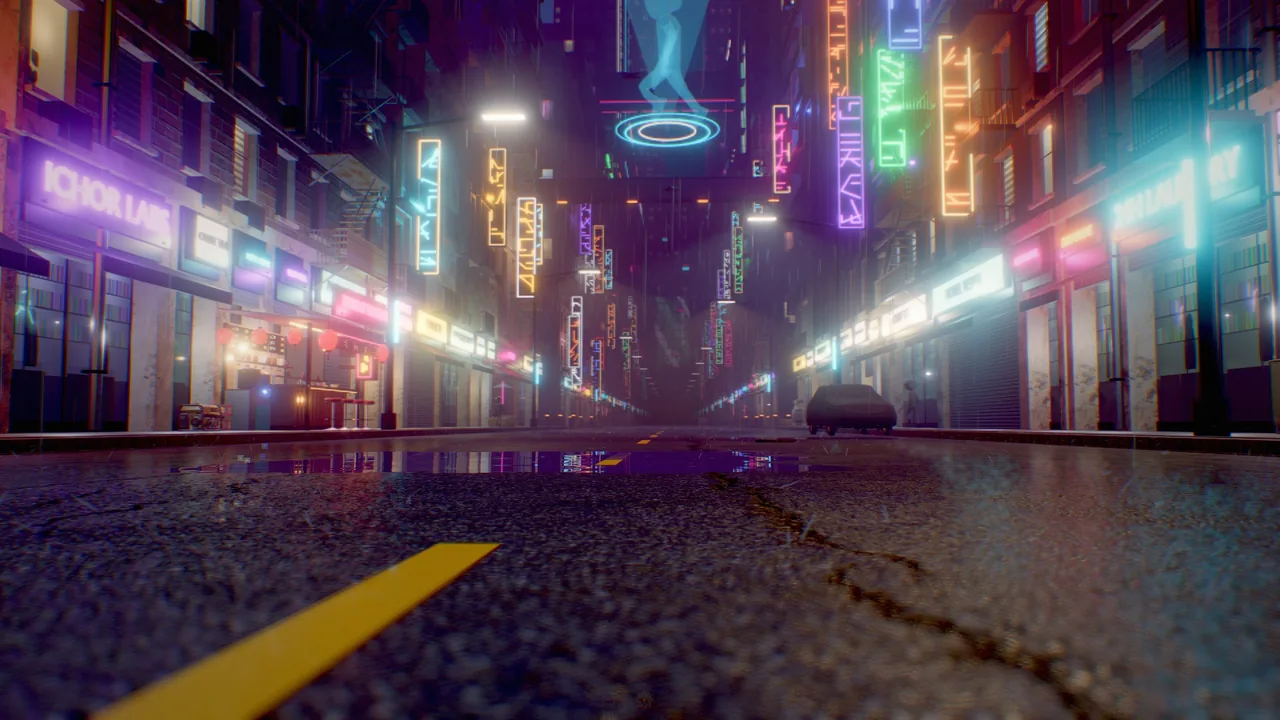
Small sized bodies with the puddle preset turn a dry road into a mirror for neon signs.
fx_create {"effect": "puddle", "position": [-1.5, 0.008, 22], "overrides": {"size": 3.4}}
fx_create {"effect": "puddle", "position": [2.6, 0.008, 8], "overrides": {"size": 2.7}}
fx_create {"effect": "rain", "position": [0, 12, 10], "overrides": {"floorHeight": 0}}
Lift each puddle a few millimeters above the road so it does not z-fight, and vary size so the shores do not repeat.
Pitfalls
- The y position is the water level. Moving the entity up floods the scene; set the terrain's
waterLevelto the same value. - Queries ignore shoaling.
water_queryandwater_heightreturn the open-water wave field of the body. The height reduction near shores is a rendering effect, so a buoy in the swash zone moves more than the waves you see around it. Keep floating objects in open water or scale their motion down near the shore. - One body per spot. Where bodies overlap, queries use the first water entity in scene order. A sized body counts as its full square for queries, not the ragged rendered shore.
- A surface, not a fluid. Water is a simulated surface: there is no flow and no splash simulation. Use particles (
spray,splashes_gpu,waterfall_mist) for splashes and mist; see Visual effects. - Wind is separate. The water's
windSpeedandwindDirectiondrive the waves;environment_updatewind drives particles, foliage and clouds. Keep them consistent for a believable scene.
For agents
Create water from a preset, align the shore, then measure before you place anything on or above it:
fx_create {"effect": "calm_sea", "position": [0, 0, 0]}                              # y = water level
entity_update {"entity": "Terrain", "components": {"terrain": {"waterLevel": 0, "wetBand": 1.4}}}
water_query {"points": [[0, 40], [10, 60]]}                                           # live surface height and normal
viewport_capture {"eye": [0, 6, 80], "target": [0, 0, 20], "samples": 8}             # judge colour, foam, reflections
For floating objects, write a behavior that calls water_height every tick; test it with wander_test and check positions with entity_get while playing.
Reference
- Tools:
fx_create,water_query,terrain_create. - Component:
water. - Wander:
water_height,push,velocity. - Related pages: Terrain, Visual effects, Sky and atmosphere.
- Design document: docs/RENDERING.md ("Water").