Specs and tests
This page covers how a behavior goes from a sentence to verified code: the spec that turns an intent into
checkable rules, the test blocks that check each rule, and the tools that run them without touching your scene.
You use it whenever you write a behavior you want to trust, and agents use it for every behavior they write.
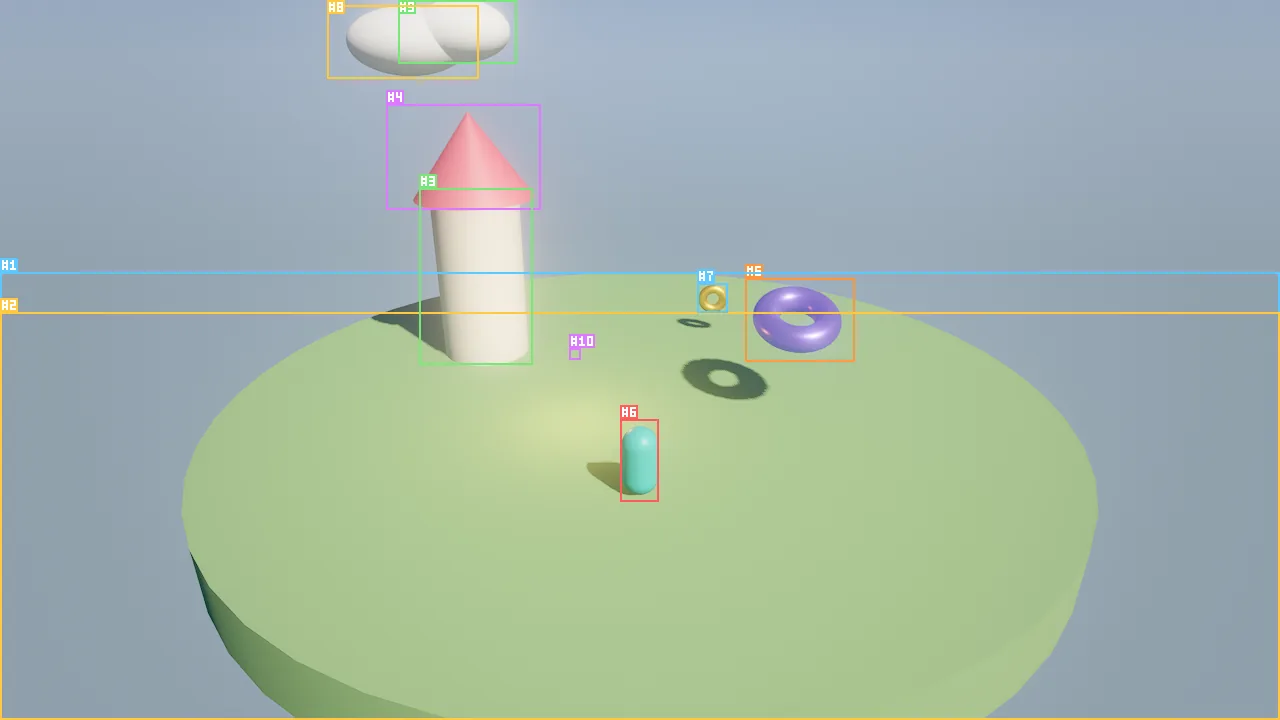
viewport_capture (here with annotate: true on hello_sky) and steps the simulation to watch the behavior.Concepts
The pipeline
| Step | Artifact | Tool |
|---|---|---|
| 1. Intent | A plain-language sentence on the behavior | behavior_set (intent) |
| 2. Spec | Rules derived from the intent, each naming its tests | behavior_set (spec) |
| 3. Code with tests | Wander, with one test block per rule |
wander_check, behavior_set (source) |
| 4. Verify | Pass or fail per test, with compared values | wander_test |
| 5. Coverage | Rules without tests, tests without rules | behavior_spec |
The spec is the contract between the intent (for people) and the code (for the runtime). When any of the three
changes, behavior_spec shows what fell out of sync.
The spec
A spec is a JSON object stored with the behavior:
| Field | Meaning |
|---|---|
summary |
One sentence: what the behavior is. |
rules |
A list of {text, tests}. text is one checkable statement; tests names the test blocks that verify it. |
notes |
Optional free text: open questions, assumptions. |
You do not list tunables, triggers or states in the spec. behavior_spec derives them from the code: param
declarations with their ranges and current per-entity values, the handlers, the states, vars, functions and tests.
Good rules are small, observable and phrased in terms of state a test can read: a var, a component field, a position, whether the entity still exists. "Feels responsive" is not a rule; "reaches 4 m/s within 0.2 s" is.
Test blocks
A test "name" ... end block runs only inside wander_test. It can stand inside a behavior (where self is the entity
under test and the behavior's vars are in scope) or at file level. Besides every normal statement, tests use:
| Statement | Effect |
|---|---|
expect cond ("why") |
Records a failure when cond is false, with the compared values, and continues. |
wait 1.5, wait frames 3, wait until cond |
Advances the sandbox simulation at 1/60 s per tick. |
emit "evt" (with payload) (to e) |
Sends an event; it arrives next tick. |
press "space" |
Presses a key once (fires on key). |
hold "w", release "w" |
Holds and releases a key (read with key("w")). |
click e |
Clicks an entity (fires on click). |
spawn(...) |
Creates helper entities, such as a target for an enemy. |
A test can also assign the behavior's vars directly (oil = 0) to set up a situation.
behavior Controls
  intent "D and A move the hero sideways at 4 m/s. Space makes it jump; gravity brings it back to the ground."
  param speed = 4 in 0..10 "run speed (m/s)"
  var vy = 0

  on tick
    let dir = 0
    if key("d") then dir += 1 end
    if key("a") then dir -= 1 end
    move self by (dir * speed * dt, 0, 0)
    vy -= 20 * dt
    self.position.y = max(0.5, self.position.y + vy * dt)
  end

  on key "space"
    if self.position.y <= 0.51 then
      vy = 7
      emit "jumped"
    end
  end

  test "holding d moves right"
    let x0 = self.position.x
    hold "d"
    wait 1
    release "d"
    expect self.position.x > x0 + 3.5 "about 4 m in one second"
  end

  test "space jumps and lands"
    press "space"
    wait frames 10
    expect self.position.y > 0.6 "in the air"
    wait until self.position.y <= 0.5
    expect vy < 0
  end
end
How to run tests
wander_test modes
wander_test runs every test of a behavior in a sandbox: a fresh world for each test, ticked once so on start
already ran, then the test body with self = the entity under test. The real scene, its undo history and its selection
are never touched.
mode |
The sandbox contains | Use it for |
|---|---|---|
entity (default) |
A copy of the entity: its components, tags and vars | Most behaviors. Component fields such as self.light.intensity work because the light is copied. |
scene |
A copy of the whole scene, with the entity under test in it | Behaviors that interact with other entities: a guard that chases the real player, a door opened by a real switch, physics contacts. |
isolated |
A plain entity with no components | Pure logic, or raw source you have not attached yet. |
Other arguments: source tests code that is not saved on any entity, filter runs only tests whose name contains a
string, and max_seconds caps simulated time per test (default 600).
Reading the result
The result lists every test with its outcome, the ticks and simulated seconds it took, and for failures the line, the expectation and the values on both sides:
{"compiled": true, "passed": 0, "failed": 1, "total": 1,
 "tests": [{"name": "loses hp when hit", "passed": false, "ticks": 3, "seconds": 0.05, "expectations": 1,
            "behavior": "Guard",
            "failures": [{"line": 41, "message": "expected hp == 1", "detail": "left side was 2, right side was 1"}]}],
 "diagnostics": []}
A runtime error inside a test is a failure too, with the error as the message (for example, comparing none with a
number after the entity destroyed itself).
Coverage with behavior_spec
behavior_spec returns the intent, the stored spec, what the code declares (derived) and a coverage section:
| Field | Meaning |
|---|---|
rules, covered |
How many rules exist and how many name at least one existing test |
uncovered_rules |
Rules with no test, or whose tests do not exist |
missing_tests |
{rule, test} pairs: a rule names a test the code does not contain |
tests_without_rule |
Tests no rule refers to |
next_step |
What to do next, for example "write a test block for each uncovered rule, then run wander_test" |
Beyond the sandbox: play, step and trace
Tests prove rules in isolation. To see a behavior in the real scene, drive the simulation step by step. Every call below is deterministic: the same inputs and the same scene produce the same numbers.
| Tool | Use |
|---|---|
sim_control |
play, step N ticks (60 = 1 s) and get the logs and errors of those ticks, stop to restore the scene to its pre-play state. |
sim_input |
Inject input for the next tick: press, hold, release keys, actions, axes, gamepad, mouse, click an entity, or event with a data payload and an optional target. |
sim_trace |
Run N ticks and sample properties (transform.position, vars.score, light.intensity) every few ticks; restores the scene afterwards by default. |
wander_inspect |
While playing: the current state of each state machine, handlers waiting in wait, and the entity's vars. |
logs |
Recent log output and runtime or compile errors. |
sim_trace paths are <component>.<field>[.<sub>], vars.<name>, name or enabled. With display_hz (for
example 120) it simulates a real display instead and reports, per displayed frame, the interpolation alpha and the
value shown next to the tick value, plus a smoothness summary.
sim_control {"action": "play"}
sim_input {"click": "Lantern"}
sim_control {"action": "step", "ticks": 2}
wander_inspect {"entity": "Lantern"}
sim_trace {"entities": ["Lantern"], "properties": ["light.intensity", "vars.lit", "vars.oil"], "ticks": 120, "every": 40}
sim_input {"event": "refill", "target": "Lantern"}
sim_control {"action": "step", "ticks": 2}
logs {"limit": 10}
sim_control {"action": "stop"}
wander_inspect after the click shows the live vars:
{"entity": 4, "playing": true,
 "scripts": [{"script": "Lantern", "started": true, "behaviors": [{"name": "Lantern"}]}],
 "vars": {"burn_time": 30, "brightness": 4, "lit": true, "oil": 29.97}}
and sim_trace prints one line per sample:
t=0s  #4.light.intensity=4  #4.vars.lit=true  #4.vars.oil=29.966666664928198
t=0.667s  #4.light.intensity=4  #4.vars.lit=true  #4.vars.oil=29.299999963492155
t=1.333s  #4.light.intensity=4  #4.vars.lit=true  #4.vars.oil=28.633333262056112
t=2s  #4.light.intensity=4  #4.vars.lit=true  #4.vars.oil=27.96666656062007
Tip
sim_trace also takes press and hold for keys at the start of the trace, which is enough to measure a jump
height or a run speed in one call: {"entities": ["Hero"], "properties": ["transform.position"], "hold": ["d"],
"ticks": 60, "every": 10}.
Recipe: from intent to verified code
This worked example builds a clickable oil lantern, the way an agent does it.
1. The intent. A designer writes one sentence on the entity:
Click the lantern to switch it on or off. While lit it burns oil and goes out by itself when the oil runs out. A refill event fills it up again.
2. The spec. The agent splits the intent into rules, each with a test name:
{
  "summary": "A clickable oil lantern with limited burn time.",
  "rules": [
    {"text": "Clicking an unlit lantern that has oil lights it at `brightness`.", "tests": ["click switches it on"]},
    {"text": "Clicking a lit lantern puts it out.", "tests": ["second click switches it off"]},
    {"text": "A lit lantern burns `burn_time` seconds of oil, then goes out.", "tests": ["goes out when the oil runs out"]},
    {"text": "Without oil, clicking does nothing.", "tests": ["stays dark without oil"]},
    {"text": "A refill event fills the oil to `burn_time`.", "tests": ["refill restores the oil"]}
  ]
}
3. The code, with one test per rule.
behavior Lantern
  intent "Click the lantern to switch it on or off. While lit it burns oil and goes out by itself when the oil runs out. A refill event fills it up again."
  param burn_time = 30 in 1..300 "seconds of light per filling"
  param brightness = 4 in 0..20 "light intensity when lit"
  var lit = false
  var oil = 0

  on start
    oil = burn_time
    self.light.intensity = 0
  end

  on click
    if lit then
      put_out()
    elif oil > 0 then
      lit = true
      self.light.intensity = brightness
    end
  end

  on tick
    if lit then
      oil = max(0, oil - dt)
      if oil <= 0 then put_out() end
    end
  end

  on event "refill"
    oil = burn_time
  end

  fn put_out()
    lit = false
    self.light.intensity = 0
  end

  test "click switches it on"
    click self
    wait frames 2
    expect lit
    expect self.light.intensity == brightness
  end

  test "second click switches it off"
    click self
    wait frames 2
    click self
    wait frames 2
    expect not lit
    expect self.light.intensity == 0
  end

  test "goes out when the oil runs out"
    click self
    wait burn_time + 0.5
    expect not lit "out of oil"
    expect oil == 0
  end

  test "stays dark without oil"
    oil = 0
    click self
    wait frames 2
    expect not lit
  end

  test "refill restores the oil"
    oil = 1
    emit "refill" to self
    wait frames 2
    expect oil == burn_time
  end
end
4. Create the entity and attach the behavior. The lantern needs a light component for self.light.intensity.
Both steps go into one batch, so they are one undo step:
batch {"label": "Add lantern", "operations": [
  {"tool": "entity_create", "args": {"name": "Lantern", "mesh": "cylinder", "position": [0, 1, 0], "scale": [0.3, 0.5, 0.3],
    "components": {"light": {"kind": "point", "intensity": 0, "range": 8, "color": "#ffb347"}}}},
  {"tool": "behavior_set", "args": {"entity": "Lantern", "name": "Lantern",
    "intent": "Click the lantern to switch it on or off. While lit it burns oil and goes out by itself when the oil runs out. A refill event fills it up again.",
    "spec": {"summary": "A clickable oil lantern with limited burn time.", "rules": [
      {"text": "Clicking an unlit lantern that has oil lights it at `brightness`.", "tests": ["click switches it on"]},
      {"text": "Clicking a lit lantern puts it out.", "tests": ["second click switches it off"]},
      {"text": "A lit lantern burns `burn_time` seconds of oil, then goes out.", "tests": ["goes out when the oil runs out"]},
      {"text": "Without oil, clicking does nothing.", "tests": ["stays dark without oil"]},
      {"text": "A refill event fills the oil to `burn_time`.", "tests": ["refill restores the oil"]}]},
    "source": "behavior Lantern\n  intent \"Click the lantern to switch it on or off. While lit it burns oil and goes out by itself when the oil runs out. A refill event fills it up again.\"\n  param burn_time = 30 in 1..300 \"seconds of light per filling\"\n  param brightness = 4 in 0..20 \"light intensity when lit\"\n  var lit = false\n  var oil = 0\n\n  on start\n    oil = burn_time\n    self.light.intensity = 0\n  end\n\n  on click\n    if lit then\n      put_out()\n    elif oil > 0 then\n      lit = true\n      self.light.intensity = brightness\n    end\n  end\n\n  on tick\n    if lit then\n      oil = max(0, oil - dt)\n      if oil <= 0 then put_out() end\n    end\n  end\n\n  on event \"refill\"\n    oil = burn_time\n  end\n\n  fn put_out()\n    lit = false\n    self.light.intensity = 0\n  end\n\n  test \"click switches it on\"\n    click self\n    wait frames 2\n    expect lit\n    expect self.light.intensity == brightness\n  end\n\n  test \"second click switches it off\"\n    click self\n    wait frames 2\n    click self\n    wait frames 2\n    expect not lit\n    expect self.light.intensity == 0\n  end\n\n  test \"goes out when the oil runs out\"\n    click self\n    wait burn_time + 0.5\n    expect not lit \"out of oil\"\n    expect oil == 0\n  end\n\n  test \"stays dark without oil\"\n    oil = 0\n    click self\n    wait frames 2\n    expect not lit\n  end\n\n  test \"refill restores the oil\"\n    oil = 1\n    emit \"refill\" to self\n    wait frames 2\n    expect oil == burn_time\n  end\nend\n"}}
]}
behavior_set answers with a summary of what the code declares:
{"ok": true, "errors": 0, "diagnostics": [],
 "behaviors": [{"name": "Lantern", "vars": ["lit", "oil"], "handlers": ["start", "click", "tick", "event \"refill\""],
                "params": [{"name": "burn_time", "type": "number", "default": 30, "min": 1, "max": 300, "doc": "seconds of light per filling"},
                           {"name": "brightness", "type": "number", "default": 4, "min": 0, "max": 20, "doc": "light intensity when lit"}],
                "tests": ["click switches it on", "second click switches it off", "goes out when the oil runs out",
                          "stays dark without oil", "refill restores the oil"]}],
 "functions": ["Lantern.put_out"]}
5. Verify.
{"compiled": true, "passed": 5, "failed": 0, "total": 5,
 "tests": [{"name": "click switches it on", "passed": true, "ticks": 3, "seconds": 0.05, "expectations": 2, "behavior": "Lantern"},
           {"name": "second click switches it off", "passed": true, "ticks": 5, "seconds": 0.083, "expectations": 2, "behavior": "Lantern"},
           {"name": "goes out when the oil runs out", "passed": true, "ticks": 1831, "seconds": 30.52, "expectations": 2, "behavior": "Lantern"},
           {"name": "stays dark without oil", "passed": true, "ticks": 3, "seconds": 0.05, "expectations": 1, "behavior": "Lantern"},
           {"name": "refill restores the oil", "passed": true, "ticks": 3, "seconds": 0.05, "expectations": 1, "behavior": "Lantern"}],
 "diagnostics": []}
Thirty simulated seconds of burning take a fraction of a second of real time: the sandbox ticks as fast as it can.
6. Check coverage.
{"coverage": {"rules": 5, "covered": 5, "uncovered_rules": [], "missing_tests": [], "tests_without_rule": []},
 "next_step": "run wander_test to verify every rule"}
If the designer later adds "the lantern flickers when the oil is low" to the intent, the agent adds a rule, a test and
the code, and behavior_spec reports the rule as uncovered until the test exists.
Pitfalls
- Events and destruction are deferred. An
emitarrives next tick anddestroyhappens at the end of the tick, so testswait frames 2before checking the effect. Afterdestroy self, the entity's vars are gone: test withexpect not exists(self)rather than reading a var. - Contacts need physics.
on collideandon trigger_enterfire from the physics world. Inentitymode the sandbox only has the entity under test; usemode: "scene"with real bodies and colliders, or test the effect through an event. - Tests run from a fresh copy. Changes a test makes never reach the scene, and tests do not see each other's changes.
max_secondsbounds a test. Await untilthat never becomes true runs until the limit (600 simulated seconds by default) and fails.- Keys are not actions. In the test sandbox,
press "space"presses a key and does not fireon action "jump". Drive behaviors that read input actions (on action,action("fire")) in the real scene withsim_inputand itsactionsargument, or move the logic into an event the test canemit.
For agents
The verification loop, in order:
wander_check {"source": "on tick\n  rotate self by (0, 90 * dt, 0)\nend\ntest \"spins\"\n  wait 1\n  expect self.rotation.y > 80\nend\n"}
behavior_set {"entity": "Coin", "name": "Spin", "intent": "Spin a quarter turn per second.", "spec": {"summary": "A spinning coin.", "rules": [{"text": "Turns 90 degrees per second around Y.", "tests": ["spins"]}]}, "source": "on tick\n  rotate self by (0, 90 * dt, 0)\nend\ntest \"spins\"\n  wait 1\n  expect self.rotation.y > 80\nend\n"}
wander_test {"entity": "Coin", "name": "Spin"}           # until every test passes
behavior_spec {"entity": "Coin", "name": "Spin"}         # until coverage has no gaps
sim_trace {"entities": ["Coin"], "properties": ["transform.rotation"], "ticks": 60, "every": 15}
Write one rule per sentence of the intent, name every test in the spec, and fix code (not tests) when a test that matches the intent fails.
Reference
- Tools:
wander_test,behavior_spec,behavior_set,sim_control,sim_input,sim_trace,logs,wander_inspect - Language for statements and runtime semantics
- Design document: docs/WANDER.md